
PayPaw card review: prepaid Visa or Mastercard paid in SOL, USDC, USDT or BONK, ordered through a Telegram bot
 Available in US
PayPaw is a prepaid card you order through a Telegram bot, pay for in Solana tokens, and add to Apple Pay or Google Pay a few minutes later. It is built for people who already live in that world, particularly Telegram users who want a one-time prepaid card funded from a Solana wallet. The card itself has no name on the legal entity behind it, no licence information and no published monthly fee; that combination is what drags the score down. If you want a familiar bank-style debit card with a regulator behind it, PayPaw is not it. If you want a fast prepaid card paid in SOL and you understand what you are buying, the product works as advertised.
The conditions described below are current as of October 28, 2026.
Verdict
PayPaw scores 5.8 out of 10. That number is not a guess; it is a weighted view of how accessible, affordable, reliable and usable the card is in everyday life. The breakdown sits below.
| Criterion | Mark | Why |
|---|---|---|
| Who can get it | 8 / 10 | Over 200 countries are covered; only 30 are excluded (Belarus and Russia among them). |
| Cost | 4 / 10 | 3% of the card’s value plus a $2 flat fee, and a 2% fee for any payment in a foreign currency. |
| Top-up options | 8 / 10 | SOL, USDC, USDT and BONK on Solana, plus a swap aggregator for BTC, ETH and BNB. |
| Reliability and complaints | 4 / 10 | The legal entity, card issuer and licences are not stated; no independent user reviews are available. |
| Everyday use | 5 / 10 | Apple Pay and Google Pay work; ATM cash is not supported; the card network and reload policy are not stated. |
| Total | 5.8 / 10 |
Who the card suits: a Telegram user who already keeps a balance in SOL or a Solana stablecoin and wants a quick prepaid card to spend it, including for a single online purchase or a trial subscription. The card also suits someone who is shut out of traditional banking and is comfortable funding a prepaid card from crypto.
Who the card does not suit: anyone who needs a reloadable debit card, anyone who needs to withdraw cash from an ATM, anyone who needs a clear paper trail showing who issued the card and under which licence, and anyone who plans to use the card regularly. Once the balance is gone, the card is spent; you cannot top it up.
Who will give you the card
PayPaw works in more than 200 countries. The provider publishes a list of 30 restricted countries and excludes them; Belarus and Russia are on that list, alongside the usual group of jurisdictions covered by international sanctions. If your country is not on the restricted list, the bot lets you proceed.
One thing the provider’s pages do not say is whether eligibility is based on citizenship, on the country you set in the bot, or on where your IP address sits. The Telegram bot simply asks you to choose a country during setup. That ambiguity is worth keeping in mind if you are, say, a citizen of a restricted country living in an allowed one: the system may let you in, or it may not. The official wording stops at “the bot asks you to set your country,” and there is no further statement on how the choice is checked.
There is also no minimum age published on the public pages. The page I read did not say whether the card is reserved for adults, although most prepaid card programmes set 18 as the minimum.
How to get it
Getting a PayPaw card is a six-step Telegram flow. The provider’s FAQ says KYC is “not required” to get started, while also noting that the provider still asks for your data, which sounds contradictory but in practice means the bot can issue a card before any full identity check.
The flow, in order:
- Open the PayPaw Telegram bot (t.me/paypawbot).
- Set your country.
- Choose Create Card.
- Pick a provider and a card amount.
- Pay the exact amount in SOL (or USDC, USDT or BONK) to the address the bot gives you.
- Activate the card through the partner provider’s link.
That last step is one to slow down on. The card is “activated” on a partner provider’s site, which means a third party holds the card number and the dashboard. PayPaw’s own site (paypaw.cards) acts as the storefront; the partner handles the actual card details. Anyone using PayPaw should make sure they know which partner they are being sent to and what that partner’s terms are.
Once payment is confirmed, the card details are usually delivered about 15 minutes later. The order itself is created in roughly 20 seconds, so the wait is on payment confirmation and the partner’s processing rather than on the bot.
The cards come in EUR or USD. The provider’s pages do not say whether the card is Visa or Mastercard, and they do not distinguish between virtual and physical cards. The partner provider’s site, which is where the card is actually activated, would be the place to look for that detail.
What it really costs
PayPaw’s fee structure is short enough to fit on a receipt. The headline price is 3% of the card’s value plus $2. There is no monthly fee mentioned on the public pages. Foreign-currency transactions add a 2% conversion fee, and that is on top of the issuer’s or network’s own exchange rate spread, which the provider does not publish.
A few everyday examples show how the numbers land:
- A $50 online subscription paid in USD from a $50 USD card: you pay $1.50 + $2 = $3.50 to create the card, then no fee for the payment itself because the card and the merchant currency match. The card runs out as soon as the subscription renews, so you create a new card and pay the fee again.
- A €40 dinner paid in EUR from a $50 USD card: you pay $3.50 to create the card, then 2% on the euro transaction ($0.80 on a $40 equivalent) for the foreign-currency conversion. The rate the partner applies is not stated, so the real cost is a little higher than the headline.
- A $30 streaming plan paid in USD from a $50 USD card with $5 left over: the unused $5 is not refundable in any form described in the public pages. You have spent $3.50 to use $45 of buying power.
The fee table summarises the published numbers.
| Fee or limit | Amount |
|---|---|
| Card issuance | 3% of card value + $2 |
| Monthly fee | Not stated |
| Crypto conversion (swap aggregator) | Not stated |
| Foreign-currency transaction | 2% |
| ATM withdrawal | Not supported |
| Daily and monthly spending limits | Not stated |
| Number of cards | No limit stated |
There are two gaps worth flagging. The first is the crypto-to-fiat conversion fee. If you pay with BTC, ETH or BNB (the tokens the swap aggregator accepts), PayPaw converts them through an aggregator, and that aggregator’s fee is not published anywhere I could see. The 3% + $2 you pay covers the card, not the swap. The second is the spending limit. The provider does not publish daily or monthly caps, so a card could in principle be drained in a single tap.
Top up
The funding flow is the most specific thing about PayPaw, and also the part that needs the most care.
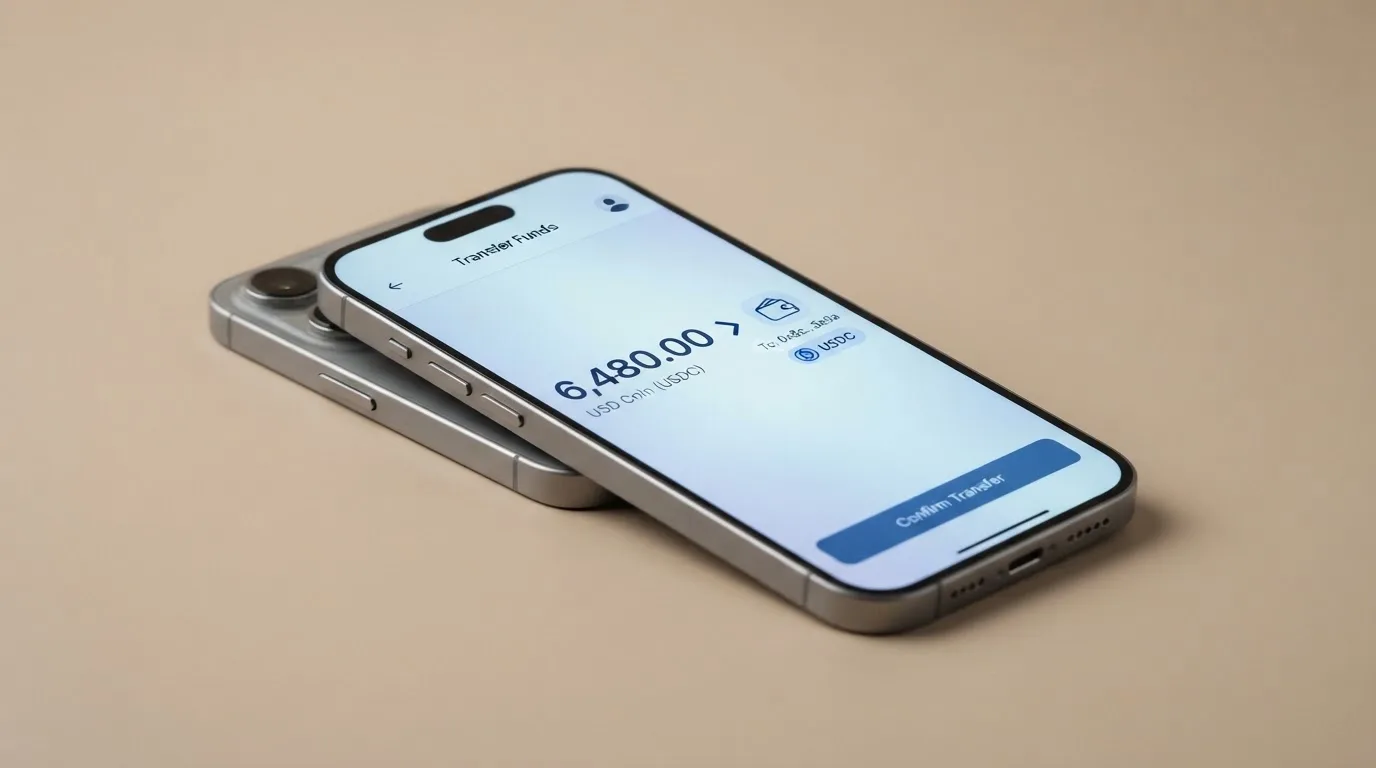
You can pay for a card with SOL, USDC, USDT or BONK on the Solana network. The bot gives you a fresh deposit address for every order, which is good for privacy but means you should never send funds to an old address from a previous order. There is no address book to save; each card is a new transaction.
If you want to pay with another token, PayPaw’s pages mention a swap aggregator that handles BTC, ETH and BNB (those three are listed on the card description). The aggregator’s own fee is not stated, so the cost of paying with a non-Solana token is the card fee plus whatever the swap charges.
The amount has to be exact. If you send 0.001 SOL less than the bot asked for, the card is not created, and the funds are not automatically returned. The provider’s pages do not describe what happens to a partial payment, and “irreversible” is the default behaviour of any blockchain transfer.
A separate, and important, point: top-ups are not supported. Once a card is created, you cannot add more funds to it. If you want to spend more, you create a new card, pay the 3% + $2 fee again and pay the new card in SOL. For a card you intend to use as an everyday debit card, that is a non-starter; for a one-time prepaid card, it is the design.
Paying with it every day
Once the card is in your hand, the everyday-use story is short. You can add it to Apple Pay or Google Pay, and that is the main way most people will use it. Online checkout at any merchant that accepts Visa or Mastercard should work, although the network itself is not confirmed on PayPaw’s pages. The card type (credit, debit, prepaid) is also not stated, and that detail can matter: a small number of merchants decline prepaid cards or apply extra checks to them.
There is no PayPaw app. The Telegram bot and the partner provider’s web dashboard are the only two interfaces. The balance is viewed on the partner’s site, not inside the bot.
A few things you might expect from a card are not there:
- ATM withdrawal is not supported. The provider’s own FAQ says “No.”
- Cashback or rewards are not mentioned. There is no points scheme, no staking rebate, no spending tier.
- Blocked merchant categories are not listed. Crypto cards sometimes block gambling, adult content or cryptocurrency purchases, but PayPaw’s public pages do not say either way.
- Card freeze, 2FA, in-app controls are not described. Custody of the funds before the card is created sits with the partner provider, and that provider’s controls are not documented on paypaw.cards.
If the card is lost or stolen, the only instruction on the provider’s pages is to contact the partner provider as soon as possible. There is no PayPaw-side dispute process described, and no mention of chargebacks.
What can go wrong
Crypto cards in general have failed in public, and the history is worth knowing before you commit money to any of them. Visa terminated its global agreements with FTX in November 2022, and the FTX US debit card programme was wound down by its issuer. Earlier, in 2018, Visa suspended WaveCrest, a European card issuer that supplied several crypto card brands, closing all WaveCrest-issued programmes at once. In both cases users had a notice period to spend or withdraw their balance, but the lesson is the same: a card that works today can be turned off by a network or issuer decision that is not yours to make.
The PayPaw-specific risks sit on top of that category history. The provider describes itself as a “Solana-native prepaid card protocol,” and the public pages do not name a legal entity, a card issuer, an e-money licence or a regulator. The card network (Visa or Mastercard) is not stated either, although the card is delivered through a partner provider whose own site is where you would look for those details. The absence of a name on the issuing side is unusual even for crypto cards.
No user reviews or complaints were found on the channels usually used for that purpose. The provider has no Trustpilot page that I could find, no app-store reviews, and no record of incidents on community forums. That cuts both ways: there is no public track record of failures, but there is also no public track record of successes.
Security controls are described in the broadest possible terms. PayPaw’s pages call the product “privacy-centric” and emphasise that each order gets a fresh payment address, which is good. They do not state whether funds are held in custody, segregated, insured or covered by any compensation scheme, and they do not mention 2FA, biometric login or a card-freeze button. The Telegram bot itself is the support channel; there is a “Support” button inside the bot, and the bot handle is t.me/paypawbot. There is no email address, no phone line and no published support hours.
A few everyday failures worth thinking about:
- Wrong network or token. Solana and Ethereum are different blockchains with different address formats. Sending USDC on Ethereum to a Solana address is a common, irreversible mistake.
- Exact-amount payment. If the price moves between the bot quoting the amount and your wallet sending it, the card may not be created.
- Stale address. Sending SOL to an address from a previous order rather than the one the bot gave you for this order is the same as sending it to no one.
- Foreign-currency spend. A 2% fee on every non-USD, non-EUR transaction is easy to miss when the merchant’s checkout does not show it.
What to take instead
Three other prepaid crypto cards give a useful contrast. None of them is a perfect substitute; each one solves a different problem.
Ape Wallet is a virtual Visa that lives inside a Telegram-style wallet app. The wallet relies on SBP payments and uses Russian-passport KYC, and the card comes in two flavours: a “service card” aimed at subscriptions and online payments, and an Apple Pay / Google Pay card. Issuance price is not published, because promo codes change it; holders of an active Apple or Google Pay card get a discount on a service card. The wallet holds USDT, and that is the only balance the card can spend. Transfers to other users by Telegram username are free. There is no cashback, but there is a two-level referral programme that pays a share of invited users’ card purchases. Ape Wallet scores 5.5 / 10.
MaxSwap is a virtual Mastercard with a 50 USD card price and a 25 USD first-deposit requirement (the published total for issuance is 77.125 USD). The top-up fee is 4.5% plus $1, and the transaction fee is 0.25 USD plus 0.4%. There is no separate FX rate shown; the provider tells you to “take into account possible fees when paying and converting currencies.” MaxSwap accepts a long list of tokens, including ADA, ALGO, AVAX, BCH, BNB, BTC, DOT, ETH, HBAR, HT, KRRX, LINK, LTC, MATIC, NEAR, SHIB, SUSHI, TON, TRX, UNI, USDC, USDT, XLM and XRP, with no specific networks listed. No cashback is mentioned. MaxSwap scores 5.2 / 10.
AnoCard is a virtual card product managed through the SORN web dashboard (sorn.anoncult.com). The site sells reloadable and one-time virtual cards from several BINs, and the dashboard lets you filter by BIN, which controls the network and currency. Creation fees and top-up percentages vary by route and are shown in SORN before payment. The starting data points (unverified at the time of writing) include SOL, BTC, USDT, USDC and ETH via a Telegram bot or the web dashboard. There is no cashback, but the referral programme pays $5 per referred card creation and 0.25% of referred top-ups. AnoCard scores 5.9 / 10.
A quick comparison:
| PayPaw | Ape Wallet | MaxSwap | AnoCard | |
|---|---|---|---|---|
| Score | 5.8 / 10 | 5.5 / 10 | 5.2 / 10 | 5.9 / 10 |
| Card | Prepaid, EUR or USD | Virtual Visa, two flavours | Virtual Mastercard | Virtual, several BINs |
| Cost | 3% + $2 | Not published | 50 USD + 25 USD first deposit | Varies by BIN, shown before payment |
| Foreign-currency fee | 2% | Not published | “Take into account possible fees” | Not published |
| Funding | SOL, USDC, USDT, BONK on Solana (+ aggregator for BTC, ETH, BNB) | USDT balance | 25+ tokens, no network list | Crypto, route depends on asset |
| Top-up | Not supported | Yes (from balance) | Yes (4.5% + $1) | Yes (varies) |
| ATM | Not supported | Not stated | Not stated | Not stated |
| Apple/Google Pay | Yes | Yes (separate card) | Not stated | Not stated |
| Cashback | No | No | No | No |
If PayPaw’s main appeal to you is the Solana funding, Ape Wallet is the closest match on Telegram but uses USDT only. If reloadability is the priority, both MaxSwap and AnoCard support top-ups. If anonymity matters more than network reach, AnoCard’s BIN selection is the most flexible. None of the three names an issuer or a licence any more clearly than PayPaw does, so the underlying regulatory question is similar across the four.
Who I would recommend it to
PayPaw fits a specific shape of user, and the fit is tight enough that I would only push it at people who match it.
The first group is Telegram-native crypto users with a Solana balance. If your main wallet is a Solana wallet, you already pay network fees in SOL, and you are comfortable with the difference between a wallet address and a card number, the bot-based flow is genuinely fast. You send SOL, you get a card, you add it to Apple Pay, you spend. The 3% + $2 fee is meaningful but not unreasonable for that convenience.
The second group is people who have been turned away by banks. If you cannot open a bank account in your country or you have been through a string of refusals, PayPaw’s “open the bot, pay, get a card” flow is one of the few friction-free options. The trade-off is that the funds are prepaid and the card is one-shot; you are not getting a bank account in disguise.
The third group is one-off online purchases. If you want a virtual card to pay for a single subscription or a single trial, the prepaid structure is actually an advantage. You load $20, you spend $20, you stop the subscription, and the card is dead. The fee is the cost of that isolation.
I would not recommend PayPaw to anyone who wants an everyday debit card, anyone who needs to withdraw cash, anyone who values a clear paper trail on the issuing side, or anyone whose main crypto lives on Ethereum, Tron or Bitcoin without an easy bridge to Solana. The lack of a published legal entity, issuer or licence is the single biggest reason to be cautious, and that caution is what the 4 / 10 score for reliability captures.
Frequently asked questions
What is the PayPaw card?
PayPaw is a prepaid card you order through a Telegram bot and pay for in SOL, USDC, USDT or BONK on the Solana network. A swap aggregator also accepts BTC, ETH and BNB. Cards come in EUR or USD, are issued by a partner provider, and can be added to Apple Pay or Google Pay.
How does the PayPaw card work?
You open the PayPaw Telegram bot, set your country, choose a card amount and provider, send the exact crypto amount to a fresh address, and the partner provider sends the card details about 15 minutes later. Once the card is spent, the balance is gone: top-ups are not supported.
Is PayPaw a bank?
No. PayPaw describes itself as a “Solana-native prepaid card protocol.” The legal entity, the card issuer and any e-money or payments licence are not named on the public pages, so it is not a bank and not a regulated e-money institution in any sense the public pages confirm.
Who owns PayPaw?
The public pages do not say. There is no “About” page, no company registration number and no named founder. The only entities mentioned are paypaw.cards (the marketing site) and t.me/paypawbot (the Telegram bot); the partner provider that actually issues the card is identified only by a link inside the bot.
Is the PayPaw card available in my country?
PayPaw says it works in more than 200 countries, with 30 restricted countries excluded (Belarus and Russia among them). The bot asks you to set your country during setup, but the public pages do not say whether eligibility is based on citizenship, residence or the country you select.
Does the PayPaw card require KYC?
The provider’s FAQ says KYC is “not required” to get started, while also noting that the provider still asks for your data. In practice, you can create a card from the bot before a full identity check, but you should expect to be asked for personal information at some point.
How do I top up a PayPaw card?
You cannot. Once a PayPaw card is created, no further funds can be added to it. To spend more, you create a new card through the bot, pay the 3% + $2 fee again, and pay the new card in SOL (or USDC, USDT, BONK, or via the swap aggregator for BTC, ETH, BNB).
How do I add the PayPaw card to Apple Wallet or Google Pay?
After the partner provider delivers the card details, you add the card through the Wallet app on iPhone (Apple Pay) or the Google Pay app on Android. The card supports both mobile wallets, and PayPaw’s pages do not mention any restriction on tokenisation.
Is the PayPaw card safe?
The card uses a fresh deposit address for every order, which is good for privacy. Beyond that, PayPaw’s public pages do not describe custody, 2FA, card-freeze, segregation of customer funds or any compensation scheme. The product has no public track record of incidents, but it also has no public track record of user reviews, and the issuing side is unnamed.
Is the PayPaw card worth it?
For a Telegram user with a Solana balance who wants a fast prepaid card, it is worth the 3% + $2 fee. For an everyday reloadable debit card with cash access, regulator cover and a named issuer, it is not worth it: none of those four things is part of the product.
Virtual cards: the entry point – cryptocardportal.com
Content created by the «cryptocardportal.com» team