
A virtual-only crypto card with a 2% starting fee, no named issuer, and figures that change from page to page
 Available in US
LinkPay is a virtual card you load with crypto and then spend like an ordinary payment card online. That is the whole product, and the narrowness of it is the first thing to understand: there is no physical card, no bank account attached, and no cash-out. What you get is a card number, a wallet balance behind it, and an app. On that narrow promise it works, and the fee schedule is not outrageous at the expensive end of the range. But the details that decide whether a card is usable day to day — who issues it, whether Apple Pay works, how long withdrawals take, whether the money is yours or the company’s to hold — are answered thinly, inconsistently, or not at all. My score is 5.0 out of 10.
The conditions described here are current as of October 28, 2026.
Verdict: 5.0 out of 10, and the split matters more than the total
A 5.0 sounds like a shrug. It is not. The card is genuinely competent at one narrow thing and weak at everything around it, and if your situation matches the narrow thing, the average hides that. If you are a non-Russian advertiser or reseller who needs a lot of separate virtual card numbers at once, the tiered plan structure — many free cards per month, team members, merchant accounts — is aimed straight at you, and LinkPay is more interesting for you than for almost anyone else. If you want an everyday card that goes into Apple Pay, works at a shop’s terminal, or gets you money back into a bank account, this is not that card, and no amount of reading will change it.
The marks below are the ones I worked from. I have kept them as they came out, including the low ones, because rounding them up helps nobody.
| Criterion | Mark | Why |
|---|---|---|
| Who can get it | 9 / 10 | Reachable almost everywhere — unofficial sources say 168 countries available and 28 restricted — but 27 listed countries are closed outright, including Russian Federation and Belarus, and US citizens and permanent residents cannot open accounts. The list is explicitly not exhaustive. |
| Cost | 3 / 10 | Lite is free, Plus $59/month, Pro $179, Ultra $209; the Lite transaction fee is 2% with a $2 minimum. The site and the Terms of Service quote different numbers for the same fees, which is the real problem. |
| Top-up options | 7 / 10 | Crypto only, 7+ currencies; unofficial sources name BTC and USDT and mention TRC20 and BTC networks. Fiat and on-ramp are “planned”, so if your money is already in a bank, this is a detour. |
| Reliability and complaints | 3 / 10 | The issuer is not named, the MSB registration is Canadian, and the complaint pattern is card freezes plus withdrawals stuck “processing” for 4+ weeks. Trustpilot sits at 2 out of 5. |
| Everyday use | 2 / 10 | Virtual cards only. Apple Pay and Google Pay are “coming soon”. No bank ATMs, and physical cards are not offered. |
| Total | 5.0 / 10 | A product that works for one audience and stalls for everyone else. |
Two things to carry out of this table. First, the top-up mark is high not because top-up is elegant but because it is simple and open: crypto in, no bank rails, few exclusions. Second, the two lowest marks are the two that decide daily life. Reliability and everyday use are what turn a card into a habit, and LinkPay is weak on both.
Who they will give you the card
This is the strongest part of the product and the part I would read most carefully, because the answer depends on more than where you live.
The company’s own position: the service is not provided in 27 listed countries, and that list includes the Russian Federation, Belarus, Hong Kong, the United States, Ukraine, Iran, Cuba, Syria and North Korea, among others. The Terms bar residents and citizens of those listed countries. US citizens, permanent residents and US entities cannot open accounts, and that is a separate rule from the address rule — an American living in Lisbon is still excluded. The company itself says the list is not exhaustive, which means a country absent from it is not necessarily open.
Third-party sources put the reach wider: one review site reports 168 countries available and 28 restricted, with China shown on a map but not in the body text, and Russia recorded as restricted as of 11 August 2026. I did not confirm those figures against a LinkPay page — treat them as unofficial. The unofficial version and the official one are broadly compatible: many countries yes, a hard exclusion list no, gaps in the middle.
The practical shape of that for you:
- If you are a resident or citizen of a listed country, the answer is no, and it is no on both grounds at once.
- If you are a US citizen, permanent resident or a US entity, the answer is no regardless of where you live.
- If your country is not on the list, you are probably fine — but “probably” is doing real work, because the list is not exhaustive and the operator can still decline.
- Your country of citizenship is recorded separately from your country of address, so moving does not reset the check.
What the company’s public pages do not do is give you a clear positive statement of eligibility beyond that exclusion list. The eligibility page links to a “Certain Countries” page which I did not read. What they also do not say on the page I checked is what the full anti-money-laundering rulebook looks like; there is an AML page linked, but its content is not shown to the reader at signup. If your country is a grey area — sanctioned, semi-sanctioned, or simply not discussed anywhere — the honest answer is that you will learn your status by applying, and you should treat a decline as a normal outcome rather than bad luck.
How to get it
Three things decide whether you can get one, and all three are on the company’s side of the table: the form of the card, the identity tier, and how long the wait is.
The card itself is virtual. The page describes it as a “Virtual card for all purchases”. No physical card is offered. Unofficial sources say cards run on Visa or Mastercard networks; the card currency is not stated anywhere I could see, which matters a great deal and is covered under costs.
Verification runs in three tiers, and this is the part that genuinely shapes what you can do afterwards:
- No verification — $500 per month, and the cards are for advertising only. That is a narrow advertising allowance, not general spending.
- Basic — $2,000 per month, all card types except Apple Pay and Google Pay. Needs full name, address and ID details.
- Unlimited — no spend limit and no card-type limit. Needs a photo of a valid ID plus a live check.
Two warnings about the Basic tier. The obvious one is that Apple Pay and Google Pay are excluded from it, which matters if the mobile wallets are the only reason you want the card. The less obvious one: no verification caps you at advertising, so an advertising-focused user who skips verification cannot actually spend their $500 anywhere else.
Timing is the other thing. Verification is generally completed within 24 hours but can take longer. Rejected documents can go to manual review, and the only rejection reason the company states is “valid documents with clear photos” — so if a photo is blurry or the document is expired, expect to be told your documents were valid and clear and then to be asked again.
What it really costs
Here is the honest version of the pricing. I want to flag one thing before the table, because it changes how you should read it: the home page and the Terms of Service do not agree. They differ on the Ultra price, on the number of free cards, on the cashback rate, and on the decline and withdrawal fees. I have given the home page figures first because that is what a visitor sees, and noted the Terms where they differ. This is not a rounding issue — on some rows the two documents are describing different products.
| Fee or limit | Lite | Plus | Pro | Ultra |
|---|---|---|---|---|
| Monthly price | Free | $59 | $179 | $209 (Terms say $299) |
| Free cards per month | 0 | 5 | 15 | 79 (Terms say 100) |
| Transaction fee | 2% (min $2) | 1.5% (min $1) | 1% (min $0) | 1% (min $0) |
| Decline fee (home page) | 2% | 1.5% | 1% | 1% |
| Decline fee (Terms) | 0.5% | 0.5% | 0.3% | Free |
| Deposit fee | 1% | 0.75% | Free | Free |
| Deposit fee (Terms) | 1% | 0.75% | 0.5% | Free |
| Withdrawal fee (home page) | 3% (min $5) | 3% (min $5) | 2% (min $2) | 1% (min $1) |
| Withdrawal fee (Terms) | Free | Free | Free | Free |
| Cashback | 0% | 0% | 1% | 2% (Terms say 3%) |
| Team members | 3 | 5 | 20 | 50 |
| Merchant accounts | 1 | 1 | 2 | 3 |
Unstated items, stated plainly once: the per-card issue price on Lite is not given, the ATM fee is not given because there are no ATMs, and the foreign-exchange fee is not given. A USD FAQ line says USD cards are “planned to release soon”, which suggests USD is not yet what you hold.
Now the part I find most useful, because percentages alone do not tell you what a purchase costs.
A $20 subscription on Lite. The transaction fee is 2% with a $2 minimum. Two percent of $20 is $0.40, and the $2 minimum wins, so you pay $2 — a 10% charge on a $20 purchase. On a $200 purchase it is $4, or 2%. So the minimum makes small purchases expensive and large ones ordinary.
A $20 purchase on Plus. The fee is 1.5% with a $1 minimum, so $0.30 becomes $1 — a 5% charge. And Plus costs $59 a month. If you do not spend roughly $3,900 a month in total, the subscription costs you more than the transaction fee it saves. That is the arithmetic that decides whether a paid plan is worth anything, and it is worth doing before you upgrade.
A declined payment. This is the row where the two documents diverge most, and the direction matters. The home page charges 2% on Lite, falling to 1% on Ultra. The Terms charge 0.5% on Lite, falling to free on Ultra. If a decline costs you $2 rather than $0.10 depending on which page is operative, that is not a rounding difference — and a card that gets declined often can cost you meaningfully.
A month of small spending on Lite, say $150 across fifteen purchases: $2 per transaction, $30 in fees, on $150 of spending. That is a number to sit with before you assume the free plan is free.
Two more costs sit outside the table. Cashback cannot be withdrawn to a bank. And on closure, remaining funds are sent to the payment details you specify, minus fees — so the exit route exists but is not clean, and the fee is whatever the plan says.
How to top up
Crypto only. That is the entire answer, and it is both the product’s simplicity and its limitation. The site says deposit options for 7+ digital currencies but does not name the coins or the networks; unofficial sources name BTC and USDT and mention the TRC20 and BTC networks. Fiat top-up and an on-ramp are “planned”, meaning they do not exist yet.
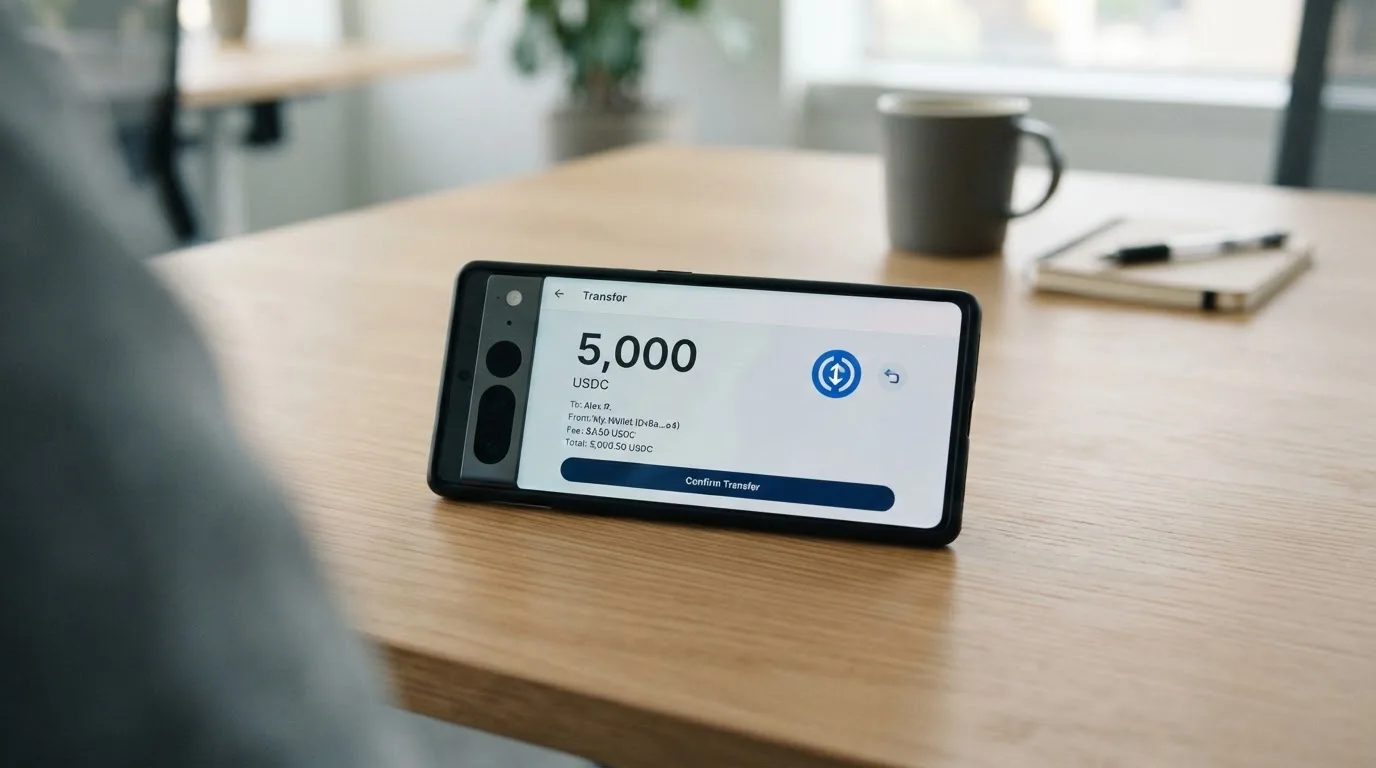
The activation minimum is shown in your dashboard before issuance and is usually around $15. Below that minimum, issuance fails. That is the single most practical thing on this page: if you top up $10, nothing happens, and the failure looks like an error rather than a rule.
Confirmations take 20 on TRC20 and from 4 on BTC. So the wait for your money to be visible can be twenty minutes or several hours, and it is on you rather than on the card. Network fees are charged by the blockchain, not by LinkPay — but who pays them is not stated, which means you cannot be sure whether they come out of the amount you send.
One genuine conflict in the deposit fee: the home page says Pro and Ultra deposits are free, while the Terms give 1% / 0.75% / 0.5% / free across the four plans. On a large top-up that is a visible difference.
A safety point that matters more than the fees: blockchain transfers are irreversible. A deposit sent on a network LinkPay does not support, or sent to an address belonging to another network, can be lost outright or need manual recovery with no guarantee of success. Check the address and network character by character before you send, every time.
Paying with it every day
This is where the card is weakest, and I want to be plain about it rather than diplomatic.
Only virtual cards. That means online payments, subscriptions, advertising platforms, and anywhere a card number is accepted over the internet. It does not mean a shop terminal you tap, a queue in a restaurant, or a card reader that wants a physical card. For a substantial share of people reading this, that alone ends the evaluation.
Apple Pay and Google Pay are described as “in final integration, will be available soon”. Unofficial sources note the contradiction directly: one page says selected virtual cards can be added to a mobile wallet, the FAQ says coming soon. Either way, today they are not there, and Basic verification excludes them even when they arrive.
Everything else is promises or silence. The public pages do not state the card currency, which network an individual card runs on, which merchant categories are blocked, or what the wallet experience is like beyond app download links. Apps exist for App Store, Google Play and a direct .APK; ratings are not shown on the site.
Cashback is 0% on Lite, 0% on Plus, 1% on Pro and 2% on Ultra, with a headline that says “2% cashback for all payments”. The currency of payout is not stated. Treat cashback as a rounding error, not a reason to choose a plan.
What is well documented is the timing of money moving back the other way, which matters when a payment goes wrong:
- A failed transaction with a pending authorisation returns your funds in 5–10 minutes.
- Merchant refunds usually arrive within 4 weeks.
- Holds — advertising platforms are the classic example — usually last 10–14 days.
- Top-ups to an unverified card are auto-cancelled, refunded in 2–14 business days.
- Top-ups to a verified card are non-refundable. Once your card is verified, your top-ups cannot be taken back.
- You are responsible for chargebacks and disputed transactions, and there is no chargeback process described in the FAQ.
- Complaints are reviewed within 30 days.
Two of those deserve a second look. The verified-card top-up being non-refundable means the verification upgrade that unlocks higher limits also removes your ability to reverse a deposit. And a 10–14 day hold on advertising platforms means your own money can sit frozen in a merchant’s account while the card is perfectly valid.
What can go wrong
The clearest risk is the one that has already happened to other people: your balance is custodial. LinkPay holds the funds in a Wallet, and the Administrator may suspend all wallets without notice where there is suspicion or a violation, and funds may be frozen during an investigation. Account locks also follow three failed login attempts. You do not hold the keys; you hold a claim on a company.
Freeze and unfreeze is only available on subscription or custom plans. So if you are on Lite and something looks wrong, the self-service kill switch you would reach for is not there.
The company is LinkPay, registered in Richmond, BC, Canada, with MSB registration M23039048. The issuer or BIN sponsor is not stated — and that is not a detail. In this product type the crypto brand is often only a programme manager, while a licensed bank or e-money institution actually holds the card programme and the money. An unnamed issuer means you cannot see whose balance sheet stands behind your funds, or which regulator supervises them. Insurance is not stated. GDPR, ISO and PCI DSS badges appear on the site, which are real commitments about data handling and processing, but they are not a deposit guarantee.
The complaints are specific. Trustpilot reviews average 2 out of 5 from roughly 39–40 ratings; other platforms report scores around 2.3 from 44 ratings, with some averaging 4.7 from ten submissions, some of which came via vendor invitation. Reported issues include support being slow and repetitive, cards frozen shortly before a transaction—reportedly unfrozen only after buying a paid plan—withdrawals stuck “processing” for more than four weeks, and waits of months to get a card issued. The company’s replies cite security protocols and insufficient verification.
What the company itself has announced about such incidents: nothing. No statement about partner changes, service disruption or remediation appears on its pages.
Support is a Telegram bot, an email address and a live chat on the website, in English. Telegram as the first line of contact for a custodial balance is worth weighing on its own.
How bad is this? For someone spending a small balance on advertising, the downside is bounded and the alternative may be worse. For someone about to load a large balance and live on it, freezing risk without insurance and an unnamed issuer is a bad trade, and no fee schedule compensates for it.
What to take instead
I looked at three alternatives in the same category. None is a clean fix; each solves a different part of the problem LinkPay has.
Cardex — score 5.6/10, a little above LinkPay. It says one crypto card in 200+ countries with no published exclusions, and it issues both virtual and physical cards, on the VERVE, VISA, Mastercard and UnionPay networks. That physical card alone puts it ahead of LinkPay for daily life. Conversion happens at the moment of payment, and the site claims an “AI-Powered Conversion Rate” that scans global rates and picks the best — with no percentage published, which is the catch. Its App Store listing is Naira-focused, so it may not suit you outside that market.
TakeCard — score 5.5/10. Virtual card immediately, physical card only for Bolivian users for now, Visa, issued in the United States, prepaid, USD at 1:1. Pricing is clear where LinkPay is vague: USD 5 for the virtual card, USD 20 issuance plus USD 20 shipping for the physical one (another article in the same help centre says USD 10 for physical in Bolivia — conflicting), no monthly fee, and 1% commission per purchase with no currency adjustment on USD. You top up from a Takenos balance. That 1% flat with no tiers is simpler than LinkPay’s four plans, and for moderate spend it is cheaper than Lite.
OkiCard — score 6.0/10, the highest of the four. 150+ countries, some pages say 200+, with no geo-blocking based on passport, though you must confirm you are not in a sanctioned jurisdiction. Virtual card, USD/EUR pegged, and the fee line is the most attractive of the group: load fee 3%, transaction fee 0% in USD, and “no hidden exchange spreads” — with the FX fee still not stated. Funding is USDT on BSC, Ethereum, Tron, Solana, with USDC “soon” and BTC “coming soon”. Pricing pages disagree with each other on the issuance fee, and the starting deposit is 100 USDT.
| LinkPay | Cardex | TakeCard | OkiCard | |
|---|---|---|---|---|
| My score | 5.0/10 | 5.6/10 | 5.5/10 | 6.0/10 |
| Physical card | No | Yes | Bolivia only | Mentioned, no details |
| Networks | Visa or Mastercard (unofficial) | VERVE, Visa, Mastercard, UnionPay | Visa | Visa/Mastercard, unspecified |
| Plans | Four tiers, Lite free | Not stated | No monthly fee stated | Free monthly |
| Per-payment cost | 2% / 1.5% / 1% / 1% | Not stated | 1% | 0% in USD |
| Top-up | Crypto only, 7+ coins | USDT, USDC, BTC | Takenos balance | USDT on four networks |
| Mobile wallet | “Coming soon” | Not stated | Not stated | Not stated |
The pattern across all four is worth stating plainly: none of them is a bank, all of them are custodial, and every one of them is vague about who actually issues the card. That is not a failing unique to LinkPay. It is the state of the category.
Who I would recommend it to
Yes, if you run advertising or reselling and need many separate virtual card numbers at once, you are comfortable holding a custodial balance, you spend in USD or a single currency, and you keep modest sums on the card. The tiered structure — 5, 15 and 79 free cards a month, team members, merchant accounts — exists for exactly that person, and it is the audience the product was evidently built for. Take Pro or Ultra rather than Lite if you will use it that way; Lite’s $2 minimum makes small payments punishing.
No, if any of these are true of you: you need a physical card; you need Apple Pay or Google Pay; you are a US citizen, permanent resident or US entity, or resident or citizen of a listed country; you need to get money back to a bank; you want to know which institution holds your funds; or you cannot tolerate a support channel that is a Telegram bot while your balance is frozen.
Consider OkiCard instead if your spending is USD-denominated and modest in size, because a 0% transaction fee is worth more to you than LinkPay’s plan structure. Consider TakeCard if you want one honest flat percentage and can top up from a Takenos balance.
Hold off on any of them if the amount involved would hurt to lose. The pattern of frozen withdrawals is not confined to this company, and an unnamed issuer plus an unstated insurance position is a combination I would not sit on with money I needed.
Frequently asked questions
What is the LinkPay card?
LinkPay is a virtual payment card that spends from a crypto balance rather than a bank account. You load it with digital currency, and the balance converts to fiat at the point of payment. It is virtual only — no physical card is offered — and the company is registered in Richmond, BC, Canada with MSB registration M23039048. The issuer that actually stands behind the card is not stated.
How does the LinkPay card work?
You create an account, verify to one of three levels, and receive a virtual card. You top up with crypto, and when you pay, the crypto converts and the card spends a stored balance — closer to a prepaid card than to a debit card, so it cannot overdraw. Official sources put the card on Visa or Mastercard networks. Because it behaves like a prepaid card, some merchants may decline it.
Is LinkPay a bank?
No. It is a crypto platform with an MSB registration in Canada, not a bank, and the Terms of Service describe your balance as held in a Wallet the Administrator may suspend without notice. Your funds are not bank deposits, and no deposit guarantee or insurance is stated. You are choosing a custodial provider, which means trusting a company rather than holding a key.
Does LinkPay card require KYC?
It depends on the tier you pick. No verification gives a $500 monthly limit for advertising cards only; Basic gives $2,000 with all card types except Apple and Google Pay; Unlimited removes spend and card-type limits and requires an ID photo plus a live check. Verification is generally completed within 24 hours but can take longer, and rejected documents go to manual review.
Is the LinkPay card free?
The Lite plan is free with zero free cards per month, but it charges 2% per transaction with a $2 minimum — so a $20 purchase costs $2 in fees. Paid plans are Plus at $59, Pro at $179 and Ultra at $209 per month. Free means no subscription fee, not free spending, and the minimum makes small purchases expensive.
How do I top up the LinkPay card?
With crypto only, across 7+ currencies, with coins and networks named only in unofficial sources (BTC and USDT are mentioned there). The activation minimum appears in your dashboard before issuance and is usually around $15; below it, issuance fails. Confirmations take 20 on TRC20 and from 4 on BTC. Fiat and on-ramp are “planned”, so bank transfer is not an option today.
Can I add the LinkPay card to Apple Wallet?
Not yet. Apple Pay and Google Pay are described as “in final integration, will be available soon”, and even when they arrive they are excluded at Basic verification. Unofficial sources note the company’s own pages contradict each other on this point. Until it works, the card number has to be typed into merchant sites by hand.
Is the LinkPay card safe to use?
Safe enough for small, replaceable balances; not for money you depend on. Card freezes and withdrawals stuck “processing” for 4+ weeks are the recurring complaints, Trustpilot shows 2 out of 5, and top-ups to a verified card are non-refundable. Freeze and unfreeze controls exist only on subscription plans, and support runs through a Telegram bot, email and website chat.
Where can I use the LinkPay card?
Online, wherever a card number is accepted. There is no physical card, so shop terminals that need one are out. Apple Pay and Google Pay are not yet available, so you type the number in. If you need a card in hand, or a mobile wallet, LinkPay cannot do it today — Cardex and, for Bolivian users, TakeCard can issue a physical card.
Is the LinkPay card worth it?
Worth it if you need many virtual cards for advertising or reselling and can hold a custodial balance modestly; the paid tiers bundle free cards, team members and merchant accounts. Not worth it if you want a physical card, a mobile wallet, a way to withdraw to a bank, or certainty about who holds your money. Compare OkiCard, which charges 0% per transaction in USD, before settling.
Virtual cards: the entry point – cryptocardportal.com
Content created by the «cryptocardportal.com» team