
The Munify card, judged on access, cost and what the people who use it say
 Available in US
Munify is one of a small but growing number of cards that let you spend stablecoins through a regular Visa number, without first wiring money to a bank. That idea is genuinely useful if you earn in USDC or USDT and have trouble getting an ordinary bank account. The question this review tries to answer is whether Munify, in its current shape, is the right way to do that.

The card is virtual only, USD-denominated, and powered by Visa. You can issue an unlimited number of card numbers from the app, and the marketing line is that you can top it up with USDC or USDT from a self-custody wallet in seconds. For a freelancer or remote worker paid in stablecoins, that combination is the whole pitch. The cost picture is partly transparent, the company behind the product is partly transparent, and the public record of customer complaints is the weakest part of the picture. That is what the rest of this review walks through.
Conditions are current as of October 28, 2026.
Verdict
Munify earns 6.7 out of 10 in my scoring. It is a card that does a few things well and a few things badly enough to make me cautious, especially for anyone who plans to keep meaningful balances on the platform or who has had trouble with a regulated bank before.
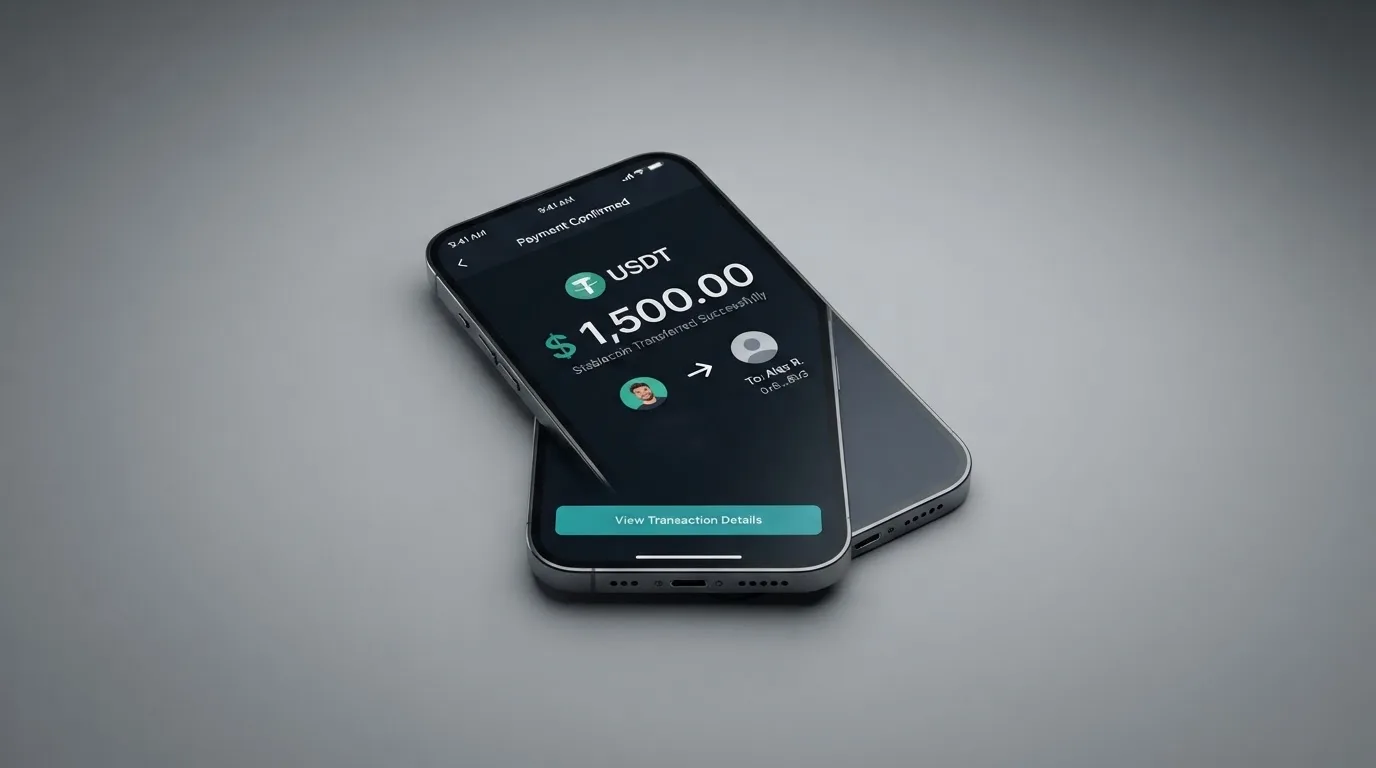
The score breaks down across the criteria I weigh for any crypto card:
| Criterion | Mark | Why it scores where it does |
|---|---|---|
| Who can get it | 7 / 10 | The location-based block list is named and includes Belarus and Russia; no positive country list is published, and the test is where you are, not what passport you hold. |
| Cost | 8 / 10 | The headline rate is 0% on card spending in foreign currency on all three tiers; the crypto-to-card conversion fee, the card issuance fee and several tier-level details are not stated. |
| Top-up options | 9 / 10 | USDC and USDT from an external wallet across five networks (Base, Solana, Polygon, Arbitrum, Ethereum) and crediting in seconds is the strongest part of the product. |
| Reliability and complaints | 4 / 10 | The operator is Munify Corporation, “backed by YC”, but the country of registration, the card issuer, and the licences are not named; the public review profile is short but pointed. |
| Everyday use | 5 / 10 | The virtual card is instant and unlimited, and Apple Wallet works through the App Store listing, but there is no physical card, no ATM, and Google Pay is not stated. |
If you are a freelancer or contractor who is paid in USDC or USDT, wants to spend that balance online without first converting to a bank account, and lives somewhere that Munify is allowed to serve, this card fits a real need. If you are looking for a card to hold fiat in, withdraw cash from, or use as your primary everyday card, Munify is the wrong tool. The rest of the review walks through why, section by section.
Who will they give you the card
Munify’s terms of service are the clearest document to read on this question, and they take an unusual approach. Section 6.4 of the terms says the services are “not available to individuals, entities, or businesses located in” a list of jurisdictions. That list includes Belarus and the Russian Federation. The point worth pausing on is the word “located”: Munify applies the test to where you actually are, not to the citizenship on your passport. Someone from a restricted jurisdiction living in, say, the United Arab Emirates is, on the face of it, not blocked on citizenship grounds, but the terms also require you to keep your location and business information accurate. Lying about where you are would be a direct breach.
The product page does not publish a positive list of supported countries. That is not unusual for a card aimed at people who do not always have a clear banking jurisdiction, but it does mean you only find out whether you are eligible by signing up. If you are in a sanctioned country or a country Munify has decided not to serve, the more likely outcome is that the sign-up is refused or the account is closed later, not that the product page tells you in advance.
The terms do not name an age floor or ask for proof of address at the application stage. They do give Munify the right to ask for identity documents, source-of-funds information or other paperwork at any time. That is standard language, but in practice it is what determines whether a deposit lands cleanly or whether the account is held in review for days.
If you are reading this from Belarus, Russia, or any other country Munify has decided to exclude, the honest summary is that the product is not for you. If you are reading this from anywhere else, you can probably sign up, but the absence of a public list of supported places means you should treat sign-up as a small experiment rather than a guarantee that the relationship will go smoothly.
How to get it
The signup flow itself is built around the app, not the website. The App Store description uses the phrase “quick onboarding”, and the product is positioned for people who already have a crypto wallet and want a card number without paperwork. In practice, you install the app, create an account, and you can create a virtual card immediately, with the option to create more whenever you want. There is no stated limit on how many virtual cards you can have on a single Munify account.
There is no physical card, so there is no delivery step. The virtual card is the only product, which is worth knowing upfront if you are imagining a piece of plastic in your wallet.
The terms give Munify the right to ask for verification at any time, including after you have started using the card. What is not stated is which documents they will ask for, whether they ask for proof of address, or whether the rules differ depending on the size of your deposits. The app-store score of 2.9 out of 5 from 28 ratings, read on 2026-10-21, is a small sample, but it is also the only public data point on the sign-up experience. If you read it, the pattern to watch for is the same as on Trustpilot: people who deposited something and then had their account frozen pending verification.
There is no separate KYC tier system described in the terms, no mention of enhanced due diligence thresholds, and no public description of how the verification process is structured. The plain reading is: the company reserves the right to do as much or as little checking as it wants, and the customer finds out when it matters.
What it really costs: the fees, line by line
The pricing is presented across three account tiers: Standard, Plus, and Premium. Standard has no published price; Plus is $7.99 and Premium is $19.99. The billing period for those fees is not stated on the product page, so the right way to read those numbers is as a monthly cost until you confirm otherwise. To get Premium pricing, you have to fund at least $2,000 through USD earnings or USDC by the end of 2026, which is a one-off threshold rather than a recurring rule.
The marketing banner is “Get 0% FX and $0 fees on Munify!” and the on-card rate matches it: spending on the card has a 0% foreign-exchange fee across all three tiers. That is the headline number to remember. What is not in the banner is the cost of getting the money onto the card in the first place.
| Fee or limit | Standard | Plus | Premium | Notes |
|---|---|---|---|---|
| Card issuance fee | not stated | not stated | not stated | Page does not publish an issuance cost. |
| Monthly account fee | not published | $7.99 | $19.99 | Billing period not stated. |
| Card spending FX (foreign currency) | 0% | 0% | 0% | Headline rate across all tiers. |
| Local-transfer exchange rate | 1% | 0.4% | 0% | Applies to local transfers between currencies. |
| Crypto-to-card conversion fee | not stated | not stated | not stated | The single most important number for a crypto-funded card is missing. |
| Digital-wallet transfer fee | 0.9% (min $2.99) | 0.4% (min $1.99) | 0% | Sending to another wallet from the app. |
| ATM withdrawal | not stated | not stated | not stated | No ATM access described. |
| Daily spending limit | not stated | not stated | not stated | Not published for the card. |
| Monthly spending limit | not stated | not stated | not stated | Not published for the card. |
| USD account deposit minimum | $2.00 | $2.00 | $2.00 | For top-ups, not card spend. |
| USD account deposit maximum | $10,000 | $10,000 | $10,000 | Per-deposit figure. |
| Card cashback (points) | 10% | 25% | 50% | Payout currency and conditions not stated. |
| Premium tier requirement | — | — | $2,000 via USD earnings or USDC by end of 2026 | One-off qualification threshold. |
To translate that into everyday money, it helps to walk through what you would actually pay in a few common cases.
If you receive $1,000 in USDC, transfer it from your own wallet to Munify, and spend it on a streaming subscription in euros, the network fee is paid to the blockchain, not to Munify. The crypto-to-card conversion fee is the one that affects you most, and it is not stated on the product page. The card then charges 0% to convert euros to dollars at the merchant, because the spend is in a foreign currency. The “0% FX” banner is the part that is most clearly true.
If you instead receive $1,000 in USDC and send it from your Munify balance to a friend’s local bank account in another currency, the relevant fee is the local-transfer exchange rate: 1% on Standard, 0.4% on Plus, 0% on Premium. That is a real number, on a published table, but it is not the same thing as the on-card rate.
If you earn enough to be in Premium pricing, the local-transfer FX is 0% and the digital-wallet transfer fee is 0% (no minimum), which is a more honest “fees-free” story than the banner suggests for anyone below Premium.
The honest summary is that the on-card experience is competitively priced, the off-card experience (moving money in and out of the platform) has costs that are partly transparent and partly hidden, and the single most important number for a crypto-funded card, the crypto-to-card conversion fee, is not published.
How to top it up
Top-up is the part of Munify that most clearly does what it says. The product page lists five networks for USDC and USDT: Base, Solana, Polygon, Arbitrum and Ethereum. There is no support for Tron, BNB Chain or any other network. That is a meaningful narrowing of choice, and it is the kind of choice you need to make before you click send.
The page says funds are added “in seconds”, and the wording is “predictable network fees and zero hidden exchange markups”. The card top-up fee and minimum top-up amount are not stated. For a USD account held at Munify, ACH deposits are received free, the minimum is $2.00, and the per-deposit maximum is $10,000.
A practical way to think about this is in three steps. First, choose the network you will send on: the cheapest option in 2026 is usually Base or Polygon, with Solana close behind, and Ethereum the most expensive. Second, send USDC or USDT from your own wallet to the deposit address Munify gives you. Third, wait for the credit to land; “in seconds” is the marketing line, and a few extra minutes is the realistic case during congested periods.
The risks on the funding side are the same as on any on-chain transfer. If you send on a network Munify does not support, or to an address from a different network, the deposit can be lost or stuck. Tether, the issuer of USDT, and Circle, the issuer of USDC, both reserve the right to disable tokens in wallets on the OFAC sanctions list, which is worth knowing if you ever change wallets. And the network fee itself is paid to the blockchain, not to Munify, so it does not show up in Munify’s pricing.
For withdrawals, the flow is to add a bank account through the “Transfer” screen in the app, and the terms describe settlement “within minutes using instant local rails such as instapay etc.” The fee is not stated. The terms also leave the door open for Munify to restrict, suspend or close accounts, and the balance-on-closure procedure is not described in any detail that I could find.
Paying with it every day
The virtual card is the only card product. You create as many as you need from the app, each in USD, and each one works as a Visa number online. The instant-creation and unlimited-numbers features are the kind of thing a freelancer paying for many subscriptions or separating work and personal spend would actively want.
The App Store listing says the card can be added to Apple Wallet, which is the cleaner mobile-pay option. Google Pay is not stated anywhere in the product materials I could find, and that is a real gap if your phone runs Android. The blocked merchant categories are also not stated, so there is no public list of where the card will and will not work. A card without a published MCC block list may still be declined at, for example, gambling merchants, but that is the issuer’s policy and you only find out at the till.
Rewards on the card are paid as points: 10% back on Standard, 25% on Plus, 50% on Premium. The payout currency and the conditions of the rewards programme are not stated. There is no separate “Earn” or yield product, so the rewards are tied to spending, not to balance.
The disputes story is more complicated than the rewards one. The card page does not describe a chargeback process. The terms do: a complaint to Munify is reviewed internally, there must be at least 30 days of informal resolution, and any claim that does not settle goes to binding arbitration under the American Arbitration Association. Claims have to be brought within one year, fees are non-refundable except where the law requires, and there is a separate Refund Policy at /legal/munify-refund-policy. The net effect is that getting your money back from a problem merchant is harder than with a card whose issuer takes the dispute, and getting your money back from a problem with Munify itself is harder still.
There is no ATM access, no physical card, and no contactless card-present spending of the kind a debit card gives you in a shop. The product is online-first by design.
What can go wrong
This is the part of the review that most affects whether I would actually recommend the card. The product itself does a few specific things well; the company behind the product is harder to read.
The first risk is the company itself. The product is run by Munify Corporation, which describes itself as “Backed by YC” (Y Combinator). The terms are governed by Delaware law, but the country of registration is not stated, the card issuer is described only as “banking and card network partners”, and Munify is explicit that it “does not act as a bank, custodian, trustee, or fiduciary”. No licences are named on the product pages. That last sentence is the one to read twice. Munify is telling you, in writing, that it is not the kind of institution that is supposed to safeguard your money. Where the money is held, who is responsible for it, and which regulatory regime applies are all questions the public pages do not answer.
The second risk is the public record of complaints. Trustpilot shows 3.2 out of 5 from 7 reviews, all of them from the last 12 months, read on 2026-10-21. That is a small sample, which is itself information. A card with 100,000 users and 7 reviews is not being heavily used; a card with 1,000 users and 7 reviews of the same shape is telling. The themes, in the words of the reviewers: an account blocked after a $4,000 deposit in August 2026, with support then going silent; the same pattern repeating in September 2026; a profile marked “Rejected” after a $50 deposit on 2 September 2026; support not replying to chat or email during August 2026; a general theme of slow service through the summer. The positive reviews, also from May to September 2026, are about quick sign-up and easy spending.
The third risk is the absence of news. There is no dated licence, no dated issuer change, and no dated programme event that I could find. In a card market where programmes do occasionally get wound down (the FTX card in 2022, WaveCrest in 2018), the absence of dated news means there is no public timeline to track. If something changes, the only place you will read about it is in the app or on the support channels, which is the worst place to be reading about a service change.
The fourth risk is security in the specific sense. The terms say Munify is not a custodian, but they do not describe how funds are held. The card can be managed from a “secured dashboard”, which is a phrase, not a description. The standard crypto-card safeguards of app-based two-factor authentication, instant card freeze, and 3-D Secure for online payments are not specifically listed.
The fifth risk is the dispute process described above. The 30-day informal-resolution requirement, the one-year claims window, and the AAA arbitration clause are consumer-unfriendly compared with a regulated bank’s chargeback process, and they apply even before you reach the question of whether Munify itself is at fault.
The sixth risk, which applies to the whole crypto-card category and is worth being honest about, is that blockchain transfers are irreversible. A stablecoin sent to the wrong address, on the wrong network, or to a sanctioned wallet, is gone. Tether has frozen funds tied to illicit activity, and Circle has said it stops supporting tokens in sanctioned wallets, so stablecoins are not censorship-proof either. Crypto-funded cards inherit all of that.
What to take instead
Munify is not the only stablecoin-funded card, and the right comparison depends on what you are trying to do. Three alternatives that come up in the same conversations are Whop Cards, Stella, and UniFi Card. None of them is a clone of Munify, and the differences are the point.
Whop Cards scores 5.2 out of 10 in my system. It is the most geographically constrained of the three: consumers can get it in 31 US states, businesses in 41; the unsupported-country list includes Belarus, China (Mainland), Cuba, Hong Kong, India, Iran, Iraq, Israel, Myanmar, Nepal, Nicaragua, North Korea, Russia, Syria, Turkey, Ukraine, Venezuela and Vietnam. Russia and Belarus are blocked for businesses too. If you are a US-based creator or freelancer being paid through Whop, it fits cleanly; if you are anywhere else, it does not. The card is a Visa and works online and in stores; the virtual/physical mix and card currency are not stated. The cost page says “No extra fees”, but no issuance or monthly amounts are listed either, so “no extra fees” is closer to a slogan than a price list. Top-up works from a Whop balance backed by stablecoin collateral, but the coins and networks are not stated. The rewards are 5% cashback at selected merchants, currently Uber, with more to follow, but the payout currency and conditions are not stated. The honest summary: tighter US focus, real rewards at a known merchant, weaker on transparency than Munify.
Stella scores 6.5 out of 10. The country list is not stated on the official site, the terms bar users under economic sanctions programmes, and US and European users are routed through affiliates. The card is both virtual and physical, and works at “over 40 million VISA merchants globally” – that is the standard Visa acceptance line, not a special feature. The fees are described as “described under this User Agreement and/or on the App”, which means the prices live in the app and not on a public page. Funding is by depositing crypto into the account, which then tops up the card, with the in-app wallet being custodial. The official card page does not state a cashback rate; yield is a separate product. The honest summary: broader geographic story than Munify, both card types, but the fee table is hidden behind the app download.
UniFi Card scores 4.7 out of 10. Whether it serves you depends on the App Store claim rather than the website, since the website’s country list is not confirmed. The App Store describes send-money routes to the Philippines, Mexico, the eurozone, and recent release notes add Colombia, Brazil (PIX) and the UK. The card is a prepaid Visa issued by Lead Bank, and Apple Pay is supported through the app. The card currency is USD, with the card spending from the USD balance. Fees are not stated on the listing; the page says “Fees may apply. See UniFi website for more details.” Funding is by ACH, wire, SEPA (IBAN) or SPEI (CLABE), or by being paid to a USDC wallet; coins and networks beyond USDC are not stated. The listing claims “3% rewards on balances”; card cashback is not stated. The honest summary: the only one of the three with a named card issuer (Lead Bank), but the most opaque on fees and the most uneven in its public story.
The table below is the comparison at a glance:
| Card | Score | Country story | Card types | Card currency | Cashback | Best fit |
|---|---|---|---|---|---|---|
| Munify | 6.7 / 10 | Block list named; no positive list | Virtual only, unlimited, USD | USD | 10% / 25% / 50% points (payout not stated) | Stablecoin earners who want an instant virtual card |
| Whop Cards | 5.2 / 10 | 31 US consumer states; long block list | Visa, virtual/physical not stated | not stated | 5% at select merchants | US-based creators working inside Whop |
| Stella | 6.5 / 10 | Not stated; sanctions policy; affiliate routing | Virtual and physical, Visa | not stated | not stated | Users who want a physical card and a custodial wallet |
| UniFi Card | 4.7 / 10 | App Store-driven route list; website not confirmed | Prepaid Visa by Lead Bank; Apple Pay | USD | “3% on balances”; card cashback not stated | Users whose priority is a named issuer |
The right answer is rarely the same for two readers. If your priority is a named issuer and you live in the US, UniFi Card is the more conservative choice. If your priority is a physical card and a custodial wallet, Stella is closer to that. If your priority is to spend USDC inside an existing Whop workflow and you are in the right US state, Whop Cards is the natural fit. If your priority is an unlimited supply of instant virtual Visa numbers, funded from a self-custody wallet, Munify does that.
Who I would recommend it to
Pulling the threads together, the case for Munify is narrow but real. The case against it is also real, and it is mostly about what is not said.
I would recommend Munify to a freelancer or contractor who is paid in USDC or USDT, who already holds those tokens in a self-custody wallet, who wants a way to spend that balance online without first going through a bank, and who is comfortable treating the platform as a pass-through rather than a place to park money. The on-card experience is cheap, the top-up options across five networks are good, the rewards rate is competitive at the higher tiers, and the unlimited virtual cards are genuinely useful. For that use case, Munify does the job.
I would not recommend Munify as a place to hold a balance you cannot afford to lose. The terms say the company is not a custodian, the issuer is not named, the licences are not named, and the public record of customer complaints, even if small, is consistently about accounts blocked after deposits. There is no public description of how funds are held, no dated news to track, and a dispute process that funnels you into 30 days of informal resolution and then AAA arbitration.
I would not recommend Munify to anyone who needs a physical card, an ATM, or Google Pay, because none of those are part of the product. I would not recommend it to anyone in a country on the block list, which includes Belarus and Russia, because the test is where you are.
The honest summary is that the card is a useful tool for a specific kind of user, and the surrounding picture is the kind that should make any user read the terms before they deposit a non-trivial amount. The fact that the on-card FX is 0% across all tiers, and that the rewards rates are real, is not in doubt. The fact that the company behind the product is harder to read than the product itself is also not in doubt. 6.7 out of 10 is, in my reading, the score that captures both of those things at once.
Frequently asked questions
What is the Munify card?
The Munify card is a virtual Visa card in US dollars, issued through a mobile app by Munify Corporation. It is designed to be topped up with USDC or USDT from an external crypto wallet and then spent like a regular Visa number online. There is no physical card. The app supports Apple Wallet; Google Pay is not stated as supported. The product page describes it as a payment card spent from a crypto balance, with the option to create as many card numbers as you want.
How does the Munify card work?
You create a Munify account, create a virtual Visa card from the app, and send USDC or USDT to the deposit address Munify provides, on one of five supported networks: Base, Solana, Polygon, Arbitrum, or Ethereum. The marketing line is that the funds credit “in seconds”. Once credited, you can spend the balance anywhere Visa is accepted online. The on-card foreign-exchange rate is 0% across all three account tiers.
Is Munify a bank?
No. Munify’s own terms say the company “does not act as a bank, custodian, trustee, or fiduciary”. The card is described as being provided through “banking and card network partners”, but the named partner is not on the public product page. The country of registration of Munify Corporation is not stated, and no licences are named on the product pages I could read.
Who owns Munify?
Munify is operated by Munify Corporation, which describes itself as “Backed by YC” (Y Combinator). The terms are governed by Delaware law. The company does not name founders or executives on the product page, does not state a country of registration beyond Delaware as the legal venue, and does not name a card issuer. For practical purposes, “Munify Corporation, backed by Y Combinator” is the public-facing owner story.
Is the Munify card available in my country?
Munify’s terms block individuals, entities and businesses “located in” a list of jurisdictions that includes Belarus and the Russian Federation, with the test applied to where you are rather than what passport you hold. There is no published positive list of supported countries. If you are not in a blocked jurisdiction, the more likely outcome is that you can sign up, but you only find out for sure by going through the in-app flow, and the terms reserve the right to ask for identity and source-of-funds documents at any time.
How do I get the Munify card?
You install the Munify app, create an account, and create a virtual card from inside the app. The product is virtual only, so there is no delivery step. The App Store description uses the phrase “quick onboarding”, and the company reserves the right to ask for identity verification, source-of-funds information, or other documentation at any point. Documents, proof of address, and the age floor are not stated on the product page.
Does the Munify card require KYC?
The terms give Munify the right to “request identity verification, source-of-funds information, or other documentation at any time”, and require users to keep their location and business information accurate. What is not stated is which documents are asked for, at what thresholds, or how the verification process is structured. In the public Trustpilot reviews from August and September 2026, several users describe accounts being blocked after a deposit, with no clear reason given and no support response.
How do I top up the Munify card?
You send USDC or USDT from your own wallet to the deposit address Munify provides, on one of the five supported networks: Base, Solana, Polygon, Arbitrum, or Ethereum. The card top-up fee and minimum top-up amount are not stated. The marketing line is “predictable network fees and zero hidden exchange markups”, and the page says funds credit “in seconds”. For a USD account at Munify, ACH deposits are received free, with a $2.00 minimum and a $10,000 per-deposit maximum.
Can I add the Munify card to Apple Wallet or Google Pay?
The App Store listing says the card can be added to Apple Wallet, and that path is the one confirmed in public materials. Google Pay is not stated anywhere in the product pages I could find, so I would treat Google Pay as not supported until Munify says otherwise. There is also no physical card to tap at a terminal, so the contactless-card-present experience is limited to mobile wallets where supported.
Is the Munify card safe?
That depends on what you mean by safe. The card-side experience uses standard Visa rails and the standard 3-D Secure flow for online payments, where supported. The company-side experience is harder to read: Munify is explicit that it is not a custodian, the country of registration is not stated, the card issuer is not named, and no licences are named on the product pages. Trustpilot shows 3.2 out of 5 from 7 reviews, all from the last 12 months, with recurring themes of accounts blocked after deposits and support going quiet. For a small, fast pass-through of stablecoin balance, the card is fine. For storing money you cannot afford to lose, it is the wrong place.
App and neobank cards: the entry point – cryptocardportal.com
Content created by the «cryptocardportal.com» team