
DigitalPurse is a virtual-only crypto card aimed at people who want to spend digital assets without opening a bank account
 Available in US
DigitalPurse markets itself as a quick, anonymous-style virtual card that draws on a crypto balance and works through Apple Pay, Google Pay, and Samsung Pay at any shop that takes contactless mobile wallet payments. It is virtual only: no plastic, no ATM, and the issuer behind the programme is not named on the public site. That setup is what makes it interesting for someone who struggles to get an ordinary bank card, and it is also where most of the friction lives. This review walks through who can actually get one, what the experience costs day to day, and where the gaps show up next to alternatives.
The conditions described here are current as of October 28, 2026.
Verdict
DigitalPurse earns 5.8 out of 10 in my read. The idea is clean: download the app, create a card, top it up with BTC, ETH, LTC, XMR, USDT, or USDC, and spend the balance wherever mobile wallets are accepted. In practice, the score reflects what the public material does not say, rather than what it does. The site and help centre publish no fee schedule, no list of supported countries, no issuer name, and no KYC document list. Anyone evaluating this card for a real budget has to make decisions in the dark, or rely on third-party sites that sometimes contradict each other.
The card suits a narrow audience well: someone who already holds crypto, does not need a physical card, never needs an ATM, and is comfortable seeing the final price of a card only at the moment of creation in the app. It does not suit someone who needs predictable costs, a published fee table, a chargeback right, or a card they can hand to a shop assistant.
How the score breaks down
| Criterion | Mark | Why it lands there |
|---|---|---|
| Who can get it | 6 / 10 | No country list, no citizenship or residency rules published; the issuing region is not disclosed |
| Cost | 5 / 10 | Official fees are shown only inside the app at creation, not on the site; third-party sources disagree on prices |
| Top-up options | 7 / 10 | BTC, LTC, XMR, ETH, USDT, and USDC are all listed; networks are not stated, and USDT/USDC carry no extra platform fee |
| Reliability and complaints | 6 / 10 | Issuer not named, platform is explicitly not a bank, chargebacks are not supported; Trustpilot reads 4.8 out of 232 reviews, with recurring complaints about declined cards at Google Cloud, Azure, and DigitalOcean |
| Everyday use | 5 / 10 | Virtual only, with Apple Pay, Google Pay, and Samsung Pay support; no ATM access at all |
| Total | 5.8 / 10 |
Will they give you the card
The public material does not say. There is no list of supported or excluded countries on the DigitalPurse site, no citizenship test, and no residency requirement stated in the help articles I could read. The platform’s own framing is country-agnostic, which is part of its pitch to people who have trouble with mainstream banks, but it also means you cannot check your own eligibility before you install the app.
Age is the only firm rule on record: you must be 18 or older, and one account per individual. KYC, when it is required at all, is not described in any detail. The terms say identity checks “may” be needed for certain payments or products, and unverified users face daily and monthly order caps whose amounts are not stated. Verified users get higher limits. There is also a separate non-KYC card category that costs more precisely because it skips the verification step; the platform’s own language calls this “greater privacy and flexibility.” Processing times and reasons for rejection are not published.
In short, anyone can probably create an account, but whether a particular person can finish a KYC flow, and what they would need to submit, is a question the site does not answer. If your situation is unusual (no fixed address, multiple citizenships, a country not on any published list), the only way to find out is to start the process and see what the app asks for.
How to get it
Everything happens inside the DigitalPurse app or its Telegram bot. The home page does not invite you to fill in a long web form; it tells you to download the app, create an account, and then create a card. There is no physical card option, and there is no waiting for delivery: virtual cards are created in the app or via the bot, and the site says they are “available instantly,” with orders generally processed right away and “may take up to 24 hours” in the worst case.
Two card shapes exist. A reloadable card can be topped up and reused; a non-reloadable card is a one-time card you buy and spend down. KYC and non-KYC cards are priced differently, and the platform is explicit that non-KYC cards cost more because they trade verification for privacy. Reloadable KYC cards are the cheapest option, and verified users get higher spending limits than unverified ones.
Activation is the same as creation: there is no separate “activate” step in the public material. The card number and expiry appear inside the app, and you tokenise it into Apple Pay, Google Pay, or Samsung Pay from there. Because there is no plastic to ship, there is also no shipping address to enter, which is one of the few onboarding steps that is genuinely friction-free.
What it really costs
This is the section where the lack of a public fee schedule hurts most. The terms say purchases “may be subject to handling fees” and that amounts are “detailed in the specific terms” of each product. The official position is that card creation and top-up fees are shown in the card description inside the app during creation, and that the numbers scale with the amount for privacy cards. None of that is on the website, and you cannot compare costs before you sign up.
The non-official picture is patchier. An App Store reviewer says the platform charges an extra $3 for a virtual card and requires a minimum $6 balance. A third-party site, cryptocards.so, lists issuance, top-up, and monthly fee as free, and describes spending limits as “unlimited” while acknowledging the platform publishes no limits. The two sources contradict each other, and there is no way to know which matches your own experience until you go through the app.
What is consistent: USDT and USDC top-ups do not appear to carry an extra platform fee, and the platform itself recommends them, along with bank transfer or mobile money, to avoid extra charges. BTC, ETH, LTC, and XMR “may cost more” because of volatility and processing, though the percentage is not given. Non-fiat methods can attract extra fees that are also not published.
On the ATM side, the answer is hard no. The terms list “Manual Cash Disbursements” and “Automated Cash Disbursements” among prohibited purchases, and the platform’s own language calls ATM withdrawals a “transfer of value” that is “not permitted.” Anyone planning to use this card to get cash out is looking at the wrong product.
Card balance is held in USD, and the FAQ says “FIAT is converted to USD the moment it’s loaded to the card.” The spread, if any, on payments in non-USD currencies is not stated.
DigitalPurse fee and limit snapshot
| Fee or limit | Stated value | Source |
|---|---|---|
| Virtual card issuance | not stated (app shows it at creation) | official |
| Minimum card balance | not stated; $6 per one App Store reviewer | mixed |
| Extra charge on virtual card | not stated; $3 per one App Store reviewer | mixed |
| Monthly fee | not stated | official |
| Crypto-to-card conversion | not stated | official |
| FX / non-USD payment spread | not stated | official |
| ATM withdrawal | not permitted | official |
| Initial load range | “up to $1,000 – $10,000” depending on card | official |
| Daily / monthly spend limits | not stated | official |
| Spending limit (third-party) | “unlimited” | unofficial (cryptocards.so) |
Three everyday payments
A coffee at a local café. You tap your phone at a contactless terminal. The card is in USD, the merchant is in your local currency. The platform will convert, and the spread on that conversion is not published. There is no published handling fee either, but the terms reserve the right to charge one. The only hard answer here is: you do not know the total cost until you check the app.
A subscription to a streaming service priced in euros. Same dynamic: USD balance, foreign currency, conversion at an unpublished rate. Subscription merchants also commonly run AVS checks (numeric parts of the billing address against the issuer’s records). Those checks are largely a US/Canada/UK feature and tend to be skipped for foreign-issued cards, which usually means a smooth payment, but on a few merchants it can mean a decline. The card’s issuer country is not disclosed, so you cannot predict in advance how a given service will treat it.
A cloud bill at Google Cloud, Azure, or DigitalOcean. This is the well-known failure mode. Third-party reports and recurring complaints on Trustpilot and App Store reviews say DigitalPurse cards are routinely declined at these three merchants because of prepaid BIN blocking. The merchant’s system reads the card’s issuer country from the BIN, sees a prepaid card from a non-standard jurisdiction, and rejects the transaction. If any of these services is part of your monthly spend, this card is not a fit.
Top up and funding
The card accepts BTC, LTC, XMR, ETH, USDT, and USDC. The specific blockchain networks are not stated on the official site, which is a meaningful gap: USDT can be sent on at least a dozen networks, and only some of them are likely to be supported, while a network mismatch is a common and usually irreversible way to lose a deposit. The help centre covers non-reloadable cards and chargebacks but does not publish a network list.
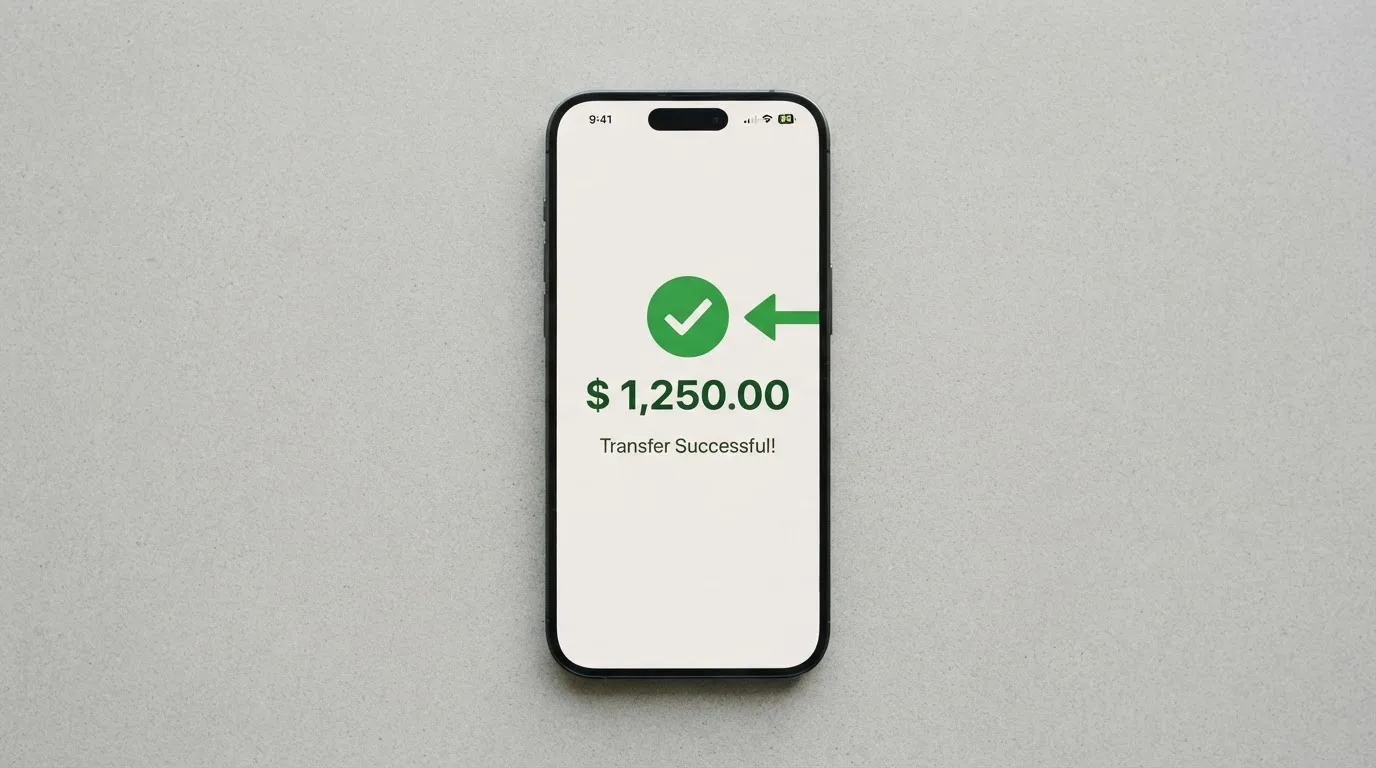
For a reloadable card, the flow is straightforward: select the card in the app, tap “Add Funds,” and send crypto to the deposit address the app shows you. The non-reloadable card is bought and loaded once. There is no way to “top up” a non-reloadable card; you buy another one when you need another balance.
Fee logic is again inside the app, not on the site. Creation and top-up fees are displayed in the card description during creation. The terms say the fees “will be displayed in the card description during creation” and that they scale with the amount on privacy cards. Extra fees are possible for some non-fiat methods, and BTC, ETH, LTC, and XMR specifically “may cost more” because of volatility and processing. USDT, USDC, bank transfer, and mobile money are recommended to keep costs down. Minimum top-up amounts are not stated.
Withdrawal back out is technically supported. The FAQ says “Yes, you can withdraw your funds. Terms and conditions apply.” The help centre walks through a path: open the active card, find the More or Manage menu, and tap “Withdraw Funds.” What the platform charges, how long it takes, where the funds can go, and what happens to a balance on a card you close are all unstated.
A short summary of the top-up routes:
- Bitcoin, Litecoin, Monero, Ethereum: supported, but the network is not named and the platform warns of extra cost from volatility and processing.
- USDT and USDC: supported, no extra platform fee stated, networks not published; this is the cheapest path the platform itself recommends.
- Bank transfer and mobile money: listed as low-cost top-up options; specific corridors and currencies not stated.
- Withdrawals: possible from the app under “Withdraw Funds,” with fees, minimum, timing, and destination not disclosed.
Paying with it every day
The card works wherever the merchant accepts Apple Pay, Google Pay, or Samsung Pay, because it is virtual only and tokenised into a mobile wallet. That covers a lot of ground at point-of-sale terminals that take contactless payments, and it covers online checkouts that accept wallet-based payments. It does not cover merchants that require a physical card to be swiped, dipped, or handed over.
The list of prohibited purchases is long and worth reading in full. The platform blocks betting and casino gambling, government-licensed online casinos, non-sport internet gaming, dating and escort services, security brokers and dealers, foreign or non-fiat currency transactions, wires and money orders, and both kinds of cash disbursement. The list is described as “not exhaustive,” which means the platform can refuse other categories at its discretion. Most of these blocks are standard for prepaid crypto cards, but the dating and escort clause is unusually broad.
There is no published rewards or cashback programme. The help articles do not describe a points scheme, a sign-up bonus, a referral programme, or any tier system. If you are choosing between cards partly on the back of perks, this one has nothing on paper.
The mobile apps are available for iOS and Android, with the site’s download buttons pointing to digitalpurse.engineering/android and digitalpurse.engineering/iphone rather than to the public stores. Unofficial store ratings, which I have not verified against the official pages, are roughly 4.6 out of 5 on Android from about 170 reviews with 50,000+ installs, and 4.5 to 4.7 on iOS from over a thousand ratings. The gap between the official download path and the stores is worth knowing about if you are particular about provenance.
Disputes and refunds are the weak point. The platform says it “cannot support chargebacks,” citing “unsustainable fraud,” blockchain finality, and privacy concerns, and adds that this also applies to sub-issuers. Returned items are refunded to the card originally used, which is a standard merchant-side behaviour rather than a platform feature. Gift-code orders have no returns or refunds once processed, and there are no dispute time frames. If a merchant takes your money and does not deliver, you have no issuer-side process to fall back on; you are dealing with the merchant on your own.
A declined transaction can leave a hold on funds for several days (typically up to about a week across the industry), and that is true on any card, not just this one, but the lack of chargeback support magnifies the effect: if the hold later releases and the merchant never delivers, you have no card-network route to recover the money.
What can go wrong
The platform itself is explicit about one big risk: it is “a technology platform, not a bank.” The footer credits DECLASSIC TECHNOLOGIES LLC 2026, and the terms say services “may be facilitated by third-party licensed financial institutions.” The issuer is not named, and the company does not publish a registration country or a list of licences. That puts DigitalPurse in the same regulatory category as many crypto card programmes: a programme manager on top of an un-named issuer, with the cardholder’s funds held by the platform and its sub-issuers. If the platform fails, the cardholder is an unsecured creditor.
Security on the platform side is described in general terms: “secure encryption, minimal data collection, and strict access controls.” In-app card freeze and 2FA are available, and you can cap the amount loaded onto a card to limit exposure on a single card. Insurance on customer funds, deposit guarantee scheme coverage, and any segregated-account treatment are not stated. Because the service is custodial by design, you give up direct control of the underlying crypto: it sits with the platform until you spend it.
Reliability, as measured by users, is mixed but mostly positive. The most recent Trustpilot reading I could verify is 4.8 out of 5 from 232 reviews, with about 60 of those in the last 12 months and the latest dated 19 October 2026. The company “hasn’t invited customers recently,” and the visible reviews are positive. An earlier reading from a different Trustpilot domain showed 4.5 from 192 reviews, so the headline score has moved around. The recurring complaints, gathered from Trustpilot, cryptocards.so, and an App Store reviewer, are consistent: cards declined at Google Cloud, Azure, and DigitalOcean (prepaid BIN blocking), non-refundable balances, and an extra charge on small cards. Support is praised by some users and criticised by others.
A pattern worth naming: the failures cluster around categories the platform does not control. Prepaid BIN blocking is a merchant-side decision. Network mismatches in deposits are a user-side mistake. Slow support is an operational issue. None of these are unique to DigitalPurse, but the absence of chargeback support means each one is harder to recover from than on a regular debit card.
A few risks to keep in mind before signing up:
- Issuer and licence: not named, not published, no MiCA or other authorisation reference on the official site.
- Custodial funds: the platform holds your crypto until you spend it, so platform failure is a direct counterparty risk.
- No chargeback right: if a merchant takes your money and disappears, there is no card-network route to recover it.
- BIN blocking: the card can be rejected at common cloud and SaaS merchants because of how they treat prepaid foreign-issued cards.
- Unpublished fees: cost is only visible in the app at creation, so you cannot shop on price in advance.
- No ATM access: the card is not a way to get physical cash, and the platform explicitly prohibits it.
- Crypto volatility: if you load BTC or ETH and the market moves, your card balance moves with it; USDT and USDC are the calmer options.
Support is available 24/7 through the in-app support system, a Telegram bot at t.me/digitalpurse_bot, an English-language help centre at helpcenter.digitalpurse.io with 29 articles, and a support email that the public page lists for failed purchases. The breadth of channels is reasonable; the depth of self-service content is thin for the questions most people ask first (which network, which fee, which country).
What to take instead
The honest comparison is between DigitalPurse and other virtual or near-virtual crypto-funded cards that publish more about their fees and reach. None of these is a perfect substitute; each is closer to what most readers probably want in at least one of the dimensions DigitalPurse is opaque on.
Cardex
Cardex is positioned as one crypto card for 200+ countries, with no exclusion list published. It supports debit on VERVE, VISA, Mastercard, and UnionPay, with both virtual and physical cards. The App Store listing is Naira-focused, so the card currency appears to be the Nigerian Naira, which makes it a strong fit for users in that corridor and a harder fit elsewhere. Fees are not stated, but the site describes an “AI-Powered Conversion Rate” that scans global exchanges at the moment of payment and picks the best rate; the actual fee percentage is not given. Funding is through USDT, USDC, and BTC wallets, with networks not stated. Score: 5.6 / 10.
TakeCard
TakeCard is a virtual card available immediately, plus a physical card “available only to Bolivian users for now.” The card is on the Visa network, issued in the United States, prepaid, and denominated in USD with USD payments at a 1:1 rate. Other currencies go through the official Visa rate of the transaction day. Pricing is clearer than DigitalPurse: the virtual card is USD 5, the physical card in Bolivia is USD 20 for issuance plus USD 20 for shipping, though another article in the same help centre says USD 10 for the physical card in Bolivia, which is a real conflict on the issuer’s own pages. A 1% commission applies per purchase, and the crypto conversion fee is not stated. Funding is from a Takenos balance, with USDC and USDT reportedly available over Polygon, BNB Chain, Tron, or Ethereum (not independently verified). Score: 5.5 / 10.
OkiCard
OkiCard markets itself for 150+ to 200+ countries, with the explicit pitch of “no geo-blocking based on your passport.” It is virtual-first, with a page also mentioning a physical card. The network is “Visa/Mastercard” (not specified which), and the card is pegged to USD/EUR. Pricing is again more transparent: the pricing page lists $0 issuance, $0 monthly, a $15 starting price for a virtual card, and an initial 100 USDT deposit; the FAQ mentions a one-time issuance fee, so the two pages disagree. Load fee is 3%, USD transaction fee is 0%, and “no hidden exchange spreads” is claimed. Funding is USDT on BSC (BEP-20), Ethereum (ERC-20), Tron (TRC-20), or Solana (SPL); USDC is “soon”; BTC and other coins are “coming soon.” Deposits go to a generated address and convert to fiat at the moment of spending. Score: 6.0 / 10.
A quick side-by-side of the four cards, in the categories the reader is most likely to weigh:
| Card | Card type | Network | Stated issuance fee | Stated top-up fee | ATM access | Stated KYC route |
|---|---|---|---|---|---|---|
| DigitalPurse | Virtual only | not stated | not stated (app only) | not stated (app only) | not permitted | optional, may be required for some payments |
| Cardex | Virtual and physical | VERVE, VISA, Mastercard, UnionPay | not stated | not stated | not stated | not stated |
| TakeCard | Virtual; physical in Bolivia | Visa | USD 5 virtual, USD 20 physical + shipping | not stated | not stated | not stated |
| OkiCard | Virtual (physical mentioned) | “Visa/Mastercard” | $0 (pricing page) or one-time fee (FAQ) | 3% load fee | not stated | required (initial 100 USDT deposit) |
None of these is a knock-out improvement on every dimension, and the scores cluster between 5.5 and 6.0. The honest reading is that the crypto-card market in this tier is broadly comparable, and the right pick depends on which dimension you care about: DigitalPurse for anonymity-style use, Cardex for African corridors, TakeCard for Bolivia or the Takenos ecosystem, OkiCard for published load fees and a 150+ country reach.
Who I would recommend it to
If you already hold crypto, do not need cash from an ATM, never need a chargeback, and are comfortable seeing the actual price of a card only after you have installed the app and started a creation flow, DigitalPurse is a reasonable tool. It is fast to set up, it supports the major coins and the two main stablecoins, and the mobile-wallet tokenisation means it works in most physical shops that take contactless payments. The non-KYC route is unusually explicit for this category, and the platform does not pretend to be a bank.
If any of the following describes your situation, look elsewhere. You need a physical card for shops that do not accept mobile wallets. You pay Google Cloud, Azure, or DigitalOcean monthly and cannot afford a surprise decline. You want to know the fee schedule before you commit. You need a chargeback right against a merchant. You need ATM access. You want a published list of supported countries so you can confirm your own eligibility in advance. You want a named issuer and a clear regulatory standing.
The card sits in an interesting place: more anonymous than a bank-issued debit card, faster to set up than most KYC-heavy rivals, and cheaper on the USDT/USDC route than the volatile-coin route. It is also thinner on consumer protection than any mainstream card. The 5.8 out of 10 reflects that balance.
Frequently asked questions
What is the DigitalPurse card?
DigitalPurse is a virtual payment card that you create in the DigitalPurse app or through its Telegram bot. It draws on a balance funded with crypto, and it is tokenised into Apple Pay, Google Pay, or Samsung Pay so you can spend it wherever those wallets are accepted. There is no physical card.
Is DigitalPurse a bank?
No. The platform’s own materials describe it as “a technology platform, not a bank,” and the terms say its services “may be facilitated by third-party licensed financial institutions.” The specific issuer is not named on the public site, and there is no published list of licences or a registration country.
How does the DigitalPurse card work?
You download the app, create an account, create a card, and top it up with BTC, ETH, LTC, XMR, USDT, or USDC. The platform converts the deposit to a USD balance that the card spends, and the card number lives inside the app until you add it to a mobile wallet. The reloadable version can be topped up again; the non-reloadable version is one-time.
Does the DigitalPurse card require KYC?
Not always. The platform offers both KYC and non-KYC cards, and KYC “may” be required for some payments or products. The documents needed, the processing time, and the reasons for rejection are not published. Non-KYC cards are priced higher than KYC cards and offer “greater privacy and flexibility,” in the platform’s own words.
How do I top up my DigitalPurse card?
Open the active card in the app and tap “Add Funds,” then send crypto to the deposit address the app shows you. USDT and USDC are recommended to keep costs down, and BTC, ETH, LTC, and XMR “may cost more” because of volatility and processing. The supported blockchain networks are not stated on the official site, which is worth confirming in the app before sending.
Can I withdraw money from my DigitalPurse card?
Not from an ATM; the platform explicitly prohibits ATM withdrawals. From the app, the help centre describes a “Withdraw Funds” path under the More or Manage menu, with the FAQ adding “Terms and conditions apply.” The fees, minimum, timing, and destination are not disclosed.
Is the DigitalPurse card free?
The official position is that creation and top-up fees are shown in the card description in the app during creation, and that they are not published on the website. A third-party site lists issuance, top-up, and monthly fee as free, while an App Store reviewer reports a $3 charge for a virtual card and a $6 minimum balance. The two unofficial sources disagree, and the only way to confirm is to start a creation in the app.
Where can I use the DigitalPurse card?
Anywhere that accepts Apple Pay, Google Pay, or Samsung Pay, which covers most contactless point-of-sale terminals and a growing share of online checkouts. The card is virtual only, so it cannot be swiped, dipped, or handed over as a physical card, and it is not accepted for cash at ATMs. Recurring reports mention declines at Google Cloud, Azure, and DigitalOcean.
Is the DigitalPurse card safe?
The platform describes “secure encryption, minimal data collection, and strict access controls,” and the app supports in-app card freeze, 2FA, and per-card spending caps. The trade-off is that the service is custodial: the platform holds your crypto until you spend it, and the issuer and licence are not named. There is no chargeback support, so any dispute with a merchant is between you and the merchant.
How do I add the DigitalPurse card to Apple Wallet?
Open the DigitalPurse app, open the active card, and follow the prompt to add it to Apple Wallet. The card details are tokenised, so the actual card number is not stored on Apple’s servers, and each payment uses a one-time dynamic code. The same flow works for Google Pay and Samsung Pay.
Virtual cards: the entry point – cryptocardportal.com
Content created by the «cryptocardportal.com» team