
Xexon card review — a Visa Platinum that costs $600 to start and 3% to convert
 Available in US
Xexon is a Visa Platinum debit card paired with a USD bank account, and the balance is fed by a crypto wallet that converts BTC and USDT into dollars before the card spends. It is one of the more unusual cards in this corner of the market because the company, the issuing bank and the regulator are not all named in one place, and the upfront cost is heavy: you hand over $600 before you ever make a payment. After going through the card’s pages, the price list and what is and isn’t stated, I have to score it 4.8 out of 10, and the reason is mostly that the cost of getting in is so high relative to what you get, and the public footprint is so thin, that it is hard to recommend unless you specifically want an offshore USD account and you accept the unknowns.
The conditions described here are current as of October 28, 2026.
Verdict
Xexon is built for a narrow reader: someone in Asia or Europe who wants a Visa-branded USD account that they can open online, top up from BTC or USDT, and use as a normal card at shops and ATMs. If that is you, the product is functional on paper. The 3% exchange fee and the 0.75% card transaction fee are not the cheapest around, but they are not the worst either, and the card works on the Visa network with a 3,000 USD daily ATM limit worldwide. What pushes the score down is the $600 starting cost, the $50 a year after that, the conflicting fee labels on the company’s own pages and the near absence of independent reviews or a clearly named card issuer. When I cannot find a Trustpilot page, a Reddit thread or a clearly named licence for the entity that puts the card in my hand, I treat that as part of the verdict, not as a footnote.
I would steer away from Xexon if you are a casual crypto user who just wants to spend stablecoins at a coffee shop, if you are not comfortable sending funds to a company whose full ownership and regulator are not on the page, or if you are looking for the cheapest way to convert and pay. There are other cards with clearer companies, lower entry costs and active customer review trails.
Here is how the score breaks down across the criteria I judged:
| Criterion | Mark | Reason |
|---|---|---|
| Who can get it | 7 / 10 | Issued online, advertised as available across Europe and Asia, but no list of countries or excluded jurisdictions. |
| Cost | 1 / 10 | $450 to open, $150 minimum deposit, $50 a year, 3% exchange, 0.75% per card payment. |
| Top-up options | 7 / 10 | BTC and USDT on ERC-20, BEP-20 and TRC-20, with clear network-specific deposit fees. |
| Reliability and complaints | 5 / 10 | Operated by a Czech s.r.o. (Silver Capital Financial), account held at JDB Bank in Laos, wallet custody with Fireblocks, but the card issuer and licences are not stated and no user reviews were found. |
| Everyday use | 5 / 10 | Physical Visa Platinum, ATMs worldwide up to $3,000 a day, but no virtual card and no clear statement on Apple Pay or Google Pay. |
That sums to the headline 4.8 out of 10.
Who Xexon will issue the card to
Xexon’s card page says the card “can be issued online” and that it is “available not only in Europe but throughout Asia”. The offshore-account page goes a step further, saying the account “can be opened from Europe, Asia, and more”. That is the full extent of the geographic picture on the company’s own pages: no country list, no list of unsupported countries, no statement about which citizenships are accepted or refused.
The website says it is not aimed at users under 18, which is standard for prepaid and debit cards. Beyond that, you should expect an identity check, because the company maintains an AML Policy and operates in a regulated space, but the documents they ask for, whether they ask for proof of address and how they handle non-residents are not detailed on the public pages. This is the part of a card review where I usually list exact document requirements and a list of accepted and refused countries; here I can only say that Xexon positions itself as a broadly available offshore USD account, and that the fine print is thin.
For someone whose country does not appear on mainstream card issuers’ lists, that breadth is the point. For someone in a country where mainstream cards are available, it is a reason to pause, because you would be giving up the convenience and consumer protections of a domestic card to use a foreign one.
How to get the Xexon card
The steps on Xexon’s pages are: apply online and sign up, open the USD bank account and card together, exchange crypto into USD inside the Xexon Wallet, and load USD onto the card. Xexon says it covers the cost of shipping the card and that it arrives “within a few weeks”. The destination countries for delivery are not listed, and the cost to replace a lost or damaged card is not stated; you are told to contact support for reissue or suspension.
The card itself is a physical Visa debit in the Platinum tier, and a price-page comparison table lists Visa, Mastercard and UnionPay, suggesting the company may have other brands in its range or plans to. What is not stated is the card’s settlement currency; the account is in USD and the balance is described as USD throughout, but the card page does not confirm the card itself is a USD card. If you travel outside the United States and pay in a foreign currency, that distinction matters because it determines whether you are hit by a Visa foreign-exchange margin on top of Xexon’s own conversion fee.
There is no virtual card on offer, and there is no app in the usual app stores — the company points you at a web dashboard at dashboard.xexon.io. If your day-to-day banking lives on a phone, that is a meaningful gap, because mobile wallets and tap-to-pay flows assume an app.
What the Xexon card really costs
This is where the review gets uncomfortable, and it is also where the company’s own pages are most at odds with each other. The price page says card issuance is free, account opening is $450, the minimum deposit is $150, the all-in starting cost is $600 and the annual fee is $50 for bank account maintenance. The card page, by contrast, presents it as a $450 card issuance fee plus a $150 bank account deposit, totalling $600 including shipping. The two phrasings describe the same number in different ways, and the totals do agree, but it is the kind of inconsistency that makes it harder to compare Xexon to other cards at a glance.
After you are in, the running costs are:
- Exchange fee: 3% (price page). The card page describes exchange fees as “low” without giving a figure.
- Card transaction fee: 0.75% per payment.
- ATM fee: 0.75% according to the price page, with a worldwide limit of $3,000 per day. The card page says the ATM fee is 1.5%. That is a real conflict, not a rounding issue, and you should assume the higher number until Xexon clarifies.
- Balance inquiry at ATMs: free.
- Card load fee: $0.25.
For everyday payments, the day-to-day cost is the 0.75% transaction fee plus any FX margin Visa applies if you pay in a non-USD currency, plus the 3% if you are converting from crypto on the same day. In a country where your local card might cost you nothing to tap, those numbers stack up.
The costs table, taking the higher number where the company’s pages disagree, looks like this:
| Fee or limit | Amount |
|---|---|
| Card issuance | Free (price page) / $450 (card page) — both descriptions total $600 incl. shipping |
| Account opening fee | $450 |
| Minimum deposit | $150 |
| Total initial cost | $600 |
| Annual fee | $50 |
| Exchange fee | 3% |
| Card transaction fee | 0.75% |
| ATM fee | 0.75% (price page) / 1.5% (card page) |
| Card load fee | $0.25 |
| Payment limit | No stated limit |
| Deposit to bank account | No stated limit |
| ATM withdrawal | $3,000 per day |
Three everyday situations to make those numbers concrete:
You are paying a $100 restaurant bill abroad. If you load the card from USD you already hold on the platform, the cost is the 0.75% card transaction fee, so $0.75. If you top up the same morning by converting USDT to USD inside the wallet, you also pay the 3% exchange fee and the 0.75% card transaction fee.
You are withdrawing $200 from an ATM in a country where your account is not local. The 0.75% (or 1.5% on the card page) ATM fee applies, plus whatever your own bank charges, plus any Visa or local ATM surcharge on top of the fee.
You are making a $50 subscription payment online. The 0.75% card fee is $0.375, but you should also expect 3-D Secure challenges on some merchants and the possibility that a foreign-issued card is declined because the merchant’s BIN lookup flags the issuer country differently from your billing address. The fee is small; the inconvenience is the bigger risk.
How to top up the Xexon card
The funding path is: send BTC or USDT to your Xexon Wallet, exchange it into USD inside the wallet, then load USD onto the card. There is no fiat top-up rail on the public pages — no card top-up by bank transfer, no card-to-card funding, no Apple Pay cash-in — so the wallet is the only entry point the company describes.
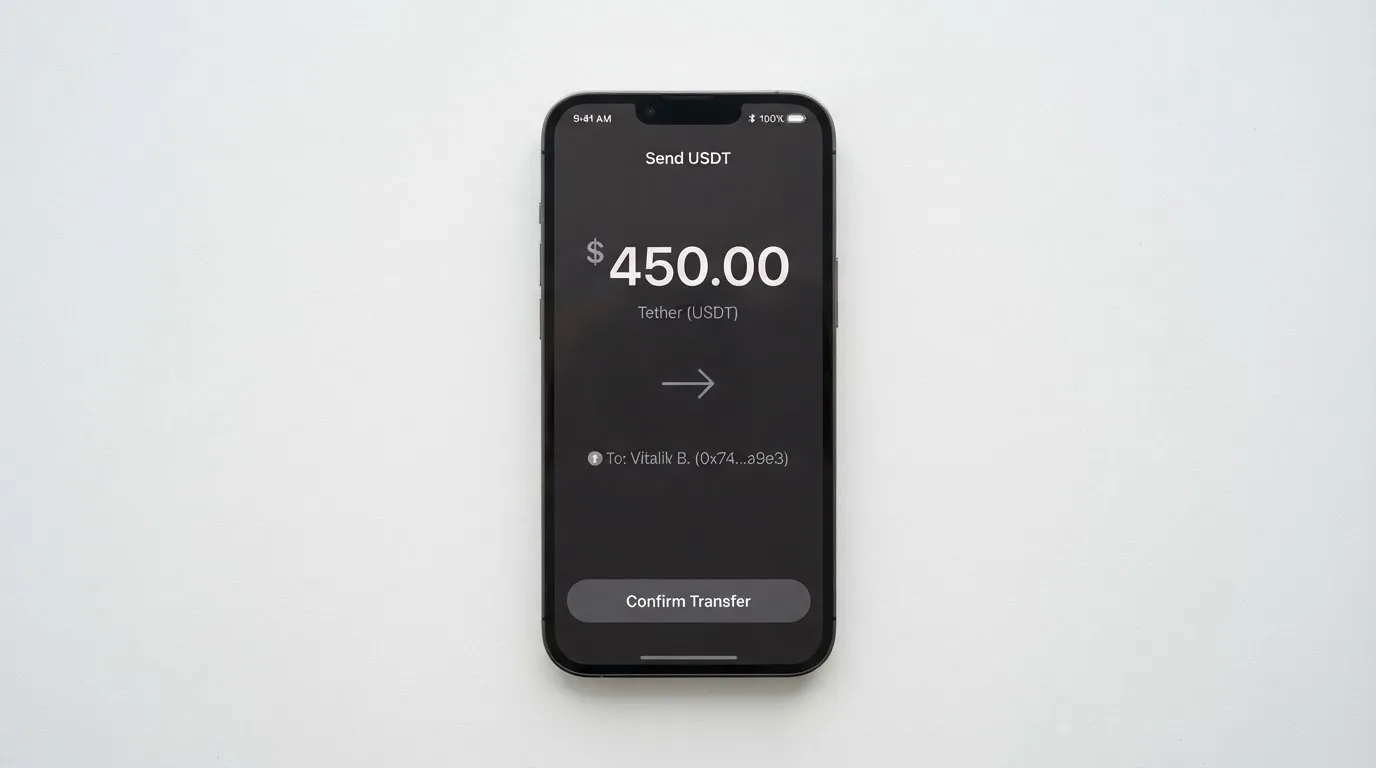
USDT is accepted on three networks: ERC-20 (Ethereum), BEP-20 (BNB Smart Chain) and TRC-20 (Tron). Each has a different deposit fee: 20 USDT for ERC-20, 0.2 USDT for BEP-20, and 20 USDT for TRC-20. The exchange minimums are 0.001 BTC and 20 USDT. BTC deposits are free, and the card load fee is $0.25 per load.
A few practical warnings that come with sending USDT across networks, which apply to any card and not just Xexon:
- The cheapest network fee is BEP-20 at 0.2 USDT, but only if you already hold BNB for gas. On ERC-20 and TRC-20 you pay 20 USDT, which is more than the exchange minimum on a single deposit, so the first top-up is the most expensive one.
- Network fees for sending USDT are charged by the blockchain, not by Xexon. The 20 USDT figure on ERC-20 and TRC-20 is the exchange fee charged by Xexon, separate from the gas you pay on the way in.
- Blockchain transfers are irreversible. If you send USDT over the wrong network, or to a deposit address belonging to a different chain, recovery is not guaranteed and is handled manually by support.
- USDT is also issued on networks Xexon does not list (Solana, Polygon, Avalanche, Arbitrum and others). Sending on one of those will not arrive.
For withdrawals back out of the wallet, BTC costs 0.1% plus 0.001 BTC with a 0.0025 BTC minimum, and USDT costs 0.1% plus 20 USDT with a 70 USDT minimum. The treatment of any remaining balance if you close the account is not stated.
Paying with the Xexon card day to day
On the network side, Xexon rides Visa, which means acceptance is broad: tens of millions of merchants worldwide, plus ATMs on the Visa network. The daily ATM ceiling is $3,000 worldwide, the payment ceiling is described as “no limit”, and the bank account has no deposit ceiling. There is no virtual card, no Apple Pay or Google Pay support disclosed on the public pages, and no stated rewards or cashback programme.
A few things to expect from a card billed as a Visa Platinum and issued in this kind of setup:
- Online merchants may apply extra scrutiny because the BIN identifies the issuer country, and if that country differs from your billing address or IP, some merchants decline or send a 3-D Secure challenge. Address Verification Service is mainly available in the US, Canada and the UK and is generally not available for foreign-issued cards, which can cause declines.
- 3-D Secure applies on most online Visa payments, and your experience will depend on whether the issuer prompts for one-time codes or biometric checks. The company does not describe its 3-D Secure flow, so treat it as an unknown until you try.
- A declined authorisation can leave a hold on funds that stays in place for several days, typically up to seven. The card balance does not move, but the funds are not available while the hold is open.
- For offline and ATM use, the card is physical and chip-and-PIN, which is what you would expect from a Platinum Visa. The company does not describe contactless limits or ATM-only-versus-PIN-preference behaviour, so there is room to be surprised at a terminal.
The lack of an app is the most noticeable everyday gap. Most cards in this category now live on a phone: you freeze the card, you see the transaction in real time, you add it to Apple Pay or Google Pay. Xexon has a web dashboard only, and the user experience after that is not described. If you lose the card on a Saturday night, the public advice is to contact support by email or contact form for suspension; there is no in-app freeze to act on immediately.
What can go wrong with Xexon
There are three broad buckets: the company’s public footprint, the regulatory picture, and the usual risks of holding funds with a custodian.
The company behind Xexon is Silver Capital Financial s.r.o., with an address in Prague. s.r.o. is the standard Czech limited-liability form; the company does not name its country of registration in clearer terms, nor does it name its owners on the public page. The bank account sits at JDB Bank in Laos, which is a small commercial bank in a jurisdiction that is not a standard offshore banking centre; you can read that either as “boutique and responsive” or as “thinly regulated and unfamiliar to most dispute processes”. The wallet uses Fireblocks for custody, which is a recognised institutional custody provider, and the company describes 24/7 security operations and two-step authentication. The card issuer is not named, and the licences the company operates under are not listed.
There is no Trustpilot page for Xexon, no Reddit thread about it that I could find, and no mainstream news incident. The absence of complaints is not the same as a clean record — a 2024 or 2025 launch with limited distribution simply will not have built a review trail yet — but it does mean you cannot triangulate what other users have experienced before you commit $600.
The usual crypto-card risks apply as well. The wallet is custodial, so you do not hold the private keys, and the company states plainly that Xexon “cannot be held responsible for a loss of funds” if a user falls for a scam. Cryptocurrency transfers are irreversible, so a wrong network or wrong address is your loss. Programme-wide shutdowns are a real category: Visa has terminated programmes before, including FTX in November 2022, and in 2018 it suspended WaveCrest as a card issuer, which closed every WaveCrest-issued Visa programme in Europe on short notice. If that happened to Xexon, the standard pattern is a notice period, then loads stop, then spending stops, then you withdraw your balance within a defined window.
A final category of risk is regulatory. Crypto-card programmes in the EU sit under both MiCA (for the crypto side) and payment-services law (for the card side), and the MiCA transitional period for providers already operating under national law runs only until 1 July 2026 or until a MiCA authorisation is granted or refused. If Xexon is operating under a national licence, the calendar for resolution is already in motion. If you are a reader, that is not a reason to panic, but it is a reason to ask which licence the company is operating under today and what happens to your account in either outcome.
What to use instead of Xexon
The honest answer is that the alternatives depend on what you actually want from a card. I have looked at three cards that solve parts of the same problem in different ways.
Whop Cards scores 5.2 out of 10 and is the cheapest of the three to try. The site says “no extra fees” and does not list issuance, monthly, conversion or FX amounts, which is either a positive sign (because they are zero) or a transparency gap (because they are not stated). Whop is also the most restricted by country: consumers are accepted in 31 US states, businesses in 41, and the unsupported list includes Belarus, mainland China, Cuba, Hong Kong, India, Iran, Iraq, Israel, Myanmar, Nepal, Nicaragua, North Korea, Russia, Syria, Turkey, Ukraine, Venezuela and Vietnam. The card is a Visa that works anywhere Visa is accepted, the spending is funded by a Whop balance backed by stablecoin collateral, and there is a 5% cashback offer at select merchants (currently Uber, with more planned). The trade-off is geography: if you are outside the US, Whop is mostly not an option.
Stella scores 6.5 out of 10 and is the closest in shape to Xexon: virtual and physical Visa, works at “over 40 million VISA merchants globally”, and funds the card by depositing crypto into an in-app custodial wallet, which automatically tops up the card. The official site does not list supported countries, and the terms bar users under economic sanctions programmes and route US and European users through affiliates. Fees are not stated officially; the agreement points you to the app for the schedule. There is no cashback stated on the card itself (an Earn product is separate yield, not a card rebate). Stella is the option to look at if you want a similar product with more brand visibility and a public user agreement.
UniFi Card scores 4.7 out of 10. It is a prepaid Visa debit card issued by Lead Bank, spends from a USD balance, and supports Apple Pay. The catch is geography: the App Store listing shows send-money routes to the Philippines, Mexico, the eurozone and, in recent release notes, Colombia, Brazil (PIX) and the UK. If you live in one of those corridors it is relevant; if you do not, the app is not set up for you. Funding accepts ACH, wire, SEPA (IBAN) and SPEI (CLABE), plus USDC into a USDC wallet, and the listing claims 3% rewards on balances. Cost and fees are not stated on the listing.
Three quick comparisons to leave you with:
- Cheapest to start: Whop, with no stated issuance or monthly fee, but only in 31 US states for consumers.
- Closest in shape to Xexon: Stella, with a similar crypto-in, fiat-out flow and a public user agreement.
- Most corridors for sending money abroad: UniFi, especially in the Philippines, Mexico, the eurozone, Colombia, Brazil and the UK.
Who I would recommend the Xexon card to
Putting it all together: I would recommend Xexon to a specific reader. If you are based in Asia or in a European country where you cannot get a domestic Visa debit, you specifically want a USD-denominated account rather than a local-currency one, you can absorb a $600 entry cost and $50 a year, and you are willing to send BTC or USDT from a wallet you already control, then Xexon does the job. The Fireblocks custody is a real institutional name, the card rides Visa’s network, and the funding path is described in enough detail to plan a top-up.
For anyone else, the answer is no. The cost is high relative to what you get. The exchange and card fees are not the lowest in the category. The company and its licences are not all named on the public pages, and there is no independent review trail to learn from. If you are a casual crypto user, the simpler path is to use a card with a public user agreement, a stated fee schedule, a mobile app, and an existing community of users writing about their experience — even if that card is more limited in the countries it serves.
Two things to check before you put any money in, regardless of which card you land on:
- The name of the card-issuing bank and the licence the issuer is operating under. If the company is not willing to name the issuer, that is information.
- The supported deposit networks and the deposit fee on each, because that is where a chunk of the real cost sits on a small first top-up.
Frequently asked questions
What is the Xexon card?
The Xexon card is a physical Visa Platinum debit card tied to a USD bank account. The account is funded by sending BTC or USDT (on ERC-20, BEP-20 or TRC-20) to a Xexon Wallet, exchanging the crypto into USD inside the wallet, and loading USD onto the card. It is operated by Silver Capital Financial s.r.o., with the bank account held at JDB Bank in Laos.
How does the Xexon card work?
You sign up online, open the USD account and the card together, send crypto into your Xexon Wallet, exchange it for USD, and load USD onto the card. After that, the card behaves like a normal Visa debit at shops and ATMs worldwide, with a daily ATM limit of $3,000 and a 0.75% fee on each card transaction.
Is Xexon a bank?
No. Xexon is operated by Silver Capital Financial s.r.o., a Czech-registered company, and the USD account is held at JDB Bank in Laos. The card issuer and the licences the company operates under are not stated on the public pages, so Xexon itself is not a bank.
Who owns Xexon?
The operating company is Silver Capital Financial s.r.o., with an address in Prague. The company does not name its owners on the public pages, and the card issuer is not identified either, so ownership above the operating entity is not publicly stated.
How do I get the Xexon card?
You apply on the Xexon website, complete the account and card opening together, send crypto into your Xexon Wallet, exchange it for USD and load the card. Xexon covers shipping and the card arrives within a few weeks; the cost to replace a lost card is not stated.
Does the Xexon card require KYC?
Xexon maintains an AML Policy and operates as a regulated payments-and-crypto business, so you should expect identity verification. The exact documents — proof of address, source-of-funds checks, country acceptance list — are not detailed on the public pages, so you would only see the requirements once you start the application.
How do I top up the Xexon card?
Send BTC or USDT (on ERC-20, BEP-20 or TRC-20) into your Xexon Wallet, exchange the crypto into USD inside the wallet, and load the card. The card load fee is $0.25 per load. USDT deposit fees are 20 USDT on ERC-20, 0.2 USDT on BEP-20, and 20 USDT on TRC-20; BTC deposits are free.
How do I withdraw money from Xexon?
BTC withdrawals cost 0.1% plus 0.001 BTC with a 0.0025 BTC minimum, and USDT withdrawals cost 0.1% plus 20 USDT with a 70 USDT minimum. The treatment of any remaining balance if you close the account is not stated on the public pages, so ask support before closing if you hold a balance.
Is the Xexon card free?
No. The total cost to open the account and card is $600, made up of a $450 account opening fee and a $150 minimum deposit. There is also a $50 annual fee, a 3% exchange fee, a 0.75% card transaction fee, an ATM fee of 0.75% or 1.5% depending on which Xexon page you read, and a $0.25 card load fee.
Is the Xexon card safe?
The wallet uses Fireblocks for custody, with 24/7 security operations and two-step authentication, which is a meaningful institutional setup. The trade-off is that the wallet is custodial (Xexon holds the keys), the company states it cannot be held responsible if a user is scammed, and the card issuer and licences are not named on the public pages, so independent verification is limited.
App and neobank cards: the entry point – cryptocardportal.com
Content created by the «cryptocardportal.com» team