
A seller-platform card that spends your Whop balance and hides most of its prices
 Available in US
The Whop card is not really a general-purpose bank card dressed up as a crypto product. It is a spending tool for people who already sell on Whop: a Visa that draws on your Whop balance rather than on a bank account, so that a seller can take what they have earned and pay ordinary shops with it. That framing explains almost everything about it — the good parts and the awkward ones. It works where Visa works, it goes into your phone’s wallet, and it comes with a 5% cashback offer at some merchants. It also comes with no published price for issuing the card, no published conversion fee, no named issuing bank, and a complaints file that a lot of sellers have written about. On the evidence I could check, it is 5.2 out of 10.
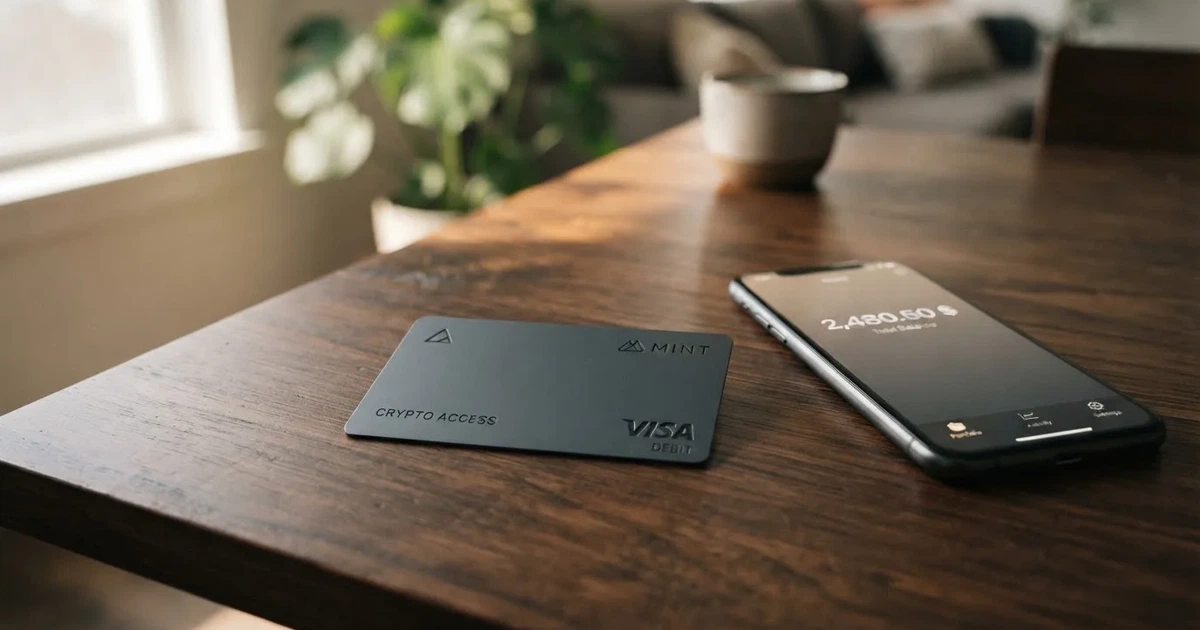
Whop itself is a platform for creators and small sellers — subscriptions, courses, digital products — and a card bolted onto that ecosystem solves a narrow, real problem: how do I spend the money sitting in my seller balance without waiting for a bank transfer? If that is your situation, this page is for you. If you are looking for a mainstream debit card with a real fee schedule and a bank you can name, keep reading, because there are sections below where the answer is honestly “not stated”.
Conditions are current as of October 28, 2026.
Verdict: 5.2 out of 10, aimed squarely at sellers
I want to be clear about what the number is measuring, because a score out of ten without its parts is just a vibe. Here is the breakdown as I see it.
| Criterion | Mark | Why |
|---|---|---|
| Who can get it | 7 / 10 | Consumers in 31 US states, businesses in 41; 18 named unsupported countries including Russia, Belarus, China, India, Turkey, Ukraine, Vietnam |
| Cost | 5 / 10 | The page says “No extra fees”, but no issuance, monthly or conversion amounts are published |
| Top-up options | 4 / 10 | Spends from a Whop balance; starting data says stablecoin collateral from a linked wallet, coins and networks not disclosed |
| Reliability and complaints | 4 / 10 | Whop Inc., programme on Rain, issuing bank and licences not named; unofficial reports of frozen payouts and blocked accounts |
| Everyday use | 5 / 10 | Visa, adds to Apple and Google Wallet; ATM off by default, $250 per transaction when enabled; virtual vs physical not stated |
| Total | 5.2 / 10 | A card that works for its intended user and stops there |
The audience note is worth repeating because it is the card’s real design brief: US-based Whop sellers who want to spend their earnings with a Visa. If that is you, the picture is more favourable than the table suggests — the card does one thing and does it. If you are anyone else, a lot of the blanks in this review will matter to you more than the parts that work.
So: who should read the rest of this carefully, and who can skim? If you sell on Whop in the United States and your money already lands in a Whop balance, the sections on costs and top-ups are your bread and butter. If you are outside the US, or you need a card for day-to-day life rather than for your shop, read the sections on eligibility and risks first, and treat the good marks as borrowed strength.
Will they give you the card
Eligibility here is narrower than the marketing suggests, and it is narrow in a specific way: it is narrow by US state and by nationality, and the rules for the two are not the same rule.
For consumers, the card is available in 31 US states. Those are Alabama, Alaska, Arkansas, California, Colorado, Connecticut, Florida, Hawaii, Illinois, Indiana, Iowa, Kansas, Kentucky, Maine, Massachusetts, Michigan, Minnesota, Montana, Nebraska, New Hampshire, New Jersey, New York, North Carolina, Oklahoma, Pennsylvania, South Carolina, Texas, Utah, Virginia, West Virginia and Wyoming. For businesses, the figure is higher: 41 states. The card’s public pages do not say which ten extra states businesses get, so if you are a business outside the 31-state consumer list, the honest answer is that I cannot confirm it from what is published.
Then there is the exclusion list, and this is where a reader outside the US needs to stop and read carefully. The card names 18 countries whose users are not supported: Belarus, China (Mainland), Cuba, Hong Kong, India, Iran, Iraq, Israel, Myanmar, Nepal, Nicaragua, North Korea, Russia, Syria, Turkey, Ukraine, Venezuela and Vietnam. For corporate customers, Russia and Belarus are named again as unsupported. Notably, the remaining countries — the ones not on that list — are not stated as closed. That is not the same as “open”. A country being absent from a blocked list tells you nothing about whether you can get the card; it only tells you that nobody bothered to list it.
One thing I could not find anywhere in the card’s documentation is the basis of eligibility — whether decisions run on citizenship, on residence, or on both. This matters more than it sounds. Under anti-money-laundering rules, nationality is recorded and screened separately from address, because sanctions screening and issuer risk policy are usually applied to citizenship and country of birth as well as to where you live. So a card that is “available in 31 states” is a statement about where you are, not a promise about what passport you hold. If your citizenship is on that exclusion list, being resident elsewhere probably does not help. If you are unsure, that is a question for Whop’s own support team, and I would ask it in writing before you rely on the card.
How to get it
The mechanics here are refreshingly short, largely because Whop is building the card into a system you probably already have an account on. Cards are created from a Whop account in seconds, and cards can also be issued to team members — which tells you this is less a personal bank card than a business tool with permission levels.
The card is a Visa. It works anywhere Visa is accepted, online and in stores. That is the whole acceptance story, and it is a real one: Visa is accepted in a very large number of places, and for a seller who needs to buy software subscriptions, hosting, ad spend or a flight, “anywhere Visa is accepted” is a wide door.
What the card’s public pages do not say: whether the card you get is virtual or physical, what currency it is denominated in, and how long delivery takes if it is physical. “Not stated” is not a way of saying “it doesn’t matter” — for someone who wants a card to tap in a shop, the difference between a phone-only virtual card and a plastic one is the difference between a working card and a piece of paper. Note that cards can also be issued to team members, which is one reason the virtual form is likely to be common, but that is inference on my part, not something the pages say.
On identity checks: the card documentation does not mention KYC at all. In practice that is probably because KYC, if it happens at all, happens at the Whop account level rather than the card level — platforms that host sellers are obliged to identify them under anti-money-laundering law. But the card’s own pages stay silent on what documents you will need, at what stage, and what verification tier you will be placed in. If having your identity checked is a dealbreaker for you, or if you have a reason to need to know precisely when it will happen, treat this as an open question to ask before you rely on the card for anything important. The absence of a stated KYC process is not a statement that none exists.
Fees and what a payment really costs: the honest answer is “not stated”
I am going to be blunt in this section because the alternative would be misleading. The card’s page says “No extra fees”. No issuance amount is listed. No monthly fee is listed. No conversion fee or FX fee amount is published anywhere I could find. This is the single most frustrating thing about reviewing this card, and it is why the Cost criterion got 5 out of 10 rather than higher: a card with genuinely no fees would be excellent news, and a card that does not tell you its fees is just unknown.
Here is what the fee and limit picture actually looks like, with everything that is published and everything that is not.
| Fee or limit | What the card says |
|---|---|
| Issuance fee | Not stated — page says “No extra fees”, no amount given |
| Monthly fee | Not stated |
| Crypto conversion fee | Not stated — no amount published |
| FX / currency conversion fee | Not stated |
| ATM withdrawal fee | Not stated — ATM itself unavailable by default |
| ATM per-transaction cap | $250 when enabled |
| ATM attempts | More than 3 attempts in 24 hours blocked |
| Gaming per-transaction cap | $2,000 |
| Advertising services per-transaction cap | $10,000 |
| Adult content per-transaction cap | $200 |
| Custom spending limit | Settable per card |
| Velocity caps | Example given: more than 11 card-not-present transactions in 24 hours |
| Daily and monthly totals | Not stated |
| Tiers | Single tier — consumer and business cards, no tiers stated |
| Currency of limits | Limits quoted in USD; card currency not stated |
That table is worth reading twice, because two different kinds of information are sitting in it. The limits — $2,000 at gaming merchants, $10,000 at advertising services, $200 at adult content — are caps on how much you may spend, not charges you pay. They are a spending control the card owner sets and enforces. The fees are what the card takes from you, and of those there is one published statement (“No extra fees”) and no numbers at all.
Now let me walk through three everyday payments and which fees apply to each, because that is how a fee schedule becomes real.
Paying for an ad platform subscription, say $100. This is the card at its best: a USD-denominated purchase from a Whop balance, in a category where the per-transaction cap is $10,000. You would expect the advertised “No extra fees” to mean $100 leaves your balance and $100 reaches the merchant. Since no conversion fee is published, the only thing that could reduce this is a fee you were never shown, or a hold that takes days to settle.
Paying a supplier or contractor in another currency, say €200 on a $220 balance. This is where the missing FX figure bites. Paying in a currency other than the card’s own means a conversion happens somewhere in the chain, and no card ever does that for free — the cost is taken somewhere, whether as a rate spread, a fixed fee, or a margin inside the rate. The card publishes no conversion fee and no FX fee, and the card’s own currency is not even stated. So for this payment, I cannot tell you what lands at the other end. If cross-currency payments are part of what you need, this is the question to put to support, and I would want the answer in writing before you relied on it.
Taking $200 out of a cash machine. This is the payment with the most detail published, and the detail is mostly restrictive. ATM withdrawals are unavailable by default — meaning you would have to turn the feature on first, and the card does not describe how. Once enabled, there is a $250 per-transaction cap and more than 3 attempts in 24 hours is blocked. The withdrawal fee itself is not stated. So the honest summary is: you can probably get cash, but only in small amounts, only after opting in, and at an unknown cost.
How to top it up
Top-up for this card is a slightly odd phrase, because there is no top-up button in the usual sense. The card spends directly from your Whop balance. Money arrives on Whop through your sales, and the card then draws on that balance. Pending balance is usable as soon as a payment arrives; standard bank withdrawals and transfers use only settled funds. No bank withdrawal is needed in order to spend.
That is a real design advantage. Instead of the ordinary dance — money lands in your bank account, you move it somewhere, you convert it, you load it — here the money lands and then it spends. For a seller with sales coming in daily, that removes an entire step.
The catch is what sits behind the balance. Starting data says the balance is backed by stablecoin collateral from a linked wallet. Coins and networks are not stated. This is worth pausing on, because it is the least transparent part of the money flow. Which token backs your balance, and on which chain the transfer happens, determines two things you would want to know: what network fee the transfer costs (network fees are charged by the blockchain, not by the card provider), and whether a transfer sent on the wrong network could be lost. Blockchain transfers are irreversible, and a deposit sent on a network the provider does not support, or to an address belonging to a different network, can be lost or need manual support recovery with no guarantee. With Whop, coins and networks are not disclosed, so I cannot tell you how much of a risk that is — only that it exists and that the disclosure is missing.
The deposit fee and minimum deposit are also not stated. Whop says no extra fees, which may cover this, may not, and is simply not broken down.
If you are the kind of person who wants to see exactly where their money is — who holds the keys, which chain, what the fee per transfer is — this card will frustrate you. The balance model hides a great deal, which is convenient and also opaque. It also sits inside the stablecoin family, where “stable” is a description of intent rather than a guarantee: stablecoins have depegged before, including USDC briefly in March 2023 during the US banking crisis, and a stablecoin is not a bank deposit.
Paying with it every day
Day-to-day use is where the card is decent. It is a Visa, and it can be added to Apple Wallet or Google Wallet — which means you would tap your phone, not handle plastic. That is the standard secure route: Apple Pay replaces the card number with a device-specific number stored in the Secure Element, never on Apple’s servers, and each payment uses a one-time dynamic security code. Adding the card to your phone is the low-friction path here, more so than for a conventional card.
The rewards are worth knowing: 5% cashback at select merchants, currently Uber, with more planned. The payout currency and the conditions are not stated, so treat the 5% as a headline rather than a calculation.
Where it gets in the way is the blocked-category list, and it is a long one. This is where a card stops being general-purpose. Blocked merchant categories (MCCs) include:
- Wire transfers and money orders — 4829
- ATM and cash — 6010–6011
- Quasi cash — 6051
- Securities — 6211
- Gambling — 7995, and related 7800–7802 and 9754
- Adult and dating — 7273
- Direct marketing — 5960–5969
And a list of named merchants is blocked, among them Wise, Skrill, Neteller, MoonPay, eToro, Blockchain.com Europe and CEX.IO, and the game Fortnite. The named-merchant list is the part that will surprise people most: these are crypto and payments businesses, which is exactly the set a crypto-adjacent card might be expected to work with. If any part of your spending depends on those names, check before you rely on the card.
Why do these blocks exist at all? Mostly issuer policy rather than law — many issuers block gambling merchant categories on specific cards by policy, and the list varies by issuer. Merchant category codes themselves are just four-digit classifications of what a business sells. The blocked list here is Whop’s and Rain’s own risk decision, and it is not hidden: it is published, which is more than many cards do.
There are everyday annoyances specific to prepaid-style cards that are worth knowing before they surprise you. Address verification, which compares the numeric parts of the billing address you type against the issuer’s records, is mainly offered in the US, Canada and the UK and is generally unavailable for foreign-issued cards — a common cause of declines. Some merchants decline prepaid or foreign card numbers simply because the number itself reveals the card type and issuer country. And a declined payment can still leave a hold on your funds that stays for several days, typically up to 7.
One thing I could not check: the app. The App Store listing could not be fetched for this review, so I cannot vouch for the mobile app’s quality, and you should not take my silence as a verdict on it.
What can go wrong
If I had to rank the risks here, the ordinary card risks — a lost phone, a declined payment, a merchant blocking prepaid numbers — are less worrying than the platform risk. This card is a feature of a seller platform, and the seller’s relationship is with that platform, not with a bank.
The complaints. On Trustpilot, for Whop the platform rather than the card specifically, there are 3,052 reviews. The TrustScore is hidden — shown as unavailable due to a breach of the guidelines — and the visible split is 65% five-star against 30% one-star. On 21 October 2026 the visible score read 3.5. I want to be careful here: this is third-party user reporting, not something the card confirms, and it is about the platform rather than the Visa in your pocket. But the themes recur and they are specific: frozen funds and payouts, accounts suspended for alleged “fraudulent activity”, support that reviewers describe as AI-driven and unhelpful, and refunds that never arrive. Separately, one user report from October 2026 describes an unexplained $29 dispute fee and refunds that never came. If you are deciding whether to keep meaningful balance on the platform, that pattern is the thing to weigh, not the five-star share.
The unknown issuer. Whop Inc. runs the platform; per launch coverage, the card programme is powered by the stablecoin-card issuer Rain. The issuing bank is not named, and licences are not stated. That is not automatically a bad sign — plenty of legitimate cards run through partners — but it means you cannot check the licence on a register the way you can check a bank’s. When a card’s page says “no extra fees” and names no issuer, the disclosure gaps are all in the same direction.
Freezes and holds. Funds can be frozen — a card platform’s decision, made on risk grounds, often not explained in terms you can act on. Under anti-money-laundering law, if due diligence cannot be completed, an institution is required to refrain from the transaction or the relationship and, where necessary, end existing relationships. That is why accounts close or freeze pending documents: it is the system working, not a malfunction, even when it feels like one. The separate category of a decline leaving a hold for up to 7 days is more mundane and much more common.
Where your crypto sits. The balance is backed by stablecoin collateral from a linked wallet, and custody arrangements are not stated. This is the general risk of holding funds with a platform rather than in your own wallet: custodial providers hold the credentials, so you must trust them completely, and the sector has a documented record of it going badly — Mt. Gox at roughly $350 million reported stolen between 2011 and 2014, Coincheck at about $400 million in 2018, Ronin Network at $625 million in 2022. The alternative, holding your own keys, has its own risks: if you lose your seed phrase — typically 12 to 24 words — nobody can restore your wallet for you, and crypto transfers are typically irreversible with no built-in recovery.
Losing the programme. Card programmes end. Visa terminated its global agreements with FTX in November 2022 and the FTX US debit card was wound down. WaveCrest, a Visa issuer that supplied crypto card brands, was suspended by Visa in Europe in 2018, closing all of its Visa programmes. When a programme winds down, the pattern is a notice period, then loading and spending stop, then users are asked to withdraw remaining balances.
What protection you actually have. The card publishes real safeguards: per-card spending limits, a PIN lockout after too many wrong attempts, a fraud risk engine, and 3-D Secure and address-verification checks. What is not stated is how customer funds are safeguarded, and whether any dispute or reversal rights apply. This distinction matters. US debit card reversal rights come from Regulation E, credit card rights from Regulation Z, and prepaid-card coverage varies and should not be assumed. This card is drawn against a stored balance, which is the prepaid shape — so treat any assumption of bank-style protection as unverified. If you are US-based, note also that the IRS treats digital assets as property, so a payment funded from crypto can be a separate taxable disposal measured at the fair market value on the date of the transaction. I am not going to advise you on your taxes; I am telling you the exposure exists so you can ask someone qualified.
Support. The card says to contact support if a decline looks wrong, and does not state the channels, the languages or the hours. Combined with the AI-support theme in the reviews, this is a real weak point.
What to take instead
The honest framing: I am not recommending any of these over Whop. They are different shapes of product, and the right comparison is which shape fits your life. Here is what the alternatives publish.
| Card | Score | Who | Card form | Cost | Rewards | Top-up |
|---|---|---|---|---|---|---|
| Stella | 6.5 / 10 | Countries not stated; terms bar users under economic sanctions programmes and route US and European users through affiliates | Virtual and physical, VISA, “over 40 million VISA merchants globally” | Not stated; fees described in the User Agreement or the App | No cashback stated on the card page (a separate Earn product yields) | Deposit crypto into the account, which automatically tops up the card; custodial in-app wallet |
| UniFi Card | 4.7 / 10 | Not confirmed from official pages; app lists send-money routes to the Philippines, Mexico and the eurozone, with release notes mentioning Colombia, Brazil and the UK | Prepaid Debit Visa Card issued by Lead Bank, also Apple Pay; spends a USD balance | Not stated — “Fees may apply. See UniFi website” | Listing claims 3% on balances; card cashback not stated | ACH, wire, SEPA, SPEI; get paid to a USDC wallet |
| Renegade | 4.1 / 10 | No supported/excluded countries on the card page; only EEA customers can use the virtual IBAN for euro deposits and withdrawals | Virtual card issued instantly, no plastic; page says “VISA integration” | Pioneer 9.90 EUR monthly (4.90 in RNG), Voyager 19.90 (14.90 in RNG), Vanguard 29.90 (24.90 in RNG); issuance fee not stated | 3% paid in RNG coin on all three tiers, with a monthly cap | Crypto virtual IBAN via Striga and an IBAN account; coins and networks not listed on the card page |
| Whop | 5.2 / 10 | 31 US states for consumers, 41 for businesses; 18 named unsupported countries | Visa; virtual vs physical not stated | “No extra fees”; no amounts published | 5% cashback at select merchants, currently Uber | Spends a Whop balance; stablecoin collateral from a linked wallet |
Reading that table the way I would read it if I were choosing:
Stella scores highest and is the nearest cousin to Whop — a custodial crypto balance feeding a Visa. Its structural difference is that it separates the two: a crypto deposit tops up the card automatically, so you can fund it directly from crypto rather than only from sales income. Its weakness is the mirror image of Whop’s: sanctions screening in the terms, affiliates routing US and European users, and fees living in a document you have to go and read.
UniFi is a different animal again — a prepaid Visa from a named issuer bank, funded the old-fashioned way through ACH, wire, SEPA and SPEI, with USDC as a payout option. If what you want is a card with a bank you can name behind it and a normal funding rail, this is the one of the four whose structure is most legible. It is also the one whose fees are least published.
Renegade is the most transparent on price of the four — it publishes its monthly tiers in euros and a 1.6% crypto/fiat exchange fee, and says no other fees are collected, with new fees given at least 30 days’ notice. What it gives up is reach: a virtual card only, no plastic, and euro IBAN access restricted to the EEA. Its rewards are paid in its own token, which is a bet, not a discount.
So the choice is not really “which card is best”. It is: Whop if your income arrives on Whop and you want to spend it directly; Stella if you want a crypto balance that funds a card independently and you will read the terms; UniFi if you want a named issuing bank and standard payment rails; Renegade if you want published fees and can live with a virtual card in the euro area.
Who I would recommend it to
To be concrete about this, I would recommend the Whop card to someone in this position: you run a business selling subscriptions, courses or digital products on Whop, you are in one of the 31 consumer states or 41 business states, your citizenship is not on the exclusion list, and your earnings land in a Whop balance you want to spend directly without a bank detour. If you spend in USD, mostly online, mostly in categories that are not blocked, you will find it does its job. Add it to your phone, set your own spending caps, and use the 5% Uber cashback when it applies.
I would be more cautious, and would want questions answered first, if any of these apply to you: you need a physical card for in-person contactless payments; you rely on cash; you spend in a currency other than USD; you need to pay any of the blocked categories or the named merchants; you are outside the US or hold a passport from an excluded country; or you are thinking of keeping a large balance on the platform.
And I would steer you elsewhere entirely if you need a card that publishes its fees, names its issuing bank, states its licences, or operates outside the US. This review exists because that card is not what Whop offers — not because Whop is hiding something sinister, but because a product can be perfectly honest about its narrow purpose and still be the wrong tool for you. Whop has built a seller spending card. If that is your life, it is a useful one. If you want an ordinary card with an ordinary fee schedule, this is not it, and the four above are where I would start looking.
Frequently asked questions
What is the Whop card?
The Whop card is a Visa that draws on your Whop seller balance rather than on a bank account. It is issued by Whop to people who sell on its platform, works anywhere Visa is accepted online and in stores, and can be added to Apple Wallet or Google Wallet. You do not top it up from a bank; you spend what your sales have already put there.
How does the Whop card work?
Your sales credit your Whop balance, and the card spends that balance directly. Pending balance becomes usable as soon as a payment arrives, while standard bank withdrawals and transfers use only settled funds. Behind the balance, starting data says it is backed by stablecoin collateral from a linked wallet, though which coins and networks are not stated. No bank withdrawal is needed in order to spend.
Is Whop a bank?
No — Whop is a seller platform, Whop Inc. The card programme runs on the stablecoin-card issuer Rain, per launch coverage, and the issuing bank and licences are not named. That is different from an ordinary bank card, and it means you cannot check a bank’s licence on a public register.
Does the Whop card require KYC?
The card’s own documentation does not mention KYC at all, so I cannot tell you what documents are needed, at what stage, or at what verification tier. In practice, identity checks for sellers almost certainly happen at the Whop account level under anti-money-laundering law rather than the card level. If the answer matters to you, ask Whop directly.
Is the Whop card free?
Unknown, and I would not treat it as free. The page says “No extra fees”, but no issuance fee, monthly fee, conversion fee or FX fee amount is published anywhere. “No extra fees” without a schedule attached is a claim you cannot verify. There is also a single tier only — consumer and business cards, no tiers stated.
Can I use the Whop card in my country?
It depends on two separate things. The card supports consumers in 31 named US states and businesses in 41, and 18 named countries are excluded, including Russia, Belarus, China, India, Turkey, Ukraine and Vietnam. Countries not on the exclusion list are not stated as closed — which is not the same as open. The card also does not state whether eligibility runs on citizenship or residence, which matters.
How do I top up the Whop card?
You do not, in the usual sense. The card spends your Whop balance, which fills from your sales. The deposit fee and minimum deposit are not stated. If you expected a top-up button and a network choice, this is not that kind of card — coins and networks behind the balance are not disclosed.
Where can I use the Whop card?
Anywhere Visa is accepted, online and in stores, including via Apple Wallet or Google Wallet. Blocked: wire transfers and money orders (4829), ATM and cash (6010–6011), quasi cash (6051), securities (6211), gambling (7995 and related 7800–7802, 9754), adult and dating (7273), direct marketing (5960–5969), and named merchants including Wise, Skrill, Neteller, MoonPay, eToro, Blockchain.com Europe, CEX.IO and Fortnite.
Is the Whop card safe?
It publishes real safeguards: per-card spending limits, a PIN lockout after repeated wrong entries, a fraud risk engine, and 3-D Secure and address verification. What is not stated is how funds are safeguarded or what dispute rights apply, and prepaid-style coverage should not be assumed. Separately, Trustpilot reviews of the Whop platform — not the card — report frozen payouts, account suspensions and undelivered refunds. Read that as user reporting, not confirmed fact.
Is the Whop card worth it?
Worth it if you sell on Whop, are in a supported US state, and want to spend earnings without a bank detour — that is the case the card is built for. Not worth it if you need a physical card, cash, cross-currency spending, blocked merchant categories, or a published fee schedule and a named issuing bank. On the evidence I could check, it scores 5.2 out of 10, aimed at exactly one kind of user.
App and neobank cards: the entry point – cryptocardportal.com
Content created by the «cryptocardportal.com» team