
The free USDC card that promises a 0% foreign fee but charges you on conversion
 Available in US
VaultLeap is a virtual Visa debit card that spends a balance you load yourself, mostly with USDC, and it charges nothing for the card itself, nothing per month and nothing per purchase. On paper that is a genuinely attractive proposition for anyone who wants to pay online from a crypto balance without handing over a bank account. Read more closely, though, and the picture changes: the card comes with no physical plastic, no ATM access, a single supported coin, a manual top-up flow, and a Trustpilot history of accounts being frozen and funds going uncredited. My score is 6.0 out of 10 — good for a specific person in a specific situation, poor as an everyday replacement for a normal bank card.

The conditions described below are current as of October 28, 2026.
Verdict
VaultLeap suits US and Latin America residents who already hold USDC and want to spend it online in dollars, especially if they are comfortable with a card that only exists on screen and with topping up by hand. It does not suit anyone who needs cash from an ATM, a plastic card for a shop that wants to see one, a card in a currency other than USD, or the reassurance that comes from a bank which does not freeze accounts without explaining why.
| Criterion | Mark | Why |
|---|---|---|
| Who can get it | 5 / 10 | Advertised for 27 countries — the United States, Latin America and Ghana — but the cardholder agreement says it is issued under U.S. law and “not directly marketed outside the U.S.” |
| Cost | 9 / 10 | Month $0, year $0, per purchase $0, closure free, 0% international commission, no currency markup; conversion carries about 0.5% partner fees, and the issuance fee is not disclosed |
| Top-up options | 5 / 10 | Manual USDC transfer from your VaultLeap balance via Dashboard → Card → Add Funds; other coins and networks are not stated, and you pay the gas |
| Reliability and complaints | 5 / 10 | Issued by Lead Bank, programme managed by Bridge Ventures LLC; Trustpilot shows 3.4 from 34 reviews, with reports of account blocks in 2026 and funds not credited |
| Everyday use | 5 / 10 | Virtual Visa issued in minutes with Apple Pay and Google Pay, but no plastic card and no ATM access |
| Total | 6.0 / 10 | A low-cost crypto payment rail with narrow scope and a thin comfort margin |
The cost score is the strongest of the five, and it is deserved: for a card you only use to spend dollars, having no monthly fee and no foreign transaction fee is a real advantage over most travel cards. The top-up score is the weakest in practice, because a manual single-coin top-up is the step where mistakes happen — wrong network, wrong address, and the money may simply not arrive. The complaints score is not a punishment of the company but a reflection of what users actually wrote about it, which I return to in detail below.
Will they give you the card?
VaultLeap advertises itself for 27 countries but does not publish the list, which means the headline number is not something you can check against your own country. The starting data names the United States, Latin America (Argentina, Colombia, Mexico, Brazil, Peru, Bolivia, Guatemala, Dominican Republic, Ecuador, Costa Rica, El Salvador, Honduras, Panama, Paraguay, Uruguay) and Ghana.
Here is the tension to hold in your head as you read the rest: the cardholder agreement states the card is issued under U.S. law and is “not directly marketed outside the U.S.” That is a narrower promise than the “27 countries” advertising line, and it is the sentence I would read twice before applying from anywhere outside the United States. The page also states an age of majority requirement, which in practice means you must be an adult.
The cardholder agreement is the document that binds you, and it is written against U.S. law. If you are in Ghana or in any of those Latin American countries, you are an edge case by the issuer’s own framing. That is not disqualifying on its own — plenty of services operate this way — but it does mean that when something goes wrong, the framework that resolves it is not the one you are used to.
How to get it
The path is short, and honestly that is the easy part of the story.
You must be 18 or older. Identity verification is required, and once your account is verified you request the card from the dashboard. The card itself is a virtual Visa debit — the legal text calls it a “Prepaid Debit Visa Card” — issued in minutes and denominated in USD.
What is not stated matters here. The public pages do not say which documents are accepted, do not mention proof of address, and do not describe any tiered or reduced verification levels. That is a gap rather than a red flag: many providers simply do not publish the document list, and you will find out what they need at the upload step. But if you are someone who has been turned away by banks, or who lives somewhere without easy access to a utility bill in your own name, “not stated” is not the same as “not required” and not the same as “easy.”
Delivery is virtual only. There is no physical card in the plan. Replacing a card is free — the page says there is no fee for replacing your Card — but since you never had a physical card, that applies to the virtual one in your wallet.
Fees: what it really costs
The headline numbers are the strongest thing about this card. Here they are in one place.
| Fee or limit | Value |
|---|---|
| Monthly fee | $0 |
| Annual fee | $0 |
| Per purchase | $0 |
| Account closure | Free |
| International transaction fee | 0% |
| Currency markup | None (“No FX markup”) |
| Conversion | Carries about 0.5% partner pass-through fees |
| ATM withdrawals and balance inquiries | Not available (“n/a”) |
| Maximum per-transaction load | $2,000.00 |
| Issuance fee | Not stated |
| Other limits | May be set by the bank |
Foreign purchases go through at the Visa network rate, which is what “no FX markup” means in practice.
Now let me walk three ordinary payments through this table, because that is where the picture stops being free.
A $20 subscription in dollars, from dollars. You pay $20. No monthly fee, no per-purchase fee, no conversion if the balance is already in USD. This is the clean case, and it is what the fee table is built for.
A $20 online purchase in euros. The international transaction fee is 0% and there is no currency markup, but the conversion carries about 0.5% in partner pass-through fees. So the cost is $20 plus that slice — roughly a dime. Small, but not zero, and worth knowing before you assume “0% international fee” means the whole thing is free.
Anything at all from an ATM. Not available. The page says ATM withdrawals and balance inquiries are “n/a.” This is not a fee you pay; it is a capability the card does not have. If your mental model of a card includes pulling cash out on holiday, VaultLeap is not it.
One more thing that is easy to misread: the $0 monthly and annual fees are fees on the card. The account has plans — Standard, Pro at $14.99/month or $144/year, and a Zero tier that covers transfer fees. You should decide for yourself whether a tier is worth buying; I will just note that the free-to-start card and the paid account are different products, and that there is only a single card product either way.
Account types are listed as USD, EUR and MXN. The card itself is USD.
How to Top up
This is the part I would read twice before depositing anything.
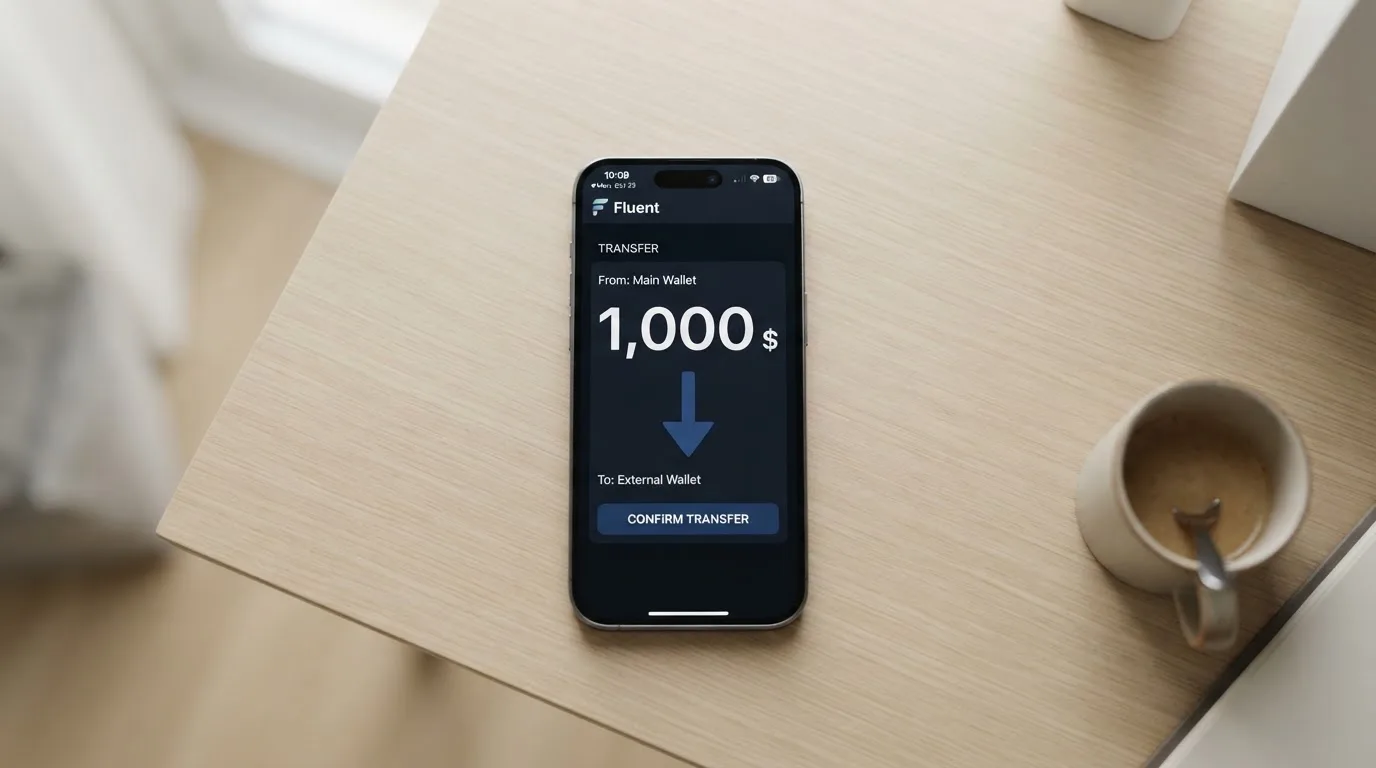
Topping up is manual. You move USDC from your VaultLeap balance yourself, through Dashboard → Card → Add Funds, into a card wallet powered by Bridge. The deposit fee and the minimum are not stated. You pay the blockchain gas fee yourself.
So the actual sequence is: you already have USDC on VaultLeap, you initiate the transfer, the network charges you for the movement, and the card balance updates when the transfer lands. Other coins and other networks are not stated, which for a reader who holds anything other than USDC means the question “what about my other tokens?” has no published answer.
Why this is where people get hurt: blockchain transfers are irreversible. If you send on a network the provider does not support, or to an address belonging to a different network, the funds can be lost or need manual support recovery with no guarantee. There is no chargeback mechanism for a mistyped network.
Two practical consequences. First, make a small test transfer before moving anything you would miss. Second, understand what you are choosing when you choose USDC: it is dollar-pegged and issued on many networks — Circle listed 38 natively supported networks as of 16 September 2026, including Ethereum, Solana, Base, Polygon PoS, Avalanche, Arbitrum and Stellar — and stablecoins can depeg. USDC temporarily lost its peg in March 2023 during the US banking crisis.
On the way out: if you close the account, any remaining fiat balance goes to the platform wallet as stablecoins. The bank may refuse balances under $1.00. You can withdraw to any supported USD or EUR bank account.
Paying with it every day
Apple Pay and Google Pay both work. That is genuinely the best part of the virtual-card experience, because it means you tap rather than type a card number, and the tokenised number is device-specific rather than sitting in a merchant’s database.
The card is virtual and issued in minutes, so the gap between “I applied” and “I can pay” is short. The gap between “I can pay” and “I can pay anywhere I want” is wider, for reasons that are structural rather than specific to VaultLeap. Merchants can look up the issuing bank from the first six or eight digits of the card number and may apply extra scrutiny when the issuer country differs from your billing address. Some merchants decline prepaid or foreign-issued cards for exactly that reason. Address verification is mainly offered in the US, Canada and the UK and is generally unavailable for foreign-issued cards, which causes declines.
Some categories may simply not work. Gambling, for instance, sits under a specific merchant category code that many issuers block on their own cards rather than by law, and the blocked list varies by issuer. VaultLeap does not state which categories are blocked, so you will be finding that out by trying.
Rewards are thin: no cashback is stated. There is a “Points & Rewards” help category, but its contents were not part of what I could read. Apps exist for the App Store and Google Play; I did not read the ratings, so I will not pretend the user reviews there are better or worse than the ones below.
Disputes work through a support ticket, and the deadlines are specific enough that you should note them: Dashboard → Support → File a Ticket → Dispute a Charge. Report errors within 60 days. The bank decides within 10 business days, extending up to 45 days, or 90 days for new cards, point-of-sale purchases or foreign transactions. Unauthorized payments must be reported within 2 business days, with liability capped at $50 initially and up to $500 afterwards. In the US, debit card reversal rights come from Regulation E; prepaid-card coverage varies and should not be assumed.
What can go wrong
Start with the structure, because it explains most of what follows. A crypto card usually involves three parties: the card network routes the messages and sets the rules, the issuer is the bank actually licensed to issue the card, and the crypto brand is often just a programme manager and front end. VaultLeap sits in that third position. Klydo Inc., a California S Corporation, operates the platform; Bridge Ventures LLC, a Delaware company and licensed money transmitter, is the programme manager; Lead Bank, a Missouri state-chartered bank, is the issuer.
That structure cuts both ways. It means you are dealing with a regulated bank issuer, which is real. It also means the people you contact when something breaks and the people who hold your licence are not the same people, and neither of them is necessarily Klydo Inc.
Frozen accounts. The clearest pattern in the reviews is accounts suspended or blocked without a clear reason. Reports cluster in January 2026 and June to August 2026. Support communication is also criticised as unclear.
Funds not credited or not returned. Reports date from October 2025 and June 2026. With a manual top-up flow, this is the failure mode I would fear most, because the money leaves your wallet before anything is confirmed on the card side.
The issuer relationship. No official incident was found — but that is a statement about what I could find, not a warranty. Programmes do close: Visa terminated its global agreements with FTX on 13 November 2022 and the FTX US debit card was wound down. Visa suspended WaveCrest in Europe in 2018, closing all WaveCrest-issued Visa programmes. Programme closures typically mean a notice period, then loading and spending stop, then users are asked to withdraw remaining balances.
Custody. The terms say VaultLeap “does not hold customer funds,” and the wallet is described as self-custodial — you hold the key. That is the better side of the custody trade-off: your crypto cannot be taken by a provider’s bankruptcy, and you can freeze the card yourself in the app via Dashboard → Card → Freeze. The other side is entirely yours: a seed phrase is typically 12 to 24 words in an unencrypted form of the private key, and anyone who obtains it can restore the wallet and spend the funds. Transfers are irreversible, and there is no network-level recovery. This is not a VaultLeap flaw, but it is the risk you are signing up for.
No deposit insurance. Funds are not FDIC insured. If you are in the EU and familiar with e-money rules, note that safeguarded funds in a segregated account are still not the same as a bank deposit and may not fall under a deposit guarantee scheme.
KYC friction. Identity verification is required, and it is required for a reason. Regulated businesses must verify customers and assess risk under anti-money-laundering law, which includes ongoing monitoring and suspicious-activity reporting. In the EU, due diligence covers name, address, date of birth, nationality, identity documentation, a sanctions check, the purpose of the relationship, and whether you are a politically exposed person. In the US, the customer identification programme requires name, date of birth, address and an identification number, with electronic systems also validating proof-of-address documents. If due diligence cannot be completed, the institution must hold back from the transaction or relationship and, where necessary, end it. This is precisely why accounts close pending documents — and it is why a frozen account is not always a sign that someone has made a mistake.
A timing detail that catches people. A declined authorisation can leave a hold on funds for several days, typically up to seven.
What to check before you commit. Whether the page’s country coverage includes where you live, whether you can move USDC on a network the provider supports, and — most importantly — what happens to your balance if the programme shuts down.
What to take instead
Three comparable options, none of them comfortable answers to the same problem.
| Alternative | Score | Card | Cost stated | Top-up |
|---|---|---|---|---|
| VaultLeap | 6.0 / 10 | Virtual Visa debit, USD, no plastic, no ATM | $0 monthly, $0 annual, $0 per purchase, 0% international, about 0.5% conversion pass-through; issuance fee not stated | Manual USDC from platform balance |
| Whop Cards | 5.2 / 10 | Visa, works anywhere Visa is accepted; virtual/physical not stated | “No extra fees”; no amounts listed | Spends from a Whop balance, backed by stablecoin collateral from a linked wallet |
| Stella | 6.5 / 10 | Virtual and physical VISA, “over 40 million VISA merchants globally” | Not stated — fees “described under this User Agreement and/or on the App” | Deposit crypto into the account, which tops the card automatically |
| UniFi Card | 4.7 / 10 | “Prepaid Debit Visa Card” issued by Lead Bank; Apple Pay; USD | Not stated — “Fees may apply” | ACH, wire, SEPA (IBAN), SPEI (CLABE), or paid to a USDC wallet |
Whop Cards is the most geographically constrained of the four and, in one respect, the clearest. Consumers: 31 US states, named individually on the page. Businesses: 41 states. A specific list of consumer countries is unsupported, including Belarus, China (Mainland), Cuba, Hong Kong, India, Iran, Iraq, Israel, Myanmar, Nepal, Nicaragua, North Korea, Russia, Syria, Turkey, Ukraine, Venezuela and Vietnam; unsupported corporate countries include Russia and Belarus. Whether eligibility runs on citizenship or residence is not stated. What draws attention is the funding model: a pending balance is usable as soon as a payment arrives, and standard withdrawals use settled funds. It also advertises 5% cashback at select merchants, currently Uber, with more planned, though payout currency and conditions are not stated.
Stella scores highest of the alternatives at 6.5 / 10, mostly because it offers both virtual and physical cards and a custodial in-app wallet where a crypto deposit tops the card automatically — no manual transfer step, which removes the single biggest failure mode I described above. The open questions are country coverage (not stated on the official site), fees (not stated officially), and a terms position that bars users under economic sanctions programmes and routes US and European users through affiliates.
UniFi Card shares the Lead Bank issuer with VaultLeap, which is worth knowing if you are comparing them. Its funding options are far broader — ACH, wire, SEPA, SPEI, plus getting paid to a USDC wallet — and app store listings point to send-money routes in the Philippines, Mexico and the eurozone, with recent release notes mentioning Colombia, Brazil and the UK. But the country picture is not confirmed from official pages, the fee line is a placeholder rather than a number, and the “3% rewards on balances” claim in the listing is not stated as card cashback.
My honest comparison: if your problem is that a normal bank will not give you a card, VaultLeap’s breadth of advertised countries is a genuine point in its favour, and its cost table is better than all three. If your problem is manual transfers or a thin trust margin, Stella’s automatic top-up is the more robust design. If you need ordinary bank rails as well as crypto, UniFi’s ACH, wire and SEPA options cover ground VaultLeap does not.
Who I would recommend it to
I would recommend VaultLeap to a resident of the United States, or of one of the named Latin American countries or Ghana, who already holds USDC, pays mostly online, mostly in dollars, and has made their peace with a card that lives only in a phone and in Apple Pay or Google Pay. If your plan is “load USDC once and spend it across subscriptions and online shops,” this card does that for no monthly and no per-purchase cost, and there is not much else in this category that does.
I would not recommend it to you if any of the following is true. You need cash from an ATM. You need a physical card for a merchant who wants to see one. You spend outside the dollar zone often enough that a conversion cost would matter, though at 0% international and about 0.5% conversion, this is a mild objection rather than a decisive one. You hold tokens other than USDC and would rather not acquire it. Or you read the Trustpilot themes — accounts suspended without explanation, funds not credited, unclear support — and your own requirement is that a provider can always explain itself. On that last point, three reviews out of thirty-four is a small sample, and complaints pages are not statistically representative. But the complaints that do exist line up with exactly the risks this product’s structure creates, which is more informative than the number itself.
The single best thing you can do before depositing is send a small test amount, confirm it lands, and only then move the rest. The single best thing you can do afterwards is read the terms on custody and on what happens to your balance if the programme ends.
Frequently asked questions
What is the VaultLeap card?
The VaultLeap card is a virtual Visa debit card that spends a balance you load yourself, primarily in USDC. The legal description is a “Prepaid Debit Visa Card,” so it draws on stored funds rather than a bank account. It is issued by Lead Bank, a Missouri state-chartered bank, while Klydo Inc. operates the platform and Bridge Ventures LLC manages the programme. It is virtual only: no plastic, no ATM access.
How does VaultLeap actually work day to day?
You verify your identity, request the card from your dashboard once the account is verified, and receive it in minutes as a virtual Visa. You then move USDC from your VaultLeap balance through Dashboard → Card → Add Funds, paying the blockchain gas yourself. After that you pay online or in stores, or add the card to Apple Pay or Google Pay. The card can also be frozen in the app.
Is VaultLeap a bank?
No. It is not a bank, though it uses one. Lead Bank, a Missouri state-chartered bank, is the card issuer, which is why the card carries a Visa network number. Bridge Ventures LLC, a Delaware company and licensed money transmitter, is the programme manager, and Klydo Inc., a California S Corporation, operates VaultLeap. When you have a problem, the entity that answers you may not be the entity that issued the card.
Who owns VaultLeap, and which companies are behind it?
Klydo Inc. runs the platform. Bridge Ventures LLC handles the programme and holds money transmitter licensing, and Lead Bank issues the card under Missouri state charter. That three-layer structure is normal for crypto cards, but it means your agreement is with a programme manager while the licence and the card belong to a bank.
Is VaultLeap card available in my country?
The card is advertised for 27 countries, but the list is not published on the page. The starting data names the United States, Latin America — Argentina, Colombia, Mexico, Brazil, Peru, Bolivia, Guatemala, Dominican Republic, Ecuador, Costa Rica, El Salvador, Honduras, Panama, Paraguay, Uruguay — and Ghana. The cardholder agreement says the card is issued under U.S. law and “not directly marketed outside the U.S.”
Does VaultLeap require KYC, and how hard is it?
Yes, identity verification is required and you must be 18 or older. The card is requested once the account is verified. Which documents are accepted, whether proof of address is needed, and what the verification tiers are are all not stated on the public pages, so I would not plan around a particular document being unnecessary.
How do I top up the VaultLeap card?
Manually, in USDC, from your VaultLeap balance: Dashboard → Card → Add Funds, into a card wallet powered by Bridge. The deposit fee and minimum are not stated, and you pay the blockchain gas. Other coins and networks are not stated. Because transfers are irreversible, test with a small amount before sending anything substantial.
Is VaultLeap card free to use?
The card is: $0 monthly, $0 annual, $0 per purchase, and account closure is free. International transactions carry 0% and there is no currency markup, though conversion passes through about 0.5% in partner fees. The issuance fee is not stated. Separate from the card, the account has Standard, Pro ($14.99/month or $144/year) and Zero tiers.
Can I use VaultLeap in Apple Pay or Google Pay, and at ATMs?
Apple Pay and Google Pay both work, which is the most practical part of a virtual card. ATMs do not: withdrawals and balance inquiries are listed as “n/a.” There is also no physical card, and blocked merchant categories are not stated, so some purchases may simply decline.
Is VaultLeap safe, and what about withdrawals?
The terms say VaultLeap “does not hold customer funds,” and the wallet is described as self-custodial, which means you hold the key and cannot be frozen by a provider’s insolvency. You can freeze the card in the app. Against that: funds are not FDIC insured, transfers are irreversible, and Trustpilot shows 3.4 from 34 reviews with reports of accounts suspended without clear reason in 2026 and funds not credited or returned.
How do I withdraw money from VaultLeap?
You can withdraw to any supported USD or EUR bank account. If you close the account, any remaining fiat balance goes to the platform wallet as stablecoins, and the bank may refuse balances under $1.00. Note that funds themselves are not FDIC insured, so you are not converting a deposit guarantee into an account balance.
App and neobank cards: the entry point – cryptocardportal.com
Content created by the «cryptocardportal.com» team