
SolCard — a crypto-funded Visa with a steep top-up fee on the virtual tier and a thin support record
 Available in US
SolCard sells itself as the simplest way to spend Solana and other crypto at any shop that takes Visa. There is real substance behind that pitch: a Visa licence, two card tiers, a wide list of accepted coins, and worldwide availability with only a handful of exclusions. But the same product page also shows a 5% + USD 10 top-up fee on its virtual card, an unnamed issuer, and on Trustpilot a clear pattern of users left waiting on withdrawals or watching their card shut down with money still on it. So before you sign up it helps to know what you are actually buying: a convenient prepaid Visa loaded from your crypto wallet, or a product that may be cheaper to bypass entirely if you already have a regular bank card.
The conditions in this review are current as of October 28, 2026.
Verdict
SolCard earns 5.6 out of 10 in my scoring, and the score is built from a real split between convenience and cost.
| Criterion | Score | Reason |
|---|---|---|
| Who can get it | 8 / 10 | Worldwide application with only Hong Kong residents and comprehensively sanctioned countries excluded |
| Cost | 4 / 10 | The virtual card’s 5% + USD 10 top-up fee is heavy, while the Platinum tier starts at 0% but layers on a 0–1.5% FX spread |
| Top-up options | 6 / 10 | Supports SOL, USDC, ETH, BTC and other crypto from any external wallet, though networks are not clearly listed |
| Reliability and complaints | 3 / 10 | The issuer is unnamed, the named entity is only a programme manager, and Trustpilot reviews include frozen balances and unresponsive support |
| Everyday use | 7 / 10 | Virtual for online spending and a Platinum physical with Apple Pay and Google Pay, but the physical card is reportedly not shipping yet |
| Total | 5.6 / 10 |
If you are a Solana user who wants a USD-denominated card to load from your own wallet and is comfortable with the custodial setup, SolCard’s Platinum tier is a reasonable option. If you are looking for the cheapest crypto card on the market, or if having a named, well-regulated issuer matters to you, the score tells you to keep looking.
Who SolCard will and will not let in
SolCard accepts applications worldwide, with a single line of fine print doing a lot of work: “eligibility may vary by region.” In practice the terms exclude residents, people domiciled in, and people physically located in Hong Kong, plus any country under comprehensive United Nations, United States, European Union or United Kingdom sanctions, and any individual on the sanctions lists those regimes maintain. The product is otherwise open to adults — the terms set the minimum age at 18 — and the sign-up flow is not gated by citizenship so much as by where you are when you apply and where you live.
The geographic openness is genuinely wide. The same page does not give you a country list, so you will only know whether you are in scope once you try. For most readers in Europe, Latin America, much of Asia and Africa, that will not be a problem. For a reader in Hong Kong, or in a sanctioned jurisdiction such as North Korea, Iran, Syria, Cuba or the Crimea and so-called DNR/LNR regions of Ukraine, the door is shut.
The same openness cuts both ways. Because the issuer is unnamed in the public terms — SolCard names only SC PAYMENTS LIMITED, a Hong Kong-registered technology platform, as the programme manager — the actual bank or e-money institution behind the card is not visible to you before you sign up. If knowing exactly which licensed entity holds your balance matters to you, that is a gap, and it is one this card does not close.
How to get a SolCard
The sign-up path is built around speed rather than paperwork. You start with the app, pick a tier, and the system can issue a virtual card in about 18 seconds after your first deposit confirms, according to unofficial help-centre notes. The Platinum physical card is the same flow, plus a shipping step.
KYC is the variable part. The terms say identity verification “may be required for certain card tiers, features, or spending limits” — it is not automatic and not tied to a specific tier in the public documents. Unofficial sources and Trustpilot reviews give a clearer picture: the virtual card is marketed as usable without KYC, while the Platinum physical card and the Apple Pay / Google Pay versions require identity verification. Either way, be ready to hand over a government ID, proof of address and a selfie if you upgrade.
What the terms do not say is also worth noting. There is no published delivery time for the physical card, no published processing time for verification, and no list of rejection reasons. If you are in a hurry for a metal card, that uncertainty is part of the price.
What SolCard really costs: fees and everyday payments
The fee structure is the most important thing to understand before you put a single coin in, because the two tiers are priced for very different users.
| Fee or limit | Virtual | Platinum |
|---|---|---|
| Card issuance | From USD 10 per new card | Not stated |
| Top-up fee | 5% + USD 10 per new card | 0% |
| Foreign exchange spread | 1–2% | 0–1.5% |
| ATM withdrawal | Not stated | Not stated |
| Monthly spending limit | USD 5,000 | No stated limit |
| Monthly fee | None while active | None while active |
| Dormancy fee | 10% of balance per month after 90 days of inactivity | 10% of balance per month after 90 days of inactivity |
The numbers deserve a closer read. On the virtual card, every new card you order carries a 5% fee on top of a USD 10 flat charge, which means a USD 100 load costs you USD 15 before you have spent anything. On Platinum, top-ups are free, but you still pay the FX spread when you spend in a currency other than USD — and because the card’s balance is held in USD, every non-USD transaction goes through that spread.
Three everyday payments show how this plays out:
A USD 50 coffee at home. On either tier, the charge is 1 USD to 1 USD with no FX spread. The only cost is the spread between the crypto you sent and the USD the card received at the moment of conversion, which SolCard displays before you confirm.
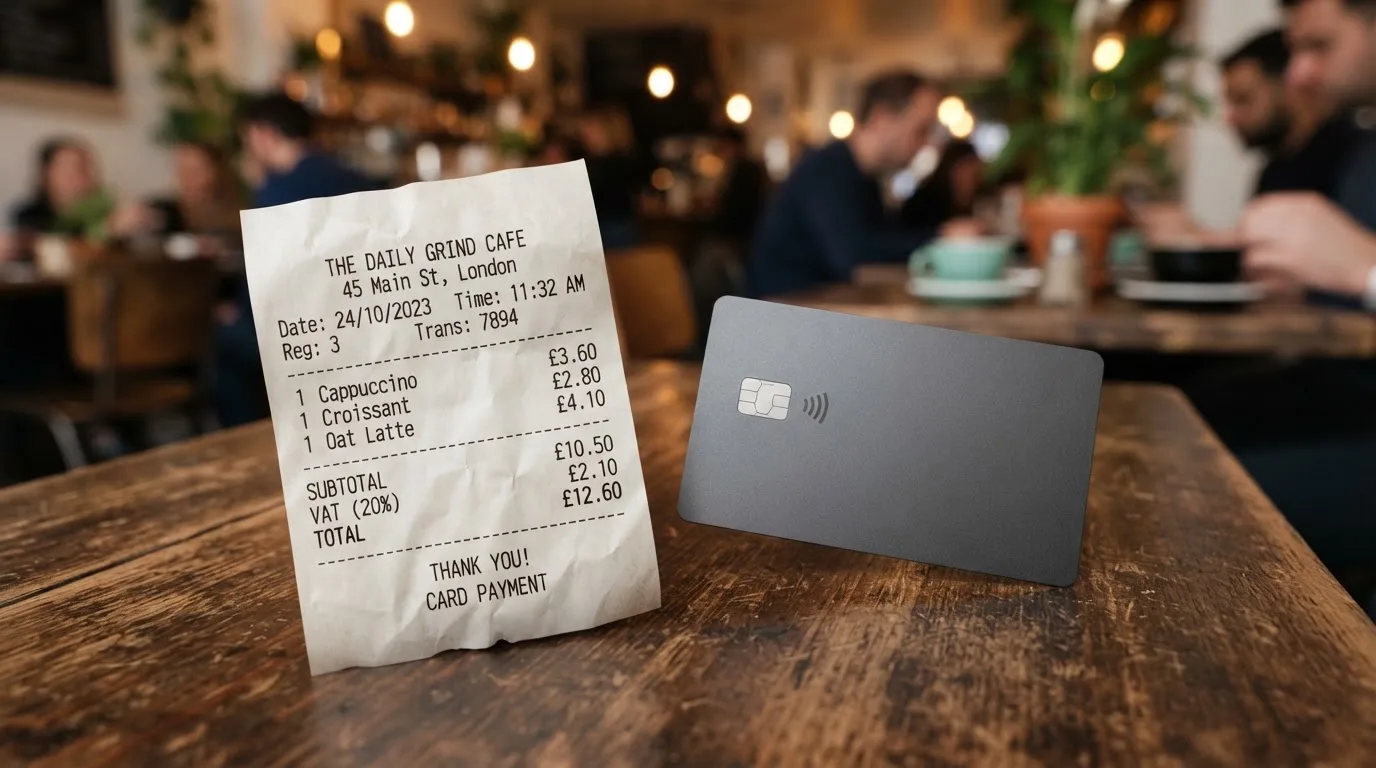
A EUR 40 dinner while travelling. The card converts EUR to USD using the Platinum 0–1.5% spread (or 1–2% on Virtual), so a EUR 40 charge costs you between USD 0.60 and USD 1.20 extra on Platinum. That is the everyday cost of holding USD on a foreign trip.
A USD 200 online subscription paid monthly from a SOL balance. If you reload USD 200 of SOL each month on the virtual tier, you are paying USD 20 in fees before the subscription is even charged. On Platinum, the same reload is free, and the only friction is the network fee your external wallet pays to send the SOL.
There is no monthly fee while you are active, but if you stop using the card for 90 days a dormancy fee of 10% of the balance kicks in every month, and it will drain the card quickly. If you are signing up for a one-off purchase, withdraw your balance before walking away.
How to top up SolCard
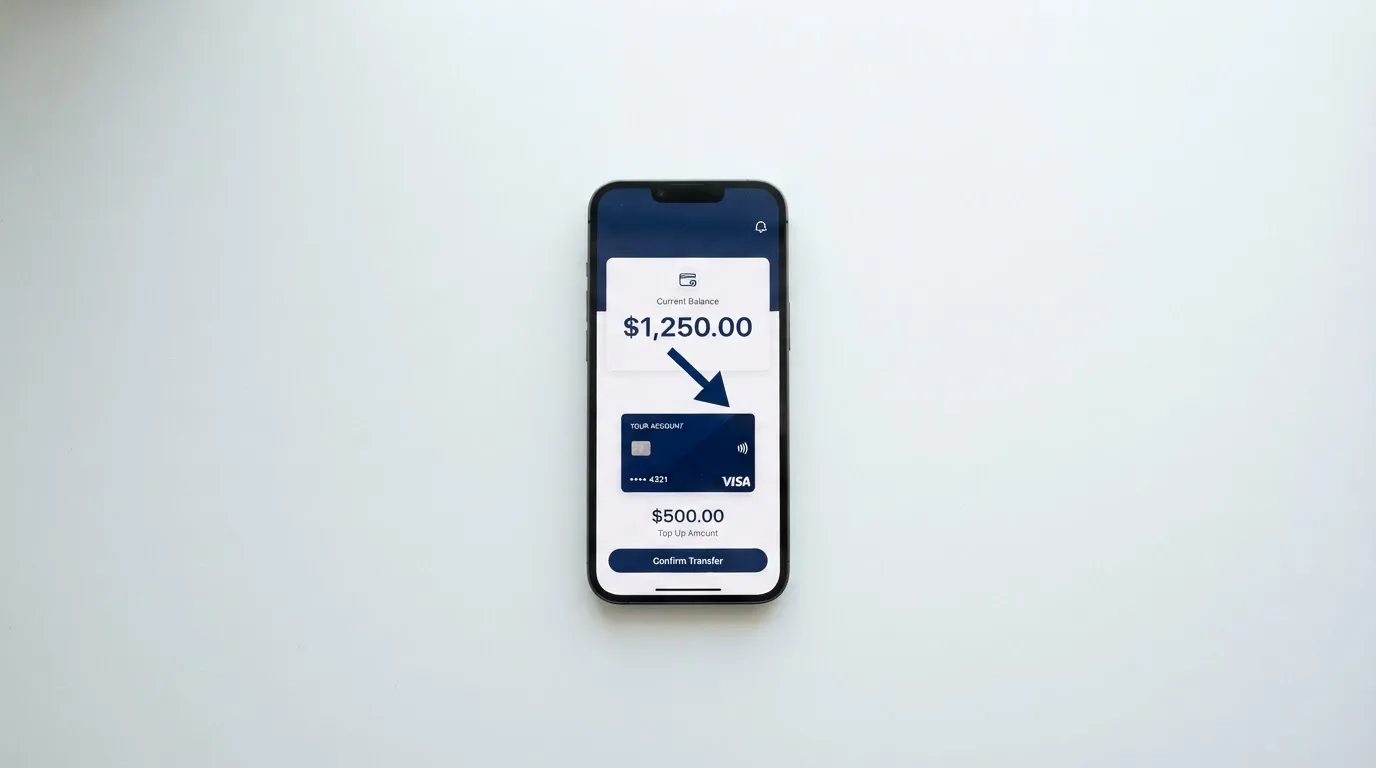
SolCard is built around crypto top-ups, not bank transfers. The published list of supported assets includes SOL, USDC, ETH and BTC, with stablecoins and other cryptocurrencies rounding out the options. Top-ups come from any external wallet you control — SolCard markets this as “instant top-ups from any wallet” — and the credited amount is in USD only, calculated at the price at the moment the blockchain confirms the transaction, less the displayed top-up fee and the conversion spread.
Three things are worth checking before your first top-up.
Which network the deposit address expects. SolCard’s public materials do not name the networks for SOL, USDC, ETH or BTC, so the safest read of the help-centre pages is that the address shown in the app is the only address that will credit your account. Sending USDC on the wrong network, or BTC to a Solana address, is the kind of mistake crypto users make once and never forget.
The minimum top-up. The minimum amounts are published in the app and differ by card type; there is no single number to quote here, only the rule to read the screen before you send.
Whether fiat top-up exists. The terms do not list a bank-transfer or card-to-card top-up option. The funding model is crypto-in, prepaid-balance-out. If you do not already hold crypto, this card is the wrong starting point.
For withdrawals, unused balance can be sent back out subject to minimums, verification and processing windows shown in the app. If you cancel the card, balances at or above the published minimum refundable amount are returned; balances below that are forfeited. On account termination, eligible balances can be withdrawn except where holds, disputes, chargebacks or legal restrictions apply. The same dormancy fee of 10% per month kicks in after 90 days of inactivity, regardless of whether the balance is being spent or not.
Paying with SolCard day to day
The two tiers split the everyday experience cleanly. The virtual card is for online spending: you read the manual card details from the app and type them in at checkout, and 3-D Secure will sometimes pop up as an extra step. It does not work with Apple Pay or Google Pay, and it is not what you tap at a shop.
The Platinum card is the contactless one. It supports Apple Pay and Google Pay, which means you can add the card to your phone’s wallet and pay at any contactless terminal. The terms do not publish a list of blocked merchant categories, but they do say that merchants restricted by the issuer or by the card network may be declined. In practice, expect the usual crypto-card behaviour: gambling merchants and a few high-risk MCCs are more likely to be refused than at a regular bank.
The app itself is described in the product materials as a “Dashboard” without further detail, and there is no published information about iOS or Android store ratings, biometric login, or instant card-freeze. Trustpilot reviews from 2025 and 2026 mention the dashboard as functional but not generous in features, and users have asked for features such as a card-freeze button without seeing a clear answer.
Rewards are the other quiet gap. The product page does not mention cashback. Unofficial help-centre notes describe a non-transferable prize-draw entry for eligible spending, which is a different shape of perk — a chance rather than a rebate — and it is not a published commitment.
Disputes are the part of the everyday experience nobody thinks about until they need it, and here SolCard’s terms are unusually thin. There are no published time frames for raising a dispute, no commitment to a response window, and no published handling fee schedule. The terms do say disputes can hold withdrawals, and a handling fee may be charged where there are disproportionately many declines, reversals or disputes. If you have a problem with a merchant, the contract says it goes to HKIAC arbitration in Hong Kong, in English, before a single arbitrator — a slower and more expensive path than a chargeback through your home bank.
What can go wrong with SolCard
Three risk areas are worth taking seriously.
The unnamed issuer. SolCard names SC PAYMENTS LIMITED (Hong Kong, BRN 78350827, Unit 1603, 16/F, The L. Plaza, 367-375 Queen’s Road Central) as the programme manager and technology platform, and says it is “not a bank.” The actual card issuer is a licensed financial or e-money institution operating under Visa’s licence, but the issuer is not named in the public terms. That matters because if the card programme is suspended, the entity that has to wind down your balance and answer your support tickets is the programme manager, not a regulated bank you can complain to in your own country.
A Trustpilot pattern you should read before signing up. As of October 2026, SolCard’s Trustpilot score is 3.1 out of 5 from 29 reviews, with 22 of those in the last 12 months. 38% are five-star, 52% are one-star. The recurring complaints are: withdrawals and transfers stuck (September 2025, August 2026, October 2026); declined payments with no clear reason (October 2026); unauthorised or disputed charges (June and July 2026); unresponsive or bot-like support (March, August and October 2026); and cards cancelled with the balance still on them (September 2025). Trustpilot’s own notice flags the company as “may be associated with high-risk investments.” Trustpilot is one signal, not a verdict, but the same themes appearing over more than a year is a signal worth weighting.
Custodial risk and basic safety. SolCard is custodial: your balance is held by SolCard, and your top-ups are converted to USD on the way in. The terms put the burden on you to protect the card number, CVV and PIN, to report loss promptly, and to accept liability for unauthorised use as the law allows. The terms allow SolCard to delay withdrawals for security review. There is no public statement on 2FA, on insurance for the balance, or on whether customer funds are segregated in line with electronic-money safeguarding rules. If the platform has a bad week, you do not have a self-custody fallback.
One footnote worth raising, because phishing is part of the picture: Trustpilot reviewers have flagged a look-alike domain at solcards.cc (with an “s”). The legitimate site is solcard.cc. Spelling matters when you type the address into your browser.
What to take instead of SolCard
The crypto-card market is small enough that the honest comparison is between SolCard and a handful of names that share its shape: a prepaid Visa or Mastercard, funded from a crypto balance, with a published fee schedule. Three alternatives come up most often.
Cardex. A debit crypto card on VERVE, Visa, Mastercard and UnionPay, marketed as available in 200+ countries with no published country list. The product page markets an “AI-Powered Conversion Rate” that picks the best exchange rate at the moment of payment, but the App Store listing shows the card denominated in Nigerian Naira, and no fee percentages are published. Cardex scores 5.6 out of 10 in my comparison.
TakeCard. A virtual card available immediately and a physical card currently limited to Bolivian users, issued in the United States, prepaid in USD at a 1:1 rate, with a 1% commission per purchase. Virtual card issuance is USD 5; the physical card in Bolivia is USD 20 plus USD 20 shipping, although a second article in the same help centre says USD 10 for the physical card in Bolivia — the help centre is inconsistent. Funding is from a Takenos account, with USDC and USDT reportedly supported over Polygon, BNB Chain, Tron and Ethereum. TakeCard scores 5.5 out of 10.
OkiCard. A virtual card (and physical card with no published details) on Visa/Mastercard, pegged to USD/EUR, with a 0% issuance fee, a 0% monthly fee, and a 3% load fee. Supported deposits today are USDT on BSC, Ethereum, Tron and Solana, with USDC “soon” and BTC and other coins “coming soon.” Initial deposit requirement is 100 USDT. OkiCard scores 6.0 out of 10, the highest of the three.
The honest summary: if you are choosing between these four, OkiCard wins on published fees, TakeCard is the cleanest if you live in one of its supported Latin American countries, Cardex is the most ambiguous in its pricing, and SolCard’s Platinum tier fits if you specifically want to fund from SOL and accept the FX spread. If you are choosing the virtual tier of SolCard, none of the alternatives looks more expensive.
Who I would recommend SolCard to
After walking through the facts, the recommendation is narrow. SolCard is a reasonable fit for a Solana user who already holds SOL, USDC, ETH or BTC in a self-custody wallet, wants to load a USD-denominated Visa, and is willing to pay for the Platinum tier to avoid the 5% + USD 10 top-up fee. The card works for online spending from the virtual tier and for contactless and mobile-wallet spending from Platinum, and the worldwide availability (minus Hong Kong and the usual sanctioned jurisdictions) is genuinely broad.
SolCard is not the right fit if any of the following apply.
You want to start from a bank balance. There is no fiat top-up path described in the terms. If your entry point is a bank account, look for a card that takes a card-to-card transfer or open-banking top-up.
You want a named, well-regulated issuer. The public terms name a programme manager, not a bank. If you need a regulator you can write to in your own language, this is not the card.
You want the cheapest top-up. The virtual tier’s 5% + USD 10 fee is one of the more expensive in the category. OkiCard’s 3% load fee and TakeCard’s 1% per-purchase commission both beat it.
You plan to leave money on the card. The 10% per-month dormancy fee after 90 days of inactivity will drain an unused balance in months, and Trustpilot reviewers describe cards being cancelled with the balance still on them.
You expect strong dispute rights. The terms point disputes to HKIAC arbitration in Hong Kong rather than to a chargeback process, and no time frames are published.
In short: SolCard is a tool for a specific kind of user, and the score of 5.6 out of 10 reflects a product that does some things well and several things poorly. If you are the user it was built for, the Platinum tier is a workable prepaid Visa. If you are not, the alternatives above are a better starting point.
Frequently asked questions
What is SolCard?
SolCard is a prepaid Visa card denominated in US dollars, funded from a crypto balance. SolCard itself is a Hong Kong-registered programme manager (SC PAYMENTS LIMITED) and the actual card is issued by an unnamed licensed financial or e-money institution under Visa’s licence.
How does SolCard work?
You top up the card with supported crypto (SOL, USDC, ETH, BTC and others) from any external wallet. The crypto is converted to USD at the price at the moment the blockchain confirms the transaction, less fees, and the USD balance is what the card spends. The card cannot overdraw, because it is a prepaid product.
Is SolCard a bank?
No. The public terms describe SolCard as a programme manager and technology platform, and explicitly state that it is “not a bank.” The card is issued by a separate licensed financial or e-money institution that SolCard does not name in its public materials.
Who owns SolCard?
The card programme is run by SC PAYMENTS LIMITED, a Hong Kong company with business registration number 78350827, registered at Unit 1603, 16/F, The L. Plaza, 367-375 Queen’s Road Central. The beneficial ownership of the company is not stated in the public terms.
Is SolCard available in my country?
The product page accepts applications worldwide, with the caveat that “eligibility may vary by region.” Hong Kong residents, people domiciled in Hong Kong, and people physically located in Hong Kong are excluded, as are residents of countries under comprehensive UN, US, EU or UK sanctions, and individuals on those sanctions lists. For any other country, the practical answer is to try the sign-up flow.
Does SolCard require KYC?
It depends on the tier. The terms say identity verification “may be required for certain card tiers, features, or spending limits,” and unofficial help-centre notes and Trustpilot reviews describe the virtual card as usable without KYC, while the Platinum physical card and the Apple Pay / Google Pay versions require identity verification. Be ready to provide a government ID, proof of address and a selfie if you upgrade.
How do I top up SolCard?
You send one of the supported cryptocurrencies (SOL, USDC, ETH, BTC and others) from any external wallet to the deposit address shown in the app. The app credits the card in USD at the price at the moment the blockchain confirms, less the top-up fee and the conversion spread. Make sure you send on the network the address expects; SolCard’s public materials do not list the networks, so the address in the app is your reference.
How do I add SolCard to Apple Wallet or Google Pay?
Mobile wallets are only available on the Platinum physical card. Once the Platinum card is in your account and you have passed identity verification, follow the standard in-app flow to add the card to Apple Wallet or Google Pay. The virtual card does not support mobile wallets.
How do I withdraw money from SolCard?
You can withdraw your unused balance back to a crypto wallet, subject to minimums, identity verification and processing windows shown in the app. If the balance is below the published minimum refundable amount and you cancel the card, the balance is forfeited. Dormancy fees of 10% per month apply after 90 days of inactivity, so it pays to withdraw before walking away.
Is SolCard worth it?
For a Solana user who wants a USD-denominated Visa and is willing to pay for the Platinum tier to avoid the virtual card’s 5% + USD 10 top-up fee, SolCard is a workable option. For users starting from a bank balance, users who need a named and regulated issuer, or users who want the lowest top-up fees in the category, the alternatives discussed above are a stronger fit.
Virtual cards: the entry point – cryptocardportal.com
Content created by the «cryptocardportal.com» team