
RivoCard reviewed: a virtual-only crypto card with wide coin support, light paperwork, and some real question marks
 Available in US
RivoCard is a virtual-only crypto card on the Visa and Mastercard networks, aimed at people who want to spend crypto balances anywhere a regular card is accepted. It is a prepaid product, not a bank account, and the card itself is issued by unnamed licensed partners. The pitch is breadth: a long list of supported coins, a 60-second virtual issuance flow, and a tiered KYC structure that lets you start small. The reality behind the marketing is more mixed. I read through the company’s own pages, the published terms, the fees page, the FAQ, and every Trustpilot review left in the last twelve months, and a clearer picture emerges. The card is cheap to obtain and easy to fund, but the top-up fee is higher than many peers, the published numbers conflict in places, and the support experience gets criticised often enough that I would not call this a casual choice.
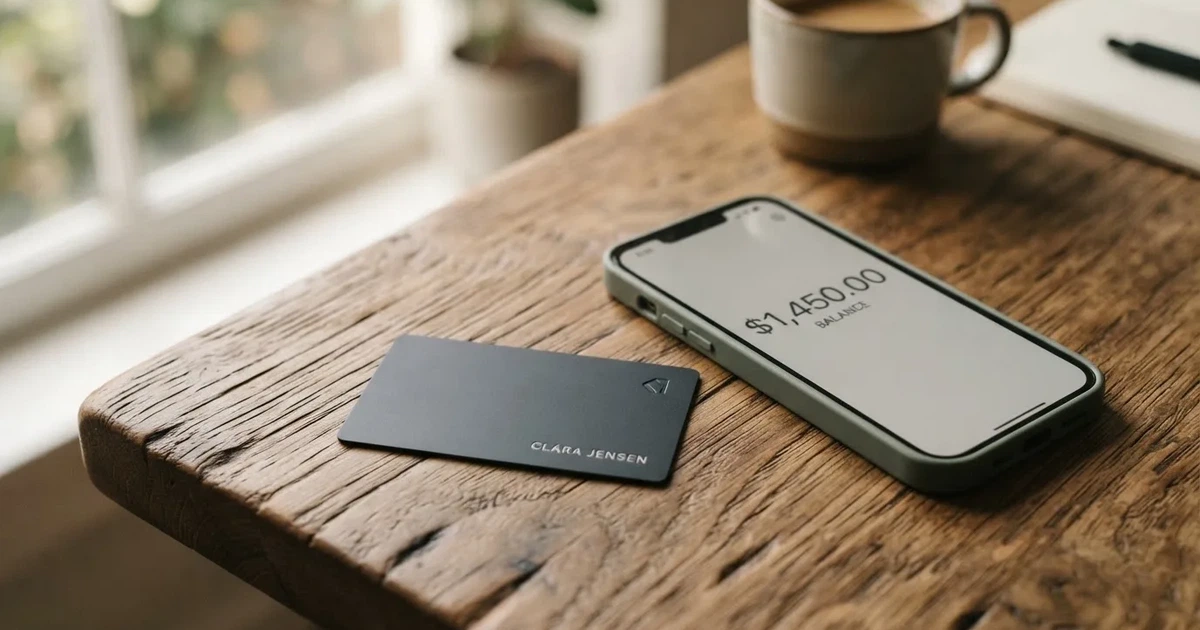
The conditions described here are current as of October 28, 2026.
Verdict
I score RivoCard 5.4 out of 10. That is not a recommendation in either direction; it is a card with one genuinely strong side — coin support and KYC flexibility — and several weaker ones that you should weigh before you sign up.

The headline of the score is this: if what you want is a virtual card that takes a long list of cryptocurrencies and asks very little paperwork to start, RivoCard is one of the more accommodating options I have looked at. Issuance is free, the monthly fee is zero, online and international purchases are advertised at 0%, and the company claims support for fifty-plus assets. If that combination matches your situation, the card is genuinely useful.
The rest of the score is dragged down by things that matter in practice. The top-up fee is 5% on the fees page, while the terms page says 10% — a conflict the company has not reconciled in its own public documents, and the user reviews I read include complaints about exactly this kind of fee ambiguity. The card is virtual only, with no plastic and no mention of Apple Pay or Google Pay on the official pages, which limits everyday use for someone who wants to tap a terminal. Trustpilot shows a middling 3.9 out of 5 across only twelve reviews in the last year, and the recurring themes are slow or missing support, cards stuck in “Pending” for weeks, and uncertainty about what was actually charged. None of these are fatal on their own, but together they make the card a poor fit if you depend on responsive service.
| Criterion | Mark | Why it matters |
|---|---|---|
| Who can get it | 9 / 10 | Open to users in 150+ countries aged 18 and over, with a tiered KYC model; sanctions rules apply. |
| Cost | 2 / 10 | Issuance and monthly fees are zero, but the top-up fee is 5% on one page and 10% on another, and conversion fees are not stated. |
| Top-up options | 9 / 10 | A long list of coins and networks, including BTC, USDT on TRC20 and ERC20, ETH, XMR, LTC, USDC, DASH, SOL on SPL; the site claims 50+ assets. |
| Reliability and complaints | 4 / 10 | The legal entity and card issuer are not named, support replies are slow in the user reviews, and Trustpilot sits at 3.9 / 5 with only 12 reviews in a year. |
| Everyday use | 3 / 10 | Virtual only, issued in 30–60 seconds; no mention of Apple Pay or Google Pay on the official pages; ATM behaviour is not confirmed officially. |
| Total | 5.4 / 10 | Strong on access and coin support, weak on clarity, support and physical-world usability. |
You should consider RivoCard if you are funding a virtual card from a wide range of coins, you do not mind starting with the cheapest KYC tier, and you are not relying on the card for things like contactless payment or in-person shopping. You should pass on it if you need a physical card, expect tap-to-pay support, depend on fast and visible support, or want a card programme that names its issuer and clearly states all of its fees on a single page.
Who will they give you the card
RivoCard requires compliance with its terms of service, which include prohibitions against circumventing the sanctions programmes of OFAC, the European Union and the United Nations. Regulatory rules apply to the relationship between the company and its users, and the service reserves the right to terminate accounts that do not meet these standards.
The card sits behind a tiered identity check. The site describes this as “optional identity verification tiers”, and positions it as “flexible” compared with what it calls the “extensive documenting” required by some competitors. There are three tiers: Basic, Full and Enhanced. The fees page ties transaction and load limits to these tiers, but the exact limits are themselves inconsistent across the site (I go into the numbers in the costs section). The company does not state what documents you need to provide, how long verification takes, or what causes a rejection, so the practical onboarding experience is a bit of a black box until you try it.
Two things matter for the typical reader. First, “global availability” and “no country list” are not the same as “no restrictions at all” — the sanctions clause is real, and the BINs published for the card (United States, United Kingdom, Hong Kong, European Union) suggest that cards are still tied to a specific issuer country, which can affect merchant acceptance abroad. Second, the KYC tiers mean your experience changes as you move from one tier to the next, and the published limits are not stable across the company’s own pages. Anyone whose use case is right on a tier boundary should read the costs section before relying on a specific number.
How to get it
The signup path is built around speed. The company describes three steps: sign up, fund the account, and a virtual card is issued in roughly 30 to 60 seconds. The cards themselves are virtual, prepaid, and offered on either Visa or Mastercard. Three card styles are mentioned — merchant-locked, single-use, and reloadable — and the BINs (the six-digit issuer prefixes that identify a card programme) are listed for the United States, the United Kingdom, Hong Kong and the European Union, with multi-currency wallets in USD, EUR, GBP and JPY. The card currency is not stated per BIN, which is one of those small gaps that tends to matter when a transaction is declined at a foreign merchant.
You do not get a physical card. There is no plastic in the post, no Apple Pay token to add, and no Google Pay binding on the official pages — these are not mentioned at all. The site also refers to a “Premium Membership” page and to optional KYC tiers, but the specific prices and benefits of any premium tier are not stated. If you specifically need a card you can hand to a cashier, a card that works in a wallet app, or a card with a clearly defined premium product, RivoCard’s public information does not give you enough to plan around.
For everyday use, the onboarding is fast: the user reviews that complain about the card tend to complain about what happens *after* signup, not the signup itself. That asymmetry is worth noticing. A fast onboarding that ends in a slow support queue is not, in the end, a fast experience.
What it really costs
The cost picture for RivoCard is a study in why you should always read both the fees page and the terms. The headline numbers are friendly: card creation and issuance are free, there is no monthly or annual subscription, replacement is free, and account cancellation is free. Online and international purchases are advertised at 0%. That part of the story is clean.
The complication is the top-up fee. The fees page says 5% of the amount funded. The terms page says 10%. The company has not reconciled these two figures in its public materials, and a few user reviews from October 2026 specifically call out the uncertainty about what was actually charged. I would treat the lower figure (5%) as the most likely real-world charge based on the fees page, but you should not rely on either number being final until the company publishes a single, consistent version. There is no mention of a refund if a top-up has been mispriced, and the terms describe the top-up fee as non-refundable once the top-up has been processed.
Beyond the top-up fee, several numbers are simply not stated. The ATM fee is not on the official pages at all (a third-party site says it is free with unlimited withdrawals, but I would treat that as unconfirmed). Conversion fees and FX fees are not stated. The minimum top-up is shown as “Starts From $50” with no clear definition. Network fees for the underlying crypto deposit are not addressed.
| Fee or limit | What RivoCard states |
|---|---|
| Card creation / issuance | Free (fees page); terms say 10% (conflict) |
| Monthly / annual fee | None |
| Card replacement | Free |
| Account cancellation | Free |
| Online and international purchases | 0% |
| Card top-up | 5% (fees page); 10% (terms page) |
| Conversion / FX fee | Not stated |
| ATM fee | Not stated officially |
| Basic KYC limits | $20,000 per transaction/day/month/load (fees page); FAQ says $1,000/day with lower monthly cap (conflict) |
| Full and Enhanced KYC limits | Unlimited (fees page); FAQ says $10,000/day for Full, $50,000/day for Enhanced with unlimited monthly spend (conflict) |
| Custom limits | Per day, week, or lifetime, on request |
A few everyday scenarios make the cost picture more concrete. If you top up $200 in crypto to use on a subscription service, the top-up fee of 5% is $10; at the 10% terms-page figure it is $20, which is a meaningful slice of the balance before you have bought anything. If you spend that $190 (or $180) on a single online purchase, the purchase itself is 0% — but you have already paid the top-up cost. If a foreign merchant charges in a different currency, the FX or conversion fee is “not stated”, which means you cannot be sure in advance what the spread will be. If you try to use the card at an ATM, the fee is not stated on official pages, and you should not plan around the unofficial “free” figure from a third-party site. Each of these is a real question a user will ask, and each one the company has not answered clearly.
How to top it up
Topping up RivoCard is a two-step process. You first deposit crypto into your RivoCard wallet, then you fund the card from that wallet balance. The deposit itself is free; the fee appears when you move the balance from the wallet to the card.
The supported coin list is the strong point here. RivoCard accepts BTC, USDT on both TRC20 and ERC20, ETH on ERC20, XMR, LTC, USDC, DASH, and SOL on SPL. The site claims fifty-plus assets in total. Credit to the wallet happens after the relevant blockchain confirmation. The FAQ describes crypto withdrawals — sending balance back out from the wallet in USDT, BTC or ETH — as instant, and bank transfers (SEPA, SWIFT, ACH) as taking 1–2 days, with no lock-in. Cards can be frozen or deleted at any time.
The main thing to watch is the network. Crypto transfers are irreversible, and a deposit sent on the wrong network or to an address of the wrong chain can be lost or require a manual recovery that the company makes no guarantee about. Circle, the issuer of USDC, stopped supporting USDC on the Tron network in February 2024, so any “USDC on TRC20” you might see advertised elsewhere in the crypto world is not a native option. RivoCard’s published list does not put USDC on TRC20, but the broader point — that you must send on the network the company tells you to send on — applies.
A second thing to watch is the published minimum. The site shows “Starts From $50”, with no clear definition of whether that is a minimum top-up, a minimum wallet balance, or a recommended figure. For a virtual card aimed at small online purchases, that floor is on the high side, and the ambiguity around it does not help.
Paying with it every day
In its current form, RivoCard is a card for online spending. You get a Visa or Mastercard number, you enter it at a checkout, and the card draws on the loaded balance. There is no physical card to hand to a cashier, and the official pages do not mention Apple Pay or Google Pay. A third-party spec table claims both are supported, but the same source also lists both as unsupported in its cons section — a direct contradiction, and not one I would rely on. The reasonable assumption is that wallet-app support is not a documented feature, and any real-world availability is unofficial.
The company does not publish a list of blocked merchant categories, but in practice a few things tend to be limited. Prepaid cards are sometimes declined by merchants who look at the BIN and decide to reject them; cards issued in one country and used in another can be flagged as foreign; and Address Verification Service (AVS), used to check that the cardholder’s billing address matches the issuer’s record, is generally unavailable for foreign-issued cards, which can cause declines at US, Canadian and UK merchants that rely on it. None of these are RivoCard-specific issues, but they bear on whether a given purchase will go through.
There is no cashback on the official pages. A third-party site claims a 2% cashback and a $3 referral bonus; I would treat those as unconfirmed until RivoCard publishes them itself. The company does not publish a mobile app, only a web dashboard, so any app-based 2FA or push notifications would not be available.
For disputes, the FAQ points to a “Report Issue” page, with a stated resolution time of one business day. The company’s position is that it is not responsible for merchant-side disputes, and the top-up fee is non-refundable once processed. There is a refund policy available through RivoCard, which is the document to read if you need to argue about a specific charge.
What can go wrong
The risk picture is dominated by three issues: a card programme that does not name its issuer, user reports of slow or silent support, and a small but real risk of being unable to use the card in the way you planned.
The first issue is structural. RivoCard is operated by Rivocard LTD. The registration details are not stated, and the company describes itself as a “financial technology platform, not a bank”. The cards are issued by licensed third-party partners whose names are not published. That is not unusual in the crypto card space — programme managers and front-ends are common — but it does mean that a user who needs to escalate a problem has no obvious place to go beyond RivoCard itself. In the EU, a card issuer is typically an electronic money institution (EMI), and EMI funds are not bank deposits, so the usual deposit guarantee protection does not apply.
The second issue is operational. The Trustpilot page for RivoCard, read on 21 October 2026, shows 3.9 out of 5 across twelve reviews in the last twelve months. The themes are consistent: slow or missing replies from support, cards stuck in “Pending” for weeks even with a $400 deposit in place, unclear fees that did not match what the user expected, and at least one report that a company reply exposed the reviewer’s email address. The company has replied to most of these, but the replies do not always resolve the underlying problem — in one case the company said it could not find a matching record for a deposit the user had clearly made.
The third issue is about everyday failure modes. A virtual-only card cannot be used at physical terminals. A card with no wallet-app support cannot be used for tap-to-pay. A card with no stated FX or conversion fee can be a surprise at the checkout. A card with a top-up fee that is 5% on one page and 10% on another can be a surprise after the fact. None of these are unique to RivoCard, but together they describe a card that is well-suited to a narrow set of uses and not well-suited to the general case.
There is also a category of risks that is not RivoCard-specific but is worth flagging for anyone reading this review. Cryptocurrency transfers are irreversible; a stablecoin is not necessarily stable; the legal entity and the issuer are different; and in a programme closure the usual sequence is a notice period, then a stop on spending and loading, then a request to withdraw any remaining balance. The first half of 2026 saw at least one such closure in the broader category, and the pattern there — new loads ending, then spending stopping, then a balance-withdrawal window — is worth understanding before you put more money on a card than you can afford to leave there for a few weeks.
What to take instead
RivoCard is not the only virtual card aimed at the same audience. The three alternatives below are not direct substitutes — each has its own constraints — but they illustrate the range of trade-offs a user can make.
| Card | Score | Card type | Coin support | Cost shape | Best for |
|---|---|---|---|---|---|
| Cardex | 5.6 / 10 | Virtual and physical, on Verve, Visa, Mastercard and UnionPay | USDT, USDC, BTC; networks not stated | Real-time crypto-to-fiat conversion with an “AI-Powered Conversion Rate”; no fee percentage published | Users in regions where Verve or UnionPay matter, who want multi-network support |
| TakeCard | 5.5 / 10 | Virtual for several Latin American and European countries; physical for Bolivia only | USDC and USDT via Polygon, BNB Chain, Tron or Ethereum, into a Takenos account; not independently verified | USD 5 for a virtual card, USD 20 issuance plus USD 20 shipping for a physical card in Bolivia; 1% commission per purchase; USD payments 1:1 | Users in the listed countries who can use a Takenos balance as the funding source |
| OkiCard | 6.0 / 10 | Virtual (physical mentioned but not detailed); Visa/Mastercard not specified | USDT on BSC, Ethereum, Tron, Solana; USDC “soon”; BTC and altcoins “coming soon” | Free issuance and monthly fee; load fee 3%; transaction fee 0% on USD; FX fee not stated | Users who want a lower load fee than RivoCard’s 5% and are willing to wait for BTC and USDC support |
A few notes on those scores. Cardex’s score reflects its broad network reach and a real-time conversion model that, in principle, removes the manual top-up step — at the cost of a fee that is not stated. TakeCard’s score is held back by the country list (the physical card is Bolivia-only) and by fees that vary by source. OkiCard’s score is the highest of the three on the strength of a published 3% load fee and a stated zero transaction fee on USD, though it offers fewer coins and the physical card is not described in detail.
If you are choosing between these, the practical decision is what you are funding with and where the card needs to work. For a long list of coins including XMR, LTC and DASH, RivoCard has the broadest list. For a cleaner fee structure on a smaller set of stablecoins, OkiCard is the most legible. For a card that can be used across several card networks including UnionPay, Cardex is the most distinctive.
Who I would recommend it to
RivoCard is the right card for a narrow, specific kind of user. I would recommend it to someone who wants a virtual-only card, is happy to fund it from a long list of cryptocurrencies including privacy coins, is starting at the lower KYC tiers, and does most of their spending online. The zero issuance fee, the absence of a monthly fee, the 0% online purchase fee, and the speed of the virtual issuance are real advantages for that profile.
I would not recommend it to someone who needs a physical card, who depends on contactless payment through Apple Pay or Google Pay, who needs reliable and responsive support, who is putting a large balance on the card and wants clear recourse, or who is uneasy about a card programme that does not name its issuer or its fees. The published fee conflict between 5% and 10% on top-ups is, on its own, enough to make me cautious about moving a serious balance in until it is resolved.
If you do decide to try RivoCard, the practical steps are these. Start with a small amount. Read the fees page and the terms page side by side, and treat the higher top-up figure as the worst case. Stay on the Basic KYC tier until you have tested the top-up and the spending. Use a network for your deposit that the company explicitly supports, and confirm the address before you send. Keep the balance small enough that a programme closure or a slow support response would not be a serious loss. And if you find that the card works for you, escalate through the KYC tiers deliberately rather than all at once.
Frequently asked questions
What is RivoCard?
RivoCard is a virtual prepaid card on the Visa and Mastercard networks that lets you spend a balance funded by cryptocurrency. The card is issued by unnamed licensed partners, and the company operating the platform is Rivocard LTD. There is no physical card — only a virtual card number that you can use online.
How does RivoCard work?
You sign up, deposit crypto into your RivoCard wallet, and then fund the card from that wallet balance. The card draws on the loaded balance when you use it at a checkout. Supported coins include BTC, USDT (TRC20 and ERC20), ETH (ERC20), XMR, LTC, USDC, DASH and SOL (SPL), with the site claiming fifty-plus assets in total. Online and international purchases are advertised at 0%.
Is RivoCard a bank?
No. RivoCard describes itself as a “financial technology platform, not a bank”, and the cards are issued by licensed third-party partners whose names are not published. The card balance is therefore not a bank deposit and is not covered by a deposit guarantee scheme.
How do I get a RivoCard card?
You sign up on the website, fund your wallet with supported crypto, and a virtual card is issued in roughly 30 to 60 seconds. The card can be Visa or Mastercard, and the supported card types include merchant-locked, single-use and reloadable variants. There is no physical card or shipping step.
Does RivoCard require KYC?
RivoCard uses a tiered KYC model with Basic, Full and Enhanced levels, which it describes as “optional identity verification tiers”. The exact documents required and the processing time are not stated on the public pages, and the published limits per tier differ between the fees page and the FAQ, so the practical onboarding experience is a bit unclear before you try it.
How do I top up RivoCard?
You deposit crypto into your RivoCard wallet first, then fund the card from that wallet. The deposit itself is free; the fee is on the top-up step. The fees page says 5%, the terms page says 10% — the company has not reconciled these figures publicly. Network fees for the underlying blockchain transfer are not stated.
Can I add RivoCard to Apple Pay or Google Pay?
The official pages do not mention Apple Pay or Google Pay support. A third-party spec table claims both are supported but also lists both as unsupported in its cons section, which is contradictory. Treat wallet-app support as unconfirmed until RivoCard publishes it on an official page.
Where can I use RivoCard?
Anywhere Visa or Mastercard is accepted online. There is no physical card, so the card cannot be used at a physical terminal. Acceptance can still be affected by the card’s issuer country (the BINs are listed for the US, UK, Hong Kong and EU), by merchant policies on prepaid or foreign-issued cards, and by the lack of AVS for cross-border transactions.
Is RivoCard safe to use?
RivoCard lists platform safeguards including card freeze, a one-click kill switch, and real-time spending limits. The company does not address custody in its terms, and 2FA is not mentioned. Trustpilot shows 3.9 out of 5 across twelve reviews in the last twelve months, with recurring complaints about slow or missing support and cards stuck in “Pending”. Treat the company as a custodial counterparty, since you are trusting it with your balance and with the card programme.
How do I delete my RivoCard account?
Account cancellation is free according to the fees page. Cards can be frozen or deleted at any time, and crypto withdrawals (USDT, BTC, ETH) are described as instant, with bank transfers (SEPA, SWIFT, ACH) taking 1–2 days. Withdraw any remaining balance before closing the account, since the company does not commit to processing withdrawals on closed accounts.
Virtual cards: the entry point – cryptocardportal.com
Content created by the «cryptocardportal.com» team