
A crypto card from Gate that is free to issue but only officially available in an unnamed set of countries
 Available in US
The Gate card is a Visa or Mastercard payment card that draws on a crypto balance held at the Gate exchange. The product is pitched at people who already hold assets on Gate and want to spend them at the till without first cashing out to a bank. This review walks through who the card is realistically for, what it costs to run, how the top-up and rewards work, and where it sits next to alternatives such as Bybit, MSX, and MEXC.

The card’s public pages leave a number of details unsaid, and I flag those as “not stated” wherever I run into them. Anything that comes from a third-party directory rather than Gate itself is marked as unofficial and not confirmed by the card.
The conditions and figures below are current as of October 28, 2026.
Verdict
Gate’s card scores 6.8 out of 10 in my assessment, and that headline number already tells you what kind of trade-off the product is. The costs are competitive on paper: the Standard card is free to issue both virtually and physically, has no monthly or inactivity fee, and the only fees you tend to meet are a 0.90% crypto conversion charge, a 1.00% non-USD foreign-exchange fee, and a 2% ATM charge. Those numbers are good. The reason the total does not climb higher is that the card page leaves important questions unanswered: the issuer is not named on the card page, the full country list is not published, and the cashback scheme is described inconsistently across different help pages. Trustpilot reviews of the wider Gate brand sit at around 1.5 out of 5, with most complaints aimed at the exchange rather than the card, but the card-specific reports include a 2024 cashback pause, an ATM that retained a card with a delayed replacement, and inaccessible card funds for several days. None of that is fatal, but it adds friction for a reader who wants predictability.
The sweet spot is somebody who already has USDT, BTC, ETH, or GT on Gate, spends most of it in USD, does not rely on Apple Pay on the Standard tier, and is comfortable with the 0.90% conversion plus 1.00% FX cost in non-dollar currencies. If that is you, the card is free to try. If you are outside the supported geography, or if you want a clearly named European or US issuer on the back of the card, Gate is not yet the most transparent pick.
| Criterion | Mark | Why |
|---|---|---|
| Who can get it | 6 / 10 | Only “non-restricted countries or regions” are eligible and the full list is not published; unofficial sources name 24 European states for the Classic tier and place the US, UK, Germany, France, and Canada outside the rollout |
| Cost | 8 / 10 | Standard card has free virtual and physical issuance, no monthly or inactivity fee; conversion 0.90%, non-USD FX 1.00%, ATM 2%, card replacement 25 USD, chargeback 30 USD |
| Top-up options | 7 / 10 | Instant Spend Mode works with USDT, BTC, ETH, GT; the prepaid mode supports more coins but the available networks are not listed publicly |
| Reliability and complaints | 5 / 10 | The issuer is not named on the card page, Trustpilot scores about 1.5 out of 5 for the wider exchange, and small-sample card complaints describe a 2024 cashback pause and slow card replacement |
| Everyday use | 8 / 10 | Virtual card is ready within minutes, a physical card follows in 7 to 45 days, Google Pay and Apple Pay are documented in a help article, ATM withdrawals are available on the physical card |
| Total | 6.8 / 10 | A solid option for existing Gate exchange users spending USDT, BTC, or ETH; less so for readers who need a clear country list and a named issuer |
Will they give you the card
The card page says plainly that the Gate card is only available to users in “non-restricted countries or regions” and stops there. It does not publish a list of the supported or excluded countries, and it does not explain whether the rule is based on your citizenship, your country of residence, or the country on the identity document you use for KYC. That lack of detail is the single biggest practical issue for anybody thinking of applying, because you only find out whether you are in or out when you try.
Unofficial directories tell a slightly fuller story. One such directory, dated 11 August 2026, lists 24 European countries as covered by the Classic card: Belgium, Bulgaria, Croatia, Cyprus, the Czech Republic, Denmark, Estonia, Finland, Greece, Hungary, Iceland, Ireland, Italy, Latvia, Liechtenstein, Lithuania, Luxembourg, Norway, Poland, Portugal, Romania, Slovakia, Slovenia, and Sweden. The same source places the United States, the United Kingdom, Germany, France, and Canada among the countries where the Classic card is not available, and a different directory adds Austria and Spain but omits Italy and Lithuania. Treat all of that as unofficial and not confirmed by the card.
A separate question is who you are. Gate does not publish a minimum age for the card, but the Standard card requires a Gate account that has reached Level 2 identity verification, a linked email and phone, and an ID document. Some card types additionally ask for a proof of address dated within the last three months. In practice this means the card is realistically available to adults who can pass standard KYC and who live somewhere the issuer is willing to serve.
How to get it
The application runs inside the Gate app and is not a separate website. You start with a Gate account, link an email and a phone number, and complete Level 2 identity verification. That step asks for an identity document, a facial check, and your residential address; the card application must use the same ID you used for KYC. Once KYC is approved, you choose either the Instant Virtual Card or a physical card from the card section of the app.
The virtual card is reviewed within about 3 to 5 minutes. A physical card takes longer: the official help centre says 7 to 45 days depending on the country of residence. Unofficial sources narrow that to 15 to 45 days where supported. If the card does not arrive after 45 days, the help centre recommends using the “Resend” option after confirming the address with support.
The card application itself is free in both forms on the Standard tier. If a card is lost, stolen, or damaged beyond use, replacement costs 25 USD. Reasons for rejection are not listed on the public pages, so you only find out by trying.
Two practical things to keep in mind before you apply. First, the page describes the card as primarily supporting the Visa or Mastercard network, but the card currency is not stated publicly; in prepaid mode the funds are converted to the corresponding fiat currency at the time of payment. Second, neither the issuer nor the programme manager is named on the card page, which means the BIN on the front of the card is the only practical way to identify who stands behind the programme. Unofficial sources point to Stanhope Financial UAB, a Bank of Lithuania e-money institution (licence LB002039), for the EEA, and to Lead Bank with Bridge as programme manager for the US side, but Gate does not confirm either of these on its own pages.
What it really costs
The headline cost picture for the Standard card is friendly: no issuance fee for the virtual or physical card, no monthly fee, no inactivity fee, no annual fee. The numbers that actually matter at the till are the conversion fee, the foreign-exchange fee, and the ATM fee, and they sit in a normal range for the category.
Costs at a glance
| Fee or limit | Standard card value |
|---|---|
| Virtual card issuance | Free |
| Physical card issuance | Free |
| Monthly fee | Free |
| Inactivity fee | Free |
| Card replacement | 25 USD |
| Chargeback processing | 30 USD (help text also quotes $25 for the same action) |
| Crypto conversion | 0.90% on transactions of 2 USD or more; 0.05 USD on transactions below 2 USD |
| Foreign exchange (non-USD) | 1.00% on top of the network rate |
| ATM withdrawal | 2% of the amount |
| ATM limits | 5,000 USD daily up to 10 withdrawals; 15,000 USD monthly up to 100; 50,000 USD yearly up to 1,000; 5,000 USD per transaction |
| Spending limits (tiers T0–T4) | 50,000 USD daily; 990,000 USD monthly; higher limits on request to [email protected] |
A few everyday examples make the cost structure easier to read. If you buy a 100 USD coffee in New York with USDT in Instant Spend Mode, the only charge is the 0.90% conversion, so the coffee effectively costs 100.90 USD; there is no FX fee because the merchant settles in USD. If you take the same card to Paris and pay 90 EUR at a restaurant, the card converts USDT to USD and then the network and Gate apply the 1.00% non-USD FX margin on top, which lands at about 0.90 USD on that transaction. If you pull 200 USD out of an ATM, you pay 4 USD (2%) and the rest of the cost is the FX that the ATM operator and your card issuer apply to convert dollars to local currency.
Two warnings the cost table does not spell out. First, the card page reserves the right for the issuer to charge additional fees that are not listed, and the help text on fees says only that conversion runs “according to the card rules and applicable exchange rates”, so you should treat the published numbers as the floor, not the ceiling. Second, unofficial sources describe a different fee shape for some prepaid variants: a 0.9% top-up charge, a 10 USDT minimum for the first load, a 2% refund charge, a 1 USD reversal fee, a 35 USD chargeback fee, and a 0.10 USD Apple Pay authorisation charge, with a 2 USDT virtual-card fee below VIP 5 unless waived. Those are not on the Standard card page, but they are worth knowing if you are matched to a different variant.
Top up
Topping up the Gate card is what you do before you spend, and the card supports two models: Instant Spend Mode and prepaid mode. In Instant Spend Mode the card pulls from a held balance of USDT, BTC, ETH, or GT when you pay, and the conversion happens then. In prepaid mode you load fiat (or a stablecoin-denominated balance converted to fiat) ahead of time and the card draws on that stored balance, with the full set of supported coins being wider than the four listed for Instant Spend Mode. The exact networks and the exact list of coins in prepaid mode are not stated on the card page, so the practical rule is to check inside the app before you send anything.
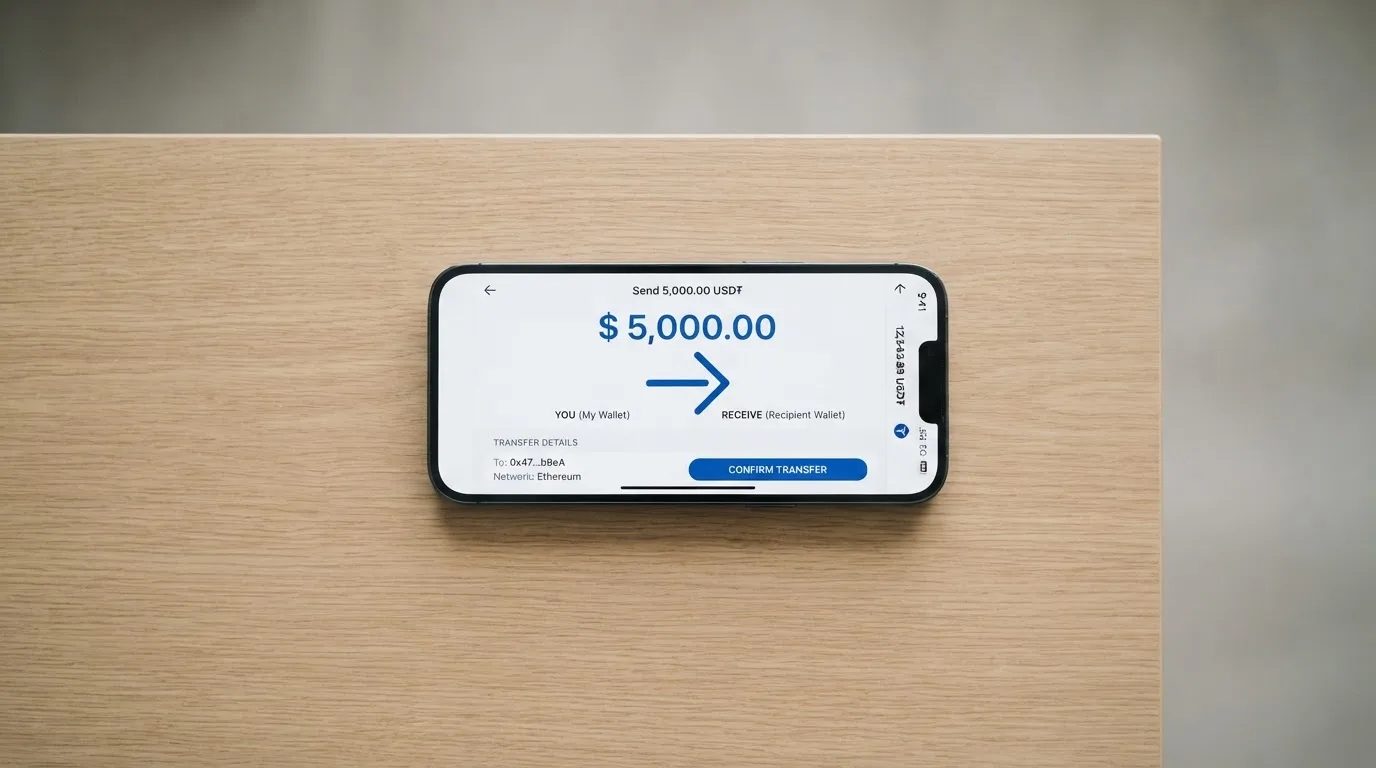
The Standard card’s top-up fee is not listed as a separate line, but the conversion fee of 0.90% on transactions of 2 USD or more (and 0.05 USD on smaller transactions) is effectively the cost of moving from crypto to the fiat balance that the card spends. There is no published minimum top-up. The card balance is linked to a Gate Pay payment account, so if you want to manage top-ups and withdrawals in one place the Gate Pay screen is the place to look. Unofficial sources describe a 0.9% top-up charge for some prepaid variants, but again, that is not on the Standard card page.
A few practical rules that apply regardless of which mode you use. Crypto transfers are irreversible, so a deposit sent on a network the card provider does not support, or to the address of a different network, can be lost or require manual support recovery with no guarantee. The card provider’s wallet address is the only address you should ever send to. If you hold USDT but no native gas token (for example ETH on ERC-20), your wallet will not be able to send. And, as with any custodial product, the card balance sits with Gate, not with you.
There is also a “Card Balance Withdrawal” section on the card page that points to an announcement page not included in the public material I read, which is where the formal process for pulling unused card balance back out is described.
Paying with it every day
Day-to-day use is the part of the Gate card that is the least well documented and the most worth thinking about. The virtual card is available within minutes and is the form you will use first; the physical card is what you would put in your wallet, and it supports ATM withdrawals at supported machines.
Mobile wallets are documented in a help-centre article titled “Add Your Gate Card to Google Pay & Apple Pay”. Unofficial sources add a wrinkle: on the Classic tier, only Google Pay is supported, while the Standard and Signature help pages reference both Apple Pay and Google Pay. If Apple Pay matters to you, the tier you end up on determines whether the option is open at all. The card page itself does not state which wallets are supported, and the relevant help article is not explicitly listed on the Gate site.
Cashback is pitched as “up to 8%” depending on card tier. The way it works is described in two different ways across Gate’s own pages: the FAQ says rewards are issued as points redeemable for USDT or GT, while a banner says cashback in BTC, ETH, USDT, or USDC. Treat the upper bound as a marketing number and the actual cap as something to verify in the app for your tier, because the help pages do not list tier-by-tier cashback rates. Unofficial sources give one version of a tier ladder for the Classic card: T0 1% on 0 USDT monthly volume capped at 5 USDT, T1 1% on 500 USDT capped at 50, T2 2% on 3,000 capped at 100, T3 3% on 6,000 capped at 150, T4 5% on 10,000 capped at 250, T5 8% on 15,000 capped at 400, with 100 points equal to 1 USDT and no stated expiry. The Standard card page itself only confirms that “up to 8%” is the ceiling.
If something goes wrong with a payment, the official process is to contact the merchant first, then start a chargeback through Gate with proof of that communication. The page says a $25 processing fee typically applies regardless of the outcome, although the Standard card fee table quotes 30 USD for the same action; that kind of inconsistency is worth checking with support before you file. Resolution can take up to three months, and there is no separate refund timeline for plain refunds, while pre-authorisation holds on things like hotel or car-hire bookings are released after the service ends. Funds on hold can stay locked for several days (typically up to 7).
Blocked merchant categories are not listed publicly, and the app-store rating of the wider Gate app is around 4.3 out of 5 in the US Apple App Store from about 5,200 ratings, but that score covers the exchange app rather than the card app specifically.
What can go wrong
The product itself is sound; the wider context is what gives a careful reader pause. The card page does not name the issuing institution, the licences the issuer holds, or the regulator that oversees it, which leaves you to rely on third-party directories. Those directories point to Stanhope Financial UAB in Lithuania and to Lead Bank in the US, but Gate does not confirm either of these on its card page. Gate did join the Mastercard Crypto Partner Program, which is a positive signal at the network level, but it is not the same thing as naming a regulated issuer.
User sentiment around the Gate brand is split. Trustpilot scores for the wider Gate domain sit at around 3.5 out of 5 from about 121 reviews, with most complaints aimed at non-card services and one card-data complaint that was resolved by support. The Gate exchange Trustpilot score is much lower, at about 1.5 out of 5 from roughly 1,000 to 1,400 reviews, and the recurring complaints are about accounts being restricted without explanation, deposits or trading being suspended, and slow support. None of these are card-specific, but they are the brand you are signing up to.
Card-specific complaints are smaller in number and harder to verify, but worth knowing. A 2024 pause on cashback rewards, a physical card that was retained by an ATM with a delayed replacement, card funds that were inaccessible for six days, merchant refund delays, and a five-to-six-week wait for chargeback responses are all in the unofficial record. Small, infrequent purchases have also been reported to trip a freeze on the card. None of these are deal-breakers on their own, but together they suggest that edge cases exist and that the resolution path is not always quick.
Security features are partially described. A lost or stolen card can be temporarily frozen; cards are often frozen automatically after several wrong PIN entries; the PIN is changeable in the Gate Card app. A negative card balance “will risk having your card getting permanently blocked”, which is an unusual line and one to read as written: a card that goes into the red, even briefly, can be terminated. Custody arrangements, two-factor authentication options, and any insurance on stored funds are not stated on the card page.
The card balance sits with Gate, not with you. Crypto transfers are irreversible, custodial platforms have a history of high-profile failures, and stablecoins can depeg. None of that is specific to Gate, but it is the category risk you accept when you load the card.
Support runs through [email protected] and the help centre; hours and languages are not stated.
What to take instead
The honest answer for many readers is that the right card depends on which problem you are trying to solve. If you already hold assets on Gate and want a free way to spend USDT, BTC, ETH, or GT, the Gate card is a reasonable default. If you do not, the question is which exchange you do use, and how that exchange’s card compares.
Bybit Card (6.0 / 10)
Bybit’s card programme is more geographically explicit than Gate’s. Official help-centre regions for the card are Argentina, AIFC (Kazakhstan), Georgia, Kazakhstan, Australia, Mexico, Brazil, Peru, and Asia Pacific. The card page warns that “this product is not meant for European Economic Area customers” and that all European Economic Area participation is strictly prohibited, which is the opposite of Gate’s soft “non-restricted countries” framing. Bybit’s fiat-service restricted list covers Belarus, the Russian Federation, Serbia, China, and the United States for deposits, withdrawals, and One-Click Buy, with a carve-out for Russian users making RUB transactions; the card-specific statement for Russia or Belarus is not made, and the card currency “depends on the country of your Advanced Identity Verification”.
Bybit offers virtual and physical cards in most regions, with phased rollouts and physical cards unavailable in Peru. Issuance is free across the regions, except for Australia (29.99 USD), Argentina (5 USD/USDT), Georgia and Kazakhstan/AIFC (29.99 USDT), and Asia Pacific (5 USDT); VIPs with Australia, Kazakhstan (AIFC), Georgia, or Asia Pacific physical cards pay nothing. The crypto conversion fee is 0.9% over the One-Click Sell rate in most regions, 0.5% in Argentina, and not supported in Peru. FX fees vary: 2% on the network rate in Australia, Asia Pacific, Georgia, and Mexico, 2% as an “International Fee” on Kazakhstan (AIFC) purchases outside Kazakhstan even in USD, 7% in Argentina, 1.5% in Brazil, and 1% in Peru.
The card has no balance of its own and draws on the Funding Account and Flexible Easy Earn, with fiat used first and crypto sold at the One-Click Sell rate plus the 0.9% conversion fee when fiat is short. Supported coins are BTC, ETH, XRP, USDT, USDC, and GRAM, with a default priority of USDT, USDC, GRAM, BTC, ETH, XRP that you can reorder in the Card Dashboard.
Since 5 October 2026, only crypto-funded transactions earn points or cashback; fiat-funded spending does not. The reward ladder is base 2.00% on no minimum spend up to 5 USD, Beta 2% on 500 USD up to 50 USD, Alpha 4% on 3,500 USD up to 150 USD, Apex 6% on 9,500 USD up to 250 USD, Omega 8% on 12,500 USD up to 400 USD, and Infinite 10% on 25,000 USD up to 600 USD. Points pend for four calendar days, then convert to USDT at 1 point = 0.002 USDT. There is a 10% welcome cashback up to 110 USDT in the first 30 days, a 100% subscription cashback for VIPs and Alpha-and-above tiers, and a 20 USDT referrer / 10 USDT referee bonus.
Bybit’s card is the better pick if you are outside the EEA, want a clearly stated regional rollout, and are happy with the 0.9% conversion on the funding-account model.
MSX (6.4 / 10)
MSX sits in the middle of the table at 6.4 out of 10, but the public material I read does not include a country list, a card form factor, a fee schedule, a funding list, or a reward structure. Without those, the only honest thing to say is that MSX is a card to investigate rather than one to recommend on the strength of the published material.
MEXC (5.6 / 10)
MEXC’s card page lists the Philippines, Taiwan, and Thailand among supported markets, with a Details link to a fuller list. The product is virtual-only, with physical cards not yet available; the network and card currency are not stated. The page shows an issuance fee of 20 USD next to a possibly discounted 0 USD line that is hard to read, and a 0% service fee, with a link to a more detailed guide that was not read. Funding runs through USDT sent to a Fiat account and then onto the My MEXC Card page; networks are not stated. Cashback is paid by the 15th of the next month and is tiered by M-Score: Standard 4% up to 100 USDT per month, Premier (M-Score 600–799) 6% up to 300 USDT, and Elite (M-Score 800+) 10% up to 800 USDT, with a 20 USDT referrer / 10 USDT referee bonus.
The MEXC card is the pick for a reader who is happy with a virtual-only card, sits in the Asia-Pacific region, and wants a higher headline cashback rate at the top tier.
| Card | Score | Card forms | Crypto conversion | Non-USD FX | ATM fee | Cashback ceiling | Best fit |
|---|---|---|---|---|---|---|---|
| Gate (Standard) | 6.8 / 10 | Virtual and physical | 0.90% | 1.00% | 2% | Up to 8% (tier-dependent) | Existing Gate users spending USDT, BTC, ETH, or GT in USD |
| Bybit | 6.0 / 10 | Virtual and physical (regional) | 0.9% (most regions); 0.5% Argentina | 2% in most regions; up to 7% Argentina | Varies by region | 10% at the Infinite tier | Readers outside the EEA who already fund on Bybit |
| MSX | 6.4 / 10 | Not stated | Not stated | Not stated | Not stated | Not stated | A card to investigate rather than to recommend on the published material |
| MEXC | 5.6 / 10 | Virtual only | Not stated on the page | Not stated | Not stated | 10% at the Elite M-Score tier | Asia-Pacific readers comfortable with a virtual card and a higher cashback ceiling |
Who I would recommend it to
The Gate card is a sensible pick for somebody who already keeps USDT, BTC, ETH, or GT on Gate and wants a low-friction way to spend that balance at a regular retailer or to draw cash from an ATM, without first moving funds to a bank. The 0.90% conversion fee is in the normal range for the category, the issuance and monthly fees are zero, and the virtual card is ready in minutes, which makes it easy to try before committing.
It is a less obvious pick if you are outside the supported geography, want a card with a clearly named issuer on the back, or rely on Apple Pay on a Classic-tier card. The country list is not published, the issuer is not named on the card page, and the cashback scheme is described inconsistently across Gate’s own help pages. The Trustpilot record for the wider Gate brand is poor, even if most of the complaints are aimed at the exchange, and the card-specific reports of a 2024 cashback pause, slow card replacement, and inaccessible funds are worth taking seriously.
If you are not already a Gate user, the case is weaker. Bybit is a better fit outside the EEA, MEXC is a better fit for a virtual-only Asia-Pacific card, and MSX is a card to read more about before committing. For somebody who is already on Gate and comfortable with the published numbers, the Standard card is free to try, the worst-case downside is the cost of a card replacement, and the upside is a single balance to hold and a familiar app to manage it from.
Frequently asked questions
What is the Gate card?
The Gate card is a payment card that draws on a crypto balance held at the Gate exchange. It is described as a “digital assets credit card offered by Gate” and primarily supports the Visa or Mastercard network. The card can run in Instant Spend Mode, which converts USDT, BTC, ETH, or GT at the moment of payment, or in a prepaid mode that loads a fiat balance in advance.
How does the Gate card work?
You apply inside the Gate app after completing Level 2 identity verification, choose a virtual or physical card, and either pre-load a balance in prepaid mode or let the card convert from your held USDT, BTC, ETH, or GT at the moment of payment in Instant Spend Mode. The card balance is linked to a Gate Pay payment account, and the cost of using it is a 0.90% crypto conversion fee, a 1.00% non-USD foreign-exchange fee, and a 2% ATM fee on the Standard tier.
Is Gate a bank?
Gate is not described as a bank on the card page. It is a digital-asset platform that offers a card product, and the issuing institution is not named on the card page. Unofficial sources name Stanhope Financial UAB, a Bank of Lithuania e-money institution, for the EEA side and Lead Bank with Bridge as programme manager for the US side, but those are not confirmed by the card.
Who owns Gate?
The card page does not say who owns the company behind the card, and ownership of the wider Gate exchange is not covered in the public material I read.
Is the Gate card available in my country?
Gate does not publish a full list of supported or excluded countries. The card page says the card is only available to users in “non-restricted countries or regions”, and unofficial sources name 24 European countries as covered by the Classic tier, with the US, UK, Germany, France, and Canada listed as not currently covered. The only reliable way to find out is to try the application.
How do I apply for the Gate card?
You open the Gate app, link an email and a phone number, complete Level 2 identity verification, and choose either the Instant Virtual Card or a physical card from the card section. The virtual card is reviewed in 3 to 5 minutes, and the physical card arrives in 7 to 45 days depending on the country. The Standard tier is free to issue in both forms.
Does the Gate card require KYC?
Yes. Applying for the card requires Level 2 identity verification, which means an identity document, a facial check, and a residential address. Some card types also ask for a proof of address dated within the last three months. The card application must use the same ID as the Gate KYC.
How do I top up the Gate card?
In Instant Spend Mode the card pulls from a held balance of USDT, BTC, ETH, or GT at the moment of payment, so there is no separate top-up step. In prepaid mode you convert funds from Gate Pay or Spot into fiat first and the card draws on that stored balance. The full list of supported coins and networks in prepaid mode is not stated publicly; check the app before you send.
How do I add the Gate card to Apple Pay or Google Pay?
A help-centre article titled “Add Your Gate Card to Google Pay & Apple Pay” exists, though its content is not explicitly confirmed on the card page. Unofficial sources say the Classic tier supports Google Pay only, while the Standard and Signature tiers support both Apple Pay and Google Pay. The card page itself does not state which wallets are supported.
Is the Gate card safe?
The card can be temporarily frozen if it is lost or stolen, and is often frozen after several wrong PIN entries. The PIN is changeable in the Gate Card app, and a negative balance “will risk having your card getting permanently blocked”. Custody, two-factor authentication options, and any insurance on stored funds are not described on the card page. The wider Gate brand’s Trustpilot record is around 1.5 out of 5 for the exchange, while card-specific complaints include a 2024 cashback pause and slow card replacement.
Exchange cards: the entry point – cryptocardportal.com
Content created by the «cryptocardportal.com» team