
A self-custody Visa card that pays in stablecoins, with most of its costs hidden in plain sight
 Available in US
The BloFin Wallet card is a Visa Platinum debit card that draws on a crypto balance held in BloFin’s self-custody wallet. You create a wallet with a seed phrase, top it up with USDT or USDC on Arbitrum or Base, and the card converts your stablecoins to fiat at the moment of payment. It is one of a small group of cards that keeps custody with the user until the very moment a transaction settles, and that unusual design, plus a fee structure that swings from 1.00% to 0.00% depending on your VIP tier, makes it worth a closer look.
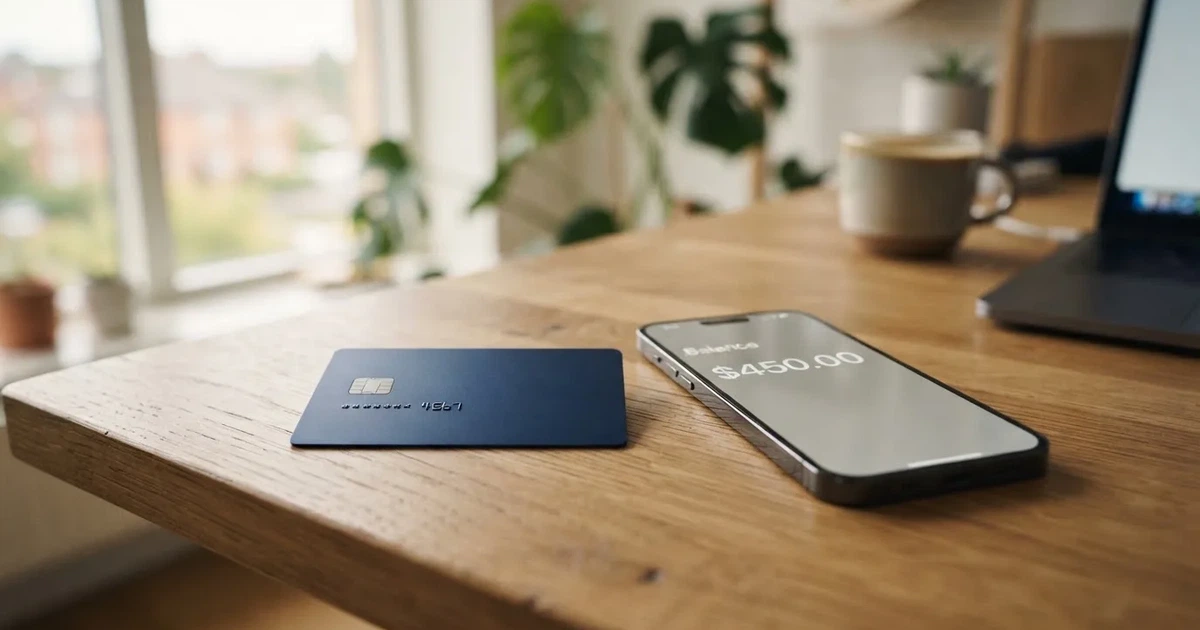
Conditions in this review are current as of October 28, 2026.
Verdict
I came away from the card’s public pages with a score of 6.9 out of 10. That is a respectable middle-of-the-pack result, and it reflects a real trade-off: the card is cheap if you spend enough to climb the VIP ladder, and it preserves self-custody until the moment of payment, but it also leaves big questions unanswered. The country list is not published on the card page itself. FX fees, ATM fees and supported card currencies are not disclosed. And while the card itself has no user complaints I could find, the exchange it links to has a low reputation score on third-party review sites, which I will return to in the risks section.
If you are a self-custody wallet holder who already keeps funds in USDT or USDC and wants a Visa card that does not require you to deposit crypto with a centralised exchange, this card is worth a serious look. If you need ATM access, transparent foreign-exchange fees, or a card that openly publishes which countries it serves, you will probably want to look elsewhere.
Here is how the score breaks down.
| Criterion | Mark | Why |
|---|---|---|
| Who can get it | 7 / 10 | The starting data lists around 35 countries, including the US, Australia, Japan, the UAE, Brazil, Mexico, Malaysia and New Zealand, but the card page only asks you to “select your country or region” in the app rather than publishing a list. |
| Cost | 8 / 10 | Issuance, activation, annual and dormancy fees are all $0.00, and the spend fee drops from 1.00% at VIP 0 to 0.00% at VIP 5, but the FX fee is not stated anywhere on the public card pages. |
| Top-up options | 7 / 10 | USDT and USDC on Arbitrum and Base only, free of charge, but no fiat on-ramp and no other coins or networks. |
| Reliability and complaints | 6 / 10 | The card is issued by Rain, a Visa Principal Member (per the card’s FAQ, not independently re-verified), and I found no complaints about the card itself; the BloFin exchange, however, has a Trustpilot score of 1.3 out of 5 from a small number of reviews. |
| Everyday use | 6 / 10 | Apple Pay and Google Pay are both supported, the card can be virtual or physical, but ATM support and blocked merchant categories are not disclosed. |
The card’s natural audience is a self-custody wallet holder who tops up with USDT or USDC and is comfortable checking the supported networks and country list in the app rather than on a web page. Outside that audience, the missing disclosures start to bite.
Who will they give you the card
The card page itself does not publish a country list. Instead, the application asks you to “select your country or region” in the app, and only then will it confirm whether you qualify. According to the starting data, the card works in around 35 countries, including the United States, Australia, Japan, the United Arab Emirates, Brazil, Mexico, Malaysia and New Zealand, but this list comes from internal data and has not been re-verified for this review.
Whether the rule is based on citizenship or on country of residence is not stated. That distinction matters: a US citizen living in a country not on the list, or a citizen of an unlisted country living in the US, may run into a different result than they expect. If you fall into either case, the only safe way to find out is to install the app, attempt the application and see whether the country picker offers yours.
No specific country rules are published on the card page. I cannot tell you which jurisdictions are blocked or restricted, and the card does not say. If you are in a country where crypto cards are commonly restricted (such as a sanctioned jurisdiction or a country that has banned crypto card products outright), assume nothing and check with the app before you do anything else.
Age and residency requirements are likewise not stated. The card page confirms only that an identity check happens “where required”, in-app, and that approval can come “as fast as 10 minutes”, with the steps being: create wallet, select region, submit application, complete the ID check, then receive the card. Documents, proof of address, and minimum age are not stated. If you are under 18, or you do not have a standard government photo ID plus a verifiable address, treat this as an unknown until you test it yourself.
How to get it
Getting the card is a five-step process, done entirely inside the BloFin Wallet app.
- Create the wallet first. This is unusual for a card product: you do not start with the card application, you start with a self-custody wallet. The app generates a seed phrase, which you must back up yourself. Anyone with the seed phrase can restore the wallet and spend the funds, so write it down somewhere offline and never share it. Once the wallet exists, you can apply for the card.
- Select your region. Pick your country or region in the app. The card page does not publish the list, so the only feedback you get is whether your region is accepted or not.
- Submit the application. This is a standard form tied to your wallet account.
- Complete the ID check where required. BloFin describes this as happening “where required”, in-app, taking “a few minutes”, with approval “as fast as 10 minutes”. What the check actually requires (photo ID, selfie, proof of address, age verification) is not stated, and the level of due diligence applied is not disclosed either.
- Receive the card. The card is the “BloFin Wallet Visa Platinum card”, a Visa Platinum product. Whether you receive a virtual card, a physical card, or both is not stated. The card’s currency is not stated. Delivery times and shipping cost are not stated.
The fact that the wallet comes first is worth pausing on. With most crypto cards, you deposit crypto with a custodial provider, and that provider runs the card programme. Here, you hold the keys until the moment of payment, and the card is essentially a spending interface on top of a wallet you control. That design has real advantages (your crypto cannot be lost in an exchange hack) and real responsibilities (if you lose your seed phrase, the card is useless, and there is no customer support line that can restore access for you).
Fees
The fee structure is mostly clear, with one conspicuous gap.
| Fee or limit | Amount |
|---|---|
| Issuance | $0.00 |
| Activation | $0.00 |
| Annual fee | $0.00 |
| Dormancy fee | $0.00 |
| Cancellation | No fee |
| Spend fee, VIP 0 (entry tier) | 1.00% |
| Spend fee, VIP 1 | 0.90% |
| Spend fee, VIP 2 | 0.80% |
| Spend fee, VIP 3 | 0.50% |
| Spend fee, VIP 4 | 0.20% |
| Spend fee, VIP 5 | 0.00% |
| Foreign-exchange fee | Not stated |
| ATM withdrawal fee | Not stated |
| Monthly reduced-fee quota, VIP 1 | $2,000 |
| Monthly reduced-fee quota, VIP 2 | $2,500 |
| Monthly reduced-fee quota, VIP 3 | $10,000 |
| Monthly reduced-fee quota, VIP 4 | $12,500 |
| Monthly reduced-fee quota, VIP 5 | $20,000 |
| Spending limit | “No fixed spending limit” (per card FAQ) |
The VIP tiers reset on the first of each month and are based on prior-month card spend. The maximum monthly saving at each tier is $2 for VIP 1, $5 for VIP 2, $50 for VIP 3, $100 for VIP 4 and $200 for VIP 5. If you also link a BloFin Exchange account, the higher of the two tiers applies.
The card does not pay cashback or rebates. The reduced spend rate, dropping all the way to 0.00% at VIP 5, is the reward structure instead. As the card page puts it, “no waiting for cashback or rebates” — meaning you save on the spread at payment rather than earning something back later.
Three everyday payments show how this plays out in practice.
- Buying coffee for $5 in your home currency. You are at VIP 0. The card charges a 1.00% spend fee, so $0.05. That is the whole cost: no FX, no monthly fee, no card fee. If you are at VIP 5, the fee is $0.00.
- Paying a $200 streaming subscription billed in euros, from a US-based card. The 1.00% spend fee is $2.00 at VIP 0, $0.00 at VIP 5. The FX fee, however, is not stated. With most cards this is where the real cost hides, and the card does not say. I would not assume 0%.
- Withdrawing $100 from an ATM abroad. The ATM fee is not stated. The card FAQ also says withdrawals are “currently unavailable”, so this is a theoretical scenario today. If and when withdrawals are enabled, the cost will be the card’s fee (not stated) plus whatever the ATM operator charges.
The FX gap is the single most important number missing from this fee table. If you are spending in a currency that is not your wallet’s base currency, you do not know what you will pay. An FX margin is common in the category, and that would add to the 1.00% spend fee for cross-currency spending. Treat the FX fee as the first thing to confirm in the app before relying on the card for non-USD payments.
Top up
The only top-up path is USDT or USDC, on Arbitrum or Base. The card page describes the top-up as free. There is no fiat on-ramp listed, no bank transfer, no card-to-card funding, and no support for other coins. If your funds sit in BTC, ETH or any non-stablecoin, you will need to convert them into USDT or USDC yourself, on an exchange or in the wallet, before you can top up the card.
Two practical details are worth knowing.
- The network fee is on you. On-chain network fees (gas) for the deposit are charged by the blockchain, not by BloFin. Arbitrum and Base are both Ethereum layer-2 networks with low gas costs, so the fee should be small in normal conditions, but it is not zero. The card does not say who pays the network fee, what the minimum top-up is, or how long the deposit takes to credit.
- Irreversible transfers. Stablecoin transfers on a blockchain are not reversible. If you send USDT on the wrong network, or to an address for a network the card does not support, the funds can be lost, and recovery, if it is possible at all, depends on the card’s support team. I could not find any support channel listed on the card page, which makes that risk harder to manage. Circle stopped supporting USDC on Tron in February 2024, so “USDC over TRC20” is not a native option and any such transfer should be considered risky.
Withdrawals are a separate issue. The card FAQ says withdrawals are “currently unavailable”, so once your stablecoins are loaded onto the card, you cannot pull them back out through the card. The wallet itself remains in your control, so you can still move funds out of the wallet using the wallet’s standard features, but the card balance appears to be a one-way street at the moment.
If you want a card that funds from a bank account, or that accepts a wider range of coins, this is the wrong product. If you already keep your working capital in USDT or USDC and you are comfortable with Arbitrum or Base, the top-up path is short and cheap.
Paying with it every day
The card works as a standard Visa Platinum debit card. The launch press release confirms Apple Pay and Google Pay support, and the card page itself shows Apple Pay. Tokenised mobile wallets replace the card number with a device-specific number, so adding the card to Apple Pay or Google Pay is the usual contactless experience.
What the card does not say is at least as important as what it does.
- Virtual vs physical. Whether the card starts as a virtual card, a physical card, or lets you choose is not stated.
- Blocked merchant categories. The list of blocked merchant categories (gambling, for example, is commonly blocked on crypto cards) is not stated. You will only find out whether a transaction goes through when you try it.
- 3-D Secure. Online card payments often go through 3-D Secure, where the card issuer challenges the cardholder with a one-time code or biometric step. Whether the card participates in 3-D Secure is not stated. If it does not, some online merchants will decline the payment.
- Disputes and chargebacks. The dispute process is not stated. If a merchant charges you for goods you did not receive, or charges the wrong amount, the card page gives no information about how to file a dispute or what evidence to provide. The card FAQ also says withdrawals are currently unavailable, which limits the practical ways to recover funds.
- ATM access. The ATM fee is not stated, and the card FAQ says withdrawals are “currently unavailable”, so this is largely a card for in-person tap, online checkout, and mobile-wallet payments.
The app is available on Google Play, as an APK download, and on the App Store, but I did not read or summarise app ratings. If you want a sense of how the app behaves in practice, check the ratings on your platform’s store before installing.
What can go wrong
The card itself has no user complaints I could find. That is a small data point — complaints can take time to surface, and a low-volume card may simply have fewer users posting — but it is the data point that exists.
The exchange is a different story. BloFin (the exchange, not the card) has a Trustpilot score of 1.3 out of 5 from 68 reviews, according to a third-party snapshot from July 2025. The themes flagged are customer service and handling of funds. That is unofficial and not confirmed by the card, and it is not a comment on the card’s own behaviour, but it is the kind of signal worth weighing if you plan to link a BloFin Exchange account to your wallet to qualify for the higher VIP tier.
Other risks worth thinking through:
- Unstated FX and ATM fees. A card can advertise a 1.00% spend fee and still cost you more on a cross-currency transaction once the FX margin is added. The card does not publish this number. If you are paying in a non-base currency, the first thing to check is what the card actually charges.
- Self-custody responsibility. A mnemonic wallet is created before the card application. If you lose your seed phrase, the card is useless, and there is no one at the card provider who can restore access. Stolen seed phrases have no recovery, because blockchain transfers are irreversible.
- Card-programme closure. Card programmes can be wound down. Visa has done this in the past with specific issuers, and exchanges have wound down their own card programmes. If that happens, the typical pattern is a notice period, then spending and loading are stopped, then users are asked to withdraw their remaining balances. With this card, the wallet is yours, so the card balance is what is at risk, not the underlying crypto in your wallet.
- Stablecoin depeg. USDT and USDC are US-dollar-pegged, but they are not guaranteed to hold that peg. USDC briefly lost its peg during the US banking turmoil in March 2023. If the stablecoin you top up with depegs, the value of your card balance moves with it.
- No published company address or licences. The operating name is “BloFin Wallet”, the press release is dated from Road Town in the British Virgin Islands, and the issuer is Rain, described as a Visa Principal Member in the card’s FAQ. The card does not list the licences it operates under, and the third-party information is mixed: one restricted-countries review site says BloFin (the exchange) operates through BuildLight Future Limited in the Marshall Islands, and a wiki profile lists the Cayman Islands as the headquarters of BloFin Wallet. Both of these are unofficial and not confirmed by the card.
- Support. Support channels are not stated. The card page does not list an email, a chat, or a help-centre URL. If something goes wrong, finding the right contact may itself be the problem.
- Sanctions and frozen funds. Stablecoin issuers can and do freeze funds tied to sanctioned addresses. If the address you send from, or the address you send to, ends up on a sanctions list, the funds can be frozen in place. This is uncommon, but it is the reason exchanges screen deposits.
What to take instead
If the unstated FX fee, the USDT/USDC-only top-up, or the missing country list rules this card out, here is how three alternatives stack up.
| Card | Score | Who can get it | Top-up | Cost shape |
|---|---|---|---|---|
| Decaf | 6.2 / 10 | Not issued in Belarus, China, North Korea, India, Iran, Iraq, Israel, Myanmar, Nepal, Russia, Syria, Turkey, Cuba, Ukraine, Venezuela, Vietnam, Nicaragua, Puerto Rico or Nigeria; not issued in US states Arizona, Delaware, Georgia, Idaho, Louisiana, Maryland, Montana, Ohio, Oregon, Rhode Island, Washington or Wisconsin | USDC, bank transfer, or a Decaf payment link by card | Virtual card $5, physical $10 in the US or $90 elsewhere; Decaf adds no FX fee on top of the Visa rate |
| SafePal | 6.2 / 10 | Citizens of supported regions who live in supported areas (the published list was empty when fetched) | Crypto from 40+ blockchains, converted to USDC or fiat; transactions on Arbitrum | No account or management fees; 1% Mastercard non-USD FX fee; 0% standard top-up fee, but swaps include a spread |
| Avici | 6.1 / 10 | Not stated | Deposit crypto to Avici, then top up the card; coins and networks not listed | “No Hidden Fee”, “No Gas Fee, No Interchange Fee” — no amounts given; FX and conversion not stated |
Decaf is a virtual or physical Visa card whose main selling point is that Decaf adds no FX fee on top of the Visa exchange rate. If transparent foreign-exchange costs are a priority, that is a cleaner story than this card’s. Its country list is also longer and more clearly published, but it blocks Russia, Belarus and a long list of other jurisdictions, so check the list before applying.
SafePal runs a virtual Mastercard debit on top of a Swiss Fiat24 account, which means the spending limits are quoted in euros and the FX fee is a disclosed 1%. Top-up works from 40+ blockchains, which is far broader than USDT and USDC on Arbitrum and Base. If you are holding coins other than USDT or USDC, SafePal’s conversion path is more flexible. The country list, however, was empty when I checked, so eligibility is something to confirm in the app.
Avici is a Visa card with a secured-credit wording and a perks-led value proposition (airline miles, rental car insurance, travel and restaurant perks). The fees are advertised as “no hidden fee” and “no gas fee, no interchange fee”, but with no amounts published. If you are comparing on cost transparency alone, this is the weakest of the four.
Who I would recommend it to
I would recommend the BloFin Wallet card to a self-custody wallet holder who already keeps the bulk of their spending money in USDT or USDC, who is comfortable using Arbitrum or Base, and who is willing to confirm their own country eligibility in the app. The combination of $0.00 in fixed fees and a spend fee that drops to 0.00% at VIP 5 is competitive once you are spending enough each month to reach the higher tiers, and the self-custody design means you are not depositing crypto with a centralised exchange in order to use the card.
I would not recommend it if you need a card that funds from a bank account, if you want to spend coins other than USDT or USDC, if you need ATM access, or if you want a card that openly publishes its FX margin and country list before you install the app. The missing FX disclosure alone is enough to push cross-currency users toward a card that states the number, and the missing country list means you cannot tell from the website whether you are even eligible. For everyone in between, this is a card worth installing and testing before you commit your working capital to it.
Frequently asked questions
What is the BloFin Wallet card?
The BloFin Wallet card is a Visa Platinum debit card that spends from a crypto balance held in BloFin’s self-custody wallet. You create a wallet, top it up with USDT or USDC on Arbitrum or Base, and the card converts your stablecoins to fiat at the moment of payment.
How does the BloFin Wallet card work?
You create a self-custody wallet with a seed phrase, apply for the card in the app, complete an in-app ID check where required, and then spend. At payment time, the card converts your USDT or USDC to fiat and charges the merchant, deducting a tier-based spend fee between 1.00% and 0.00%.
Is BloFin Wallet a bank?
No. BloFin Wallet is a self-custody wallet product with a Visa card attached, and the card itself is issued by Rain, described in the card’s FAQ as a Visa Principal Member. The card does not publish its licences, and whether Rain is a bank, an e-money institution, or another type of regulated issuer is not stated on the card pages.
Who owns BloFin Wallet?
The operating name is “BloFin Wallet”, and the launch press release is dated from Road Town in the British Virgin Islands. Unofficial third-party sources give different corporate locations: one restricted-countries review site lists the exchange as operating through BuildLight Future Limited in the Marshall Islands, and a wiki profile lists the Cayman Islands as the wallet’s headquarters. Neither is confirmed by the card.
How do I get the BloFin Wallet card?
Create a wallet in the BloFin Wallet app, select your country or region, submit the card application, complete the ID check where required, and wait for the card. The card page says approval can come “as fast as 10 minutes”, but whether you receive a virtual or physical card, the card’s currency, and delivery times are not stated.
Does the BloFin Wallet card require KYC?
The card says an ID check happens “where required” and is done in-app, but the documents required, the level of due diligence applied, and the specific triggers for requiring a check are not stated. If you do not have a standard government photo ID and a verifiable address, you should treat eligibility as unknown until you test it in the app.
How do I top up the BloFin Wallet card?
Send USDT or USDC to the card’s deposit address on either Arbitrum or Base. The card page describes the top-up as free, but on-chain network fees are charged by the blockchain, not by the card. Fiat top-up, other coins and other networks are not supported.
How do I add the BloFin Wallet card to Apple Wallet?
The card page confirms Apple Pay support, and the launch press release confirms Google Pay. Adding the card follows the standard mobile-wallet flow: open Apple Wallet or Google Wallet, choose to add a card, scan or enter the card details, and complete the issuer’s verification step. The card page does not provide step-by-step instructions, so follow the in-app prompts.
Is the BloFin Wallet card safe?
The card keeps your crypto in self-custody until the moment of payment, which removes the counterparty risk of a custodial exchange holding your funds. On the other hand, the FX fee is not stated, the card does not publish its licences, support channels are not listed, and the related BloFin exchange has a low third-party reputation score. The card itself has no user complaints I could find, but a self-custody wallet also means you bear full responsibility for your seed phrase.
How do I withdraw money from the BloFin Wallet?
The card FAQ says card withdrawals are “currently unavailable”, so the card balance cannot be cashed out through the card. The wallet itself is self-custody, so you can still send crypto from the wallet to an external address or to an exchange using the wallet’s standard send feature, but that is a wallet-level transfer, not a card withdrawal.
Wallet cards: the entry point – cryptocardportal.com
Content created by the «cryptocardportal.com» team